A naming update: As Anker brings its product lines together under one unified Anker brand, eufyMake App and Studio are getting new names: Anker Make App and Anker Make Studio. Your account, devices, projects, and existing features all stay the same.
¶ Highlights
- New Creation Flow (App) — five steps to a finished project on your phone
- New Community: Skill Marketplace — ready-made solutions you can make your own
- Maintenance & Care — three moisturizing modes save more ink, enhanced Deep Clean lowers clog risk, cartridge levels warn below 30%, and expired ink can be confirmed without a test print
- New PC Experience, Jig Printing — rebuilt home screen + jig printing, so repeat batches no longer need re-positioning
- Substrate Library (PC & App) — start from a substrate; save it once and reuse it
- Bidirectional Printing (now on App) — roughly 40% to 75% less print time
- Other Improvements — 2.5D relief quality, local snapshot, contour interaction and more
¶ Start from a Substrate: The App Print Flow
Five steps to a finished piece on your phone: the flow now starts by choosing a substrate, with guidance at every step.
Choose a Substrate → Content Creation → Craft Design & Material Reminders → Print Alignment → Confirm Parameters
- Content creation: design directly inside the substrate contour — or pick an AI Skill and upload a photo for a one-of-a-kind piece
- Craft design & material reminders: preview craft on the substrate 3D model and rotate your phone to explore; adjust layers together on one page; UV DTF film switches to sticker mode automatically; smooth substrates get a pre-treatment reminder, soft materials a flexible-ink reminder
- Print alignment: recommended alignment and placement by substrate type; Local Snapshot captures only the area you need, much faster for small substrates; your design auto-aligns to its position in the snapshot
- Confirm parameters: remaining print settings come last, confirmed right before you send
¶ New Community: Skill Marketplace
Skip the blank page: start from a proven creative solution and quickly make it your own version.
- Skill Marketplace: each Skill packages a complete, controllable solution — design variations plus the print settings that go with it, ready to adjust into your own version
- Print records auto-filled on upload: just two steps to complete
- Multi-file upload: 3MF, STL, OBJ, SVG, DXF and more. Up to 10 files
- New campaign form: go to the event page and check your ranking on the leaderboard
¶ New PC Experience: Home Redesign + Jig Printing
Open it and get to work: every entry point in one place, and repeat batches no longer need re-positioning.
Home redesign: open it and get to work — all features now live in the left navigation bar, so every entry point is in one place and easy to find.
Jig printing
- Set up a jig layout: pick a substrate, set the grid rules, save it and reuse it on canvas
- UV-printed jigs: print the jig contour onto a board with UV — flat or raised, no other machine required. You can also launch it from the Print dropdown in the bottom-right of the editor
- Export the jig file: STL for 3D printing, SVG for laser cutting
¶ Substrate Library
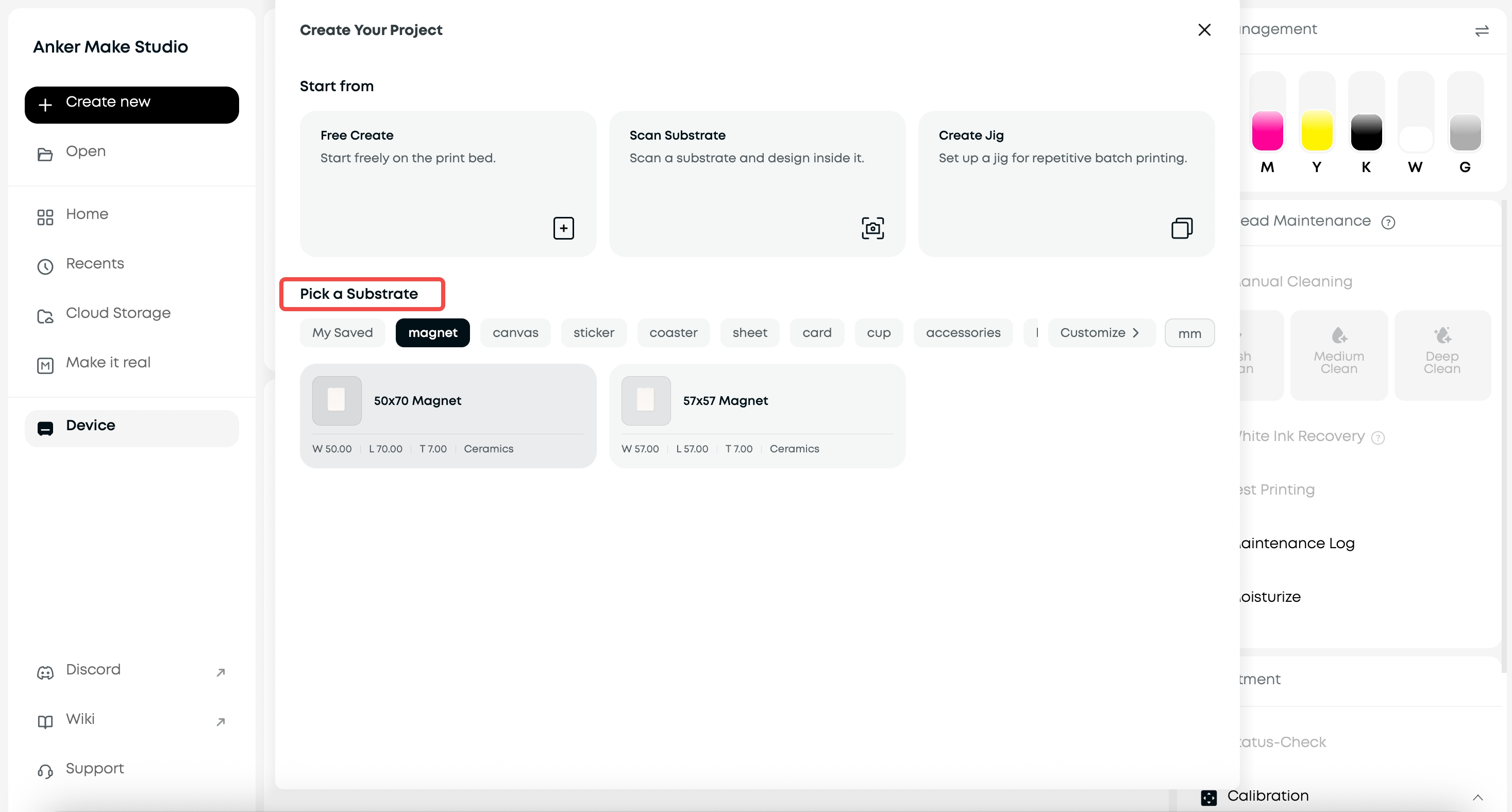
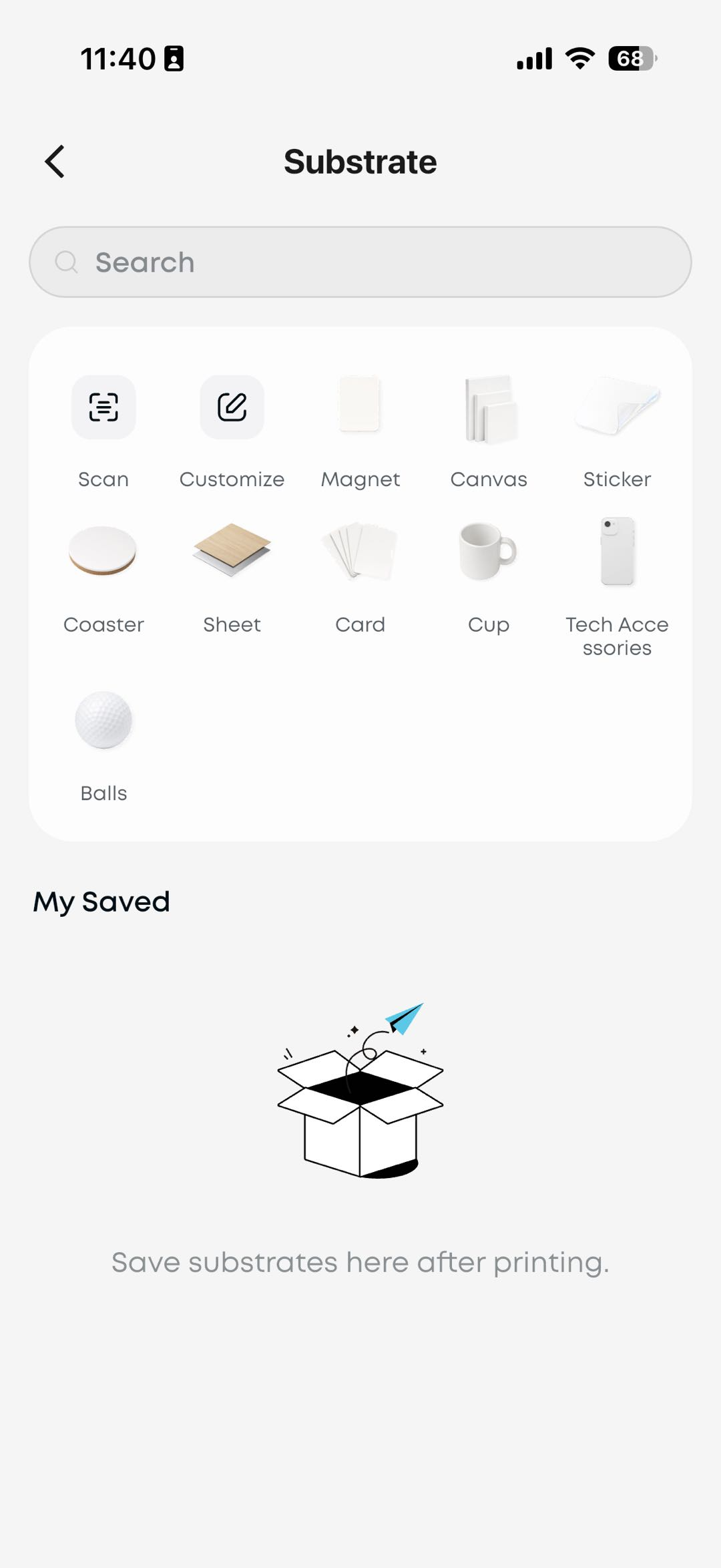
Start from the substrate: no blank canvas — add a substrate to your canvas and design inside its contour.
- Built-in eufyMake official and commonly used substrates — add one to your project and get its size, contour, material and color
- For standard geometric substrates, enter the dimensions to generate one directly — or scan a substrate to start creating
- Save frequently used substrates to your personal library for reuse anytime
¶ Bidirectional Printing (now on App)
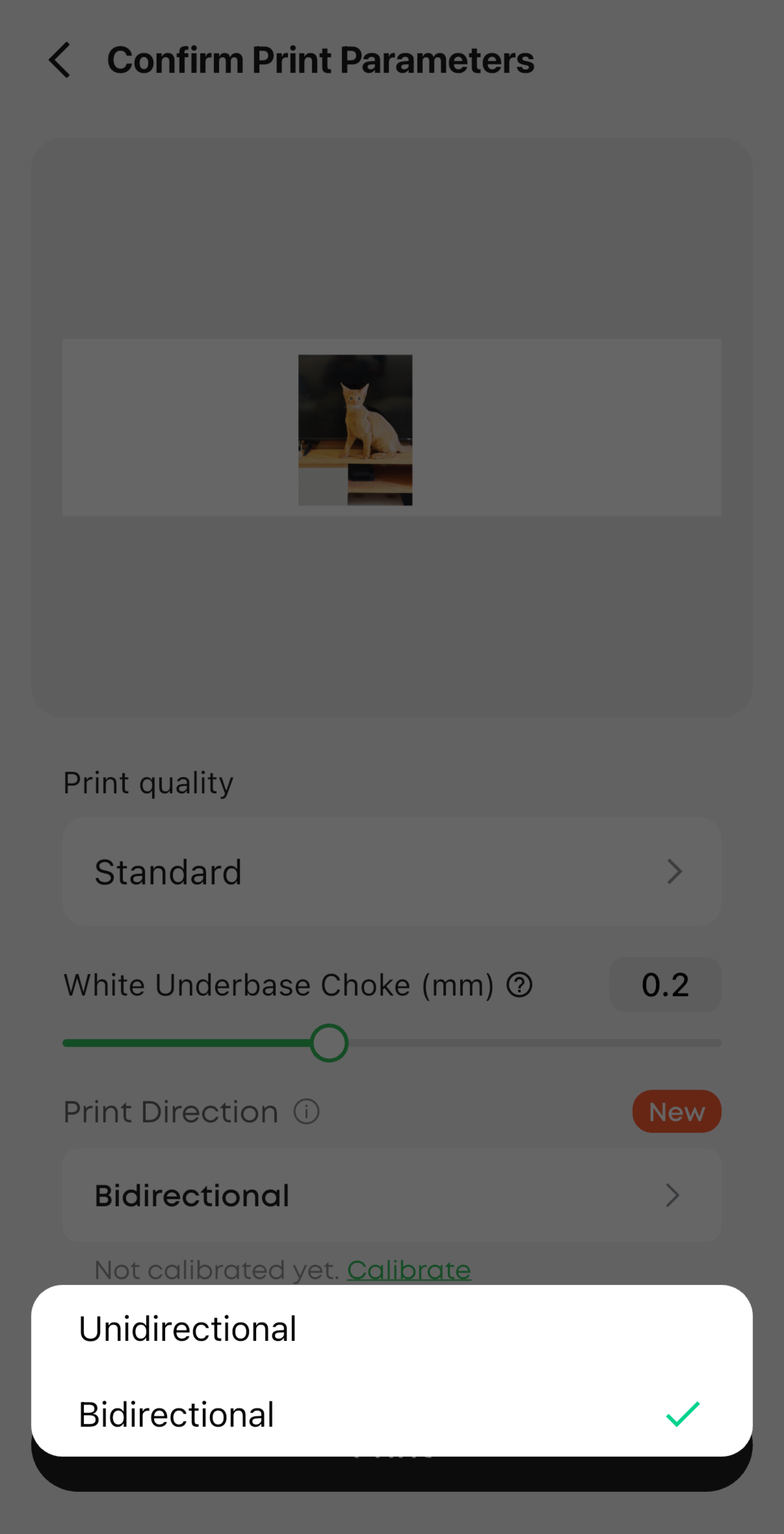
Up to roughly 40% to 75% less print time: the head lays ink on both passes, so deadlines stop being about waiting.
Bidirectional printing is now available on the App (PC already had it). The head lays ink on both the outbound and return pass. Measured time savings vary by print mode and white ink layers. We also redesigned how calibration values are entered on PC. A one-time bidirectional calibration is required before first use.
¶ Three Moisturizing Modes
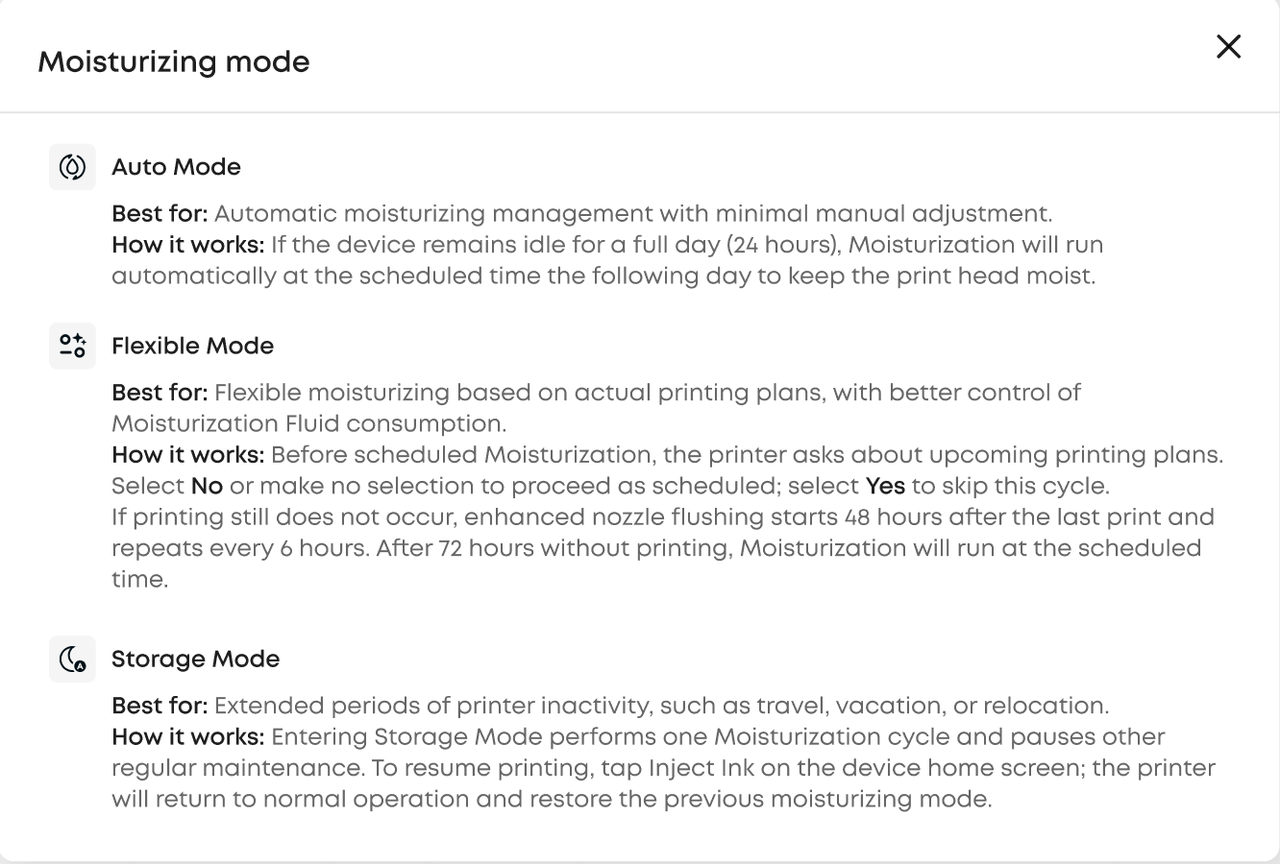
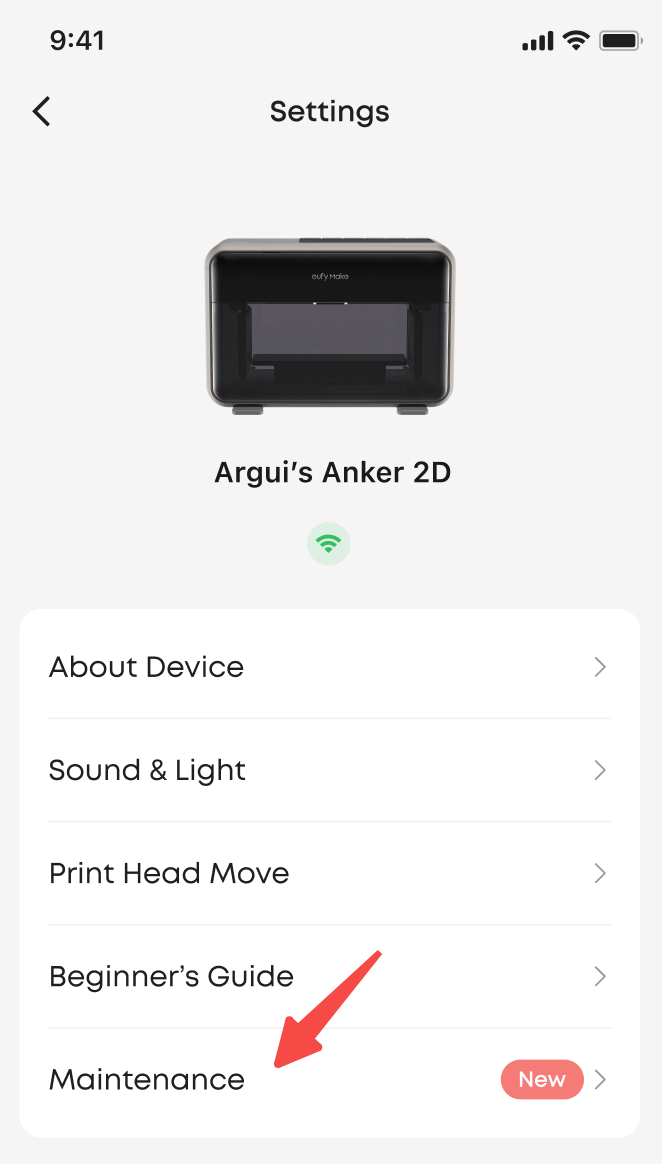
Maintenance that matches how you print: protect the print head while saving more ink.
- Auto — keeps the existing behavior. If the device sits idle for 24 hours, moisturizing runs automatically at the scheduled time the following day to keep the print head moist
- Flexible — adjusts moisturizing based on whether you plan to print within the next 48 hours, reducing fluid waste
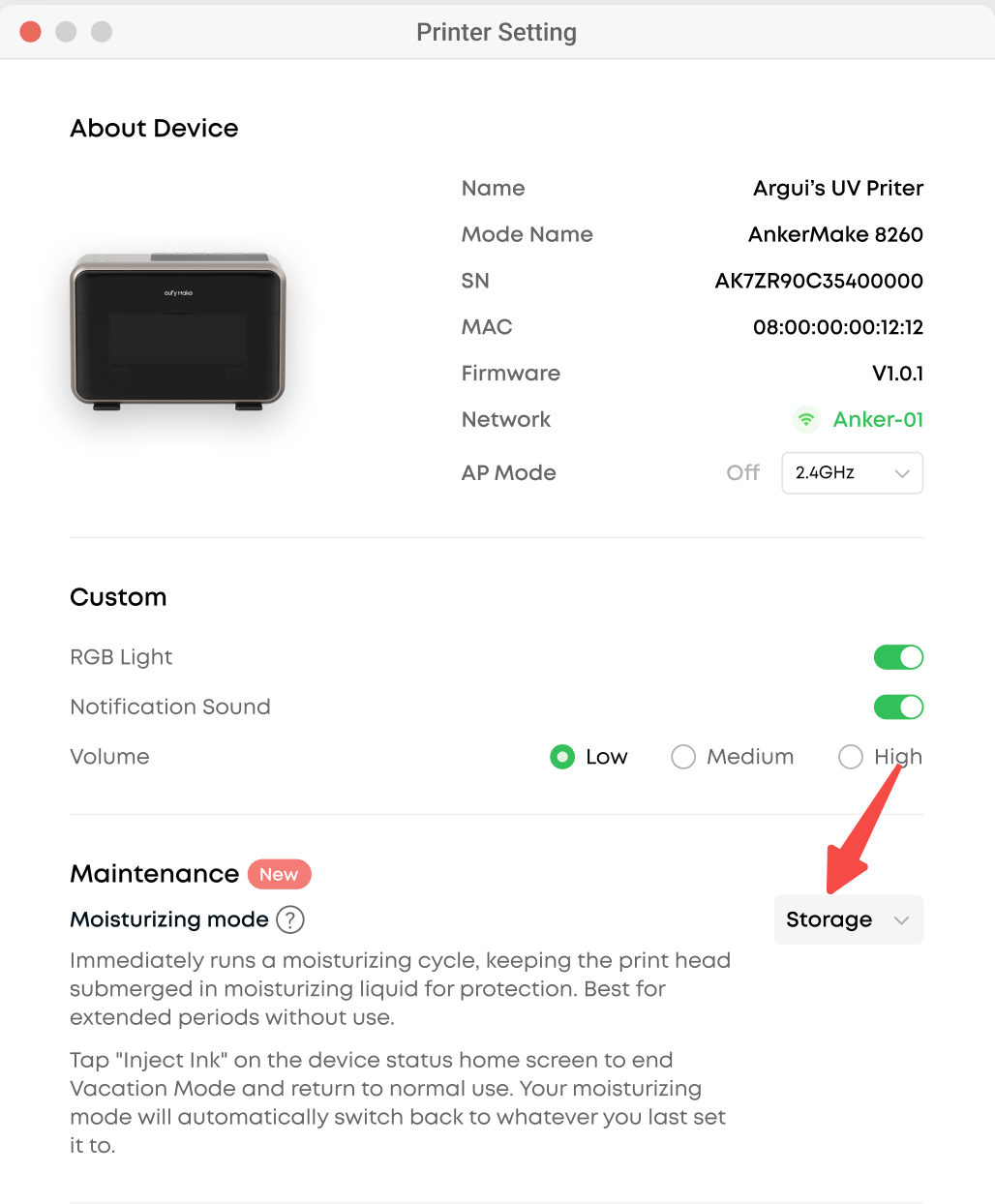
- Storage — for longer periods of inactivity; it runs a moisturizing cycle immediately to protect the print head. To resume, tap Inject Ink on the device home screen
¶ Enhanced Deep Clean
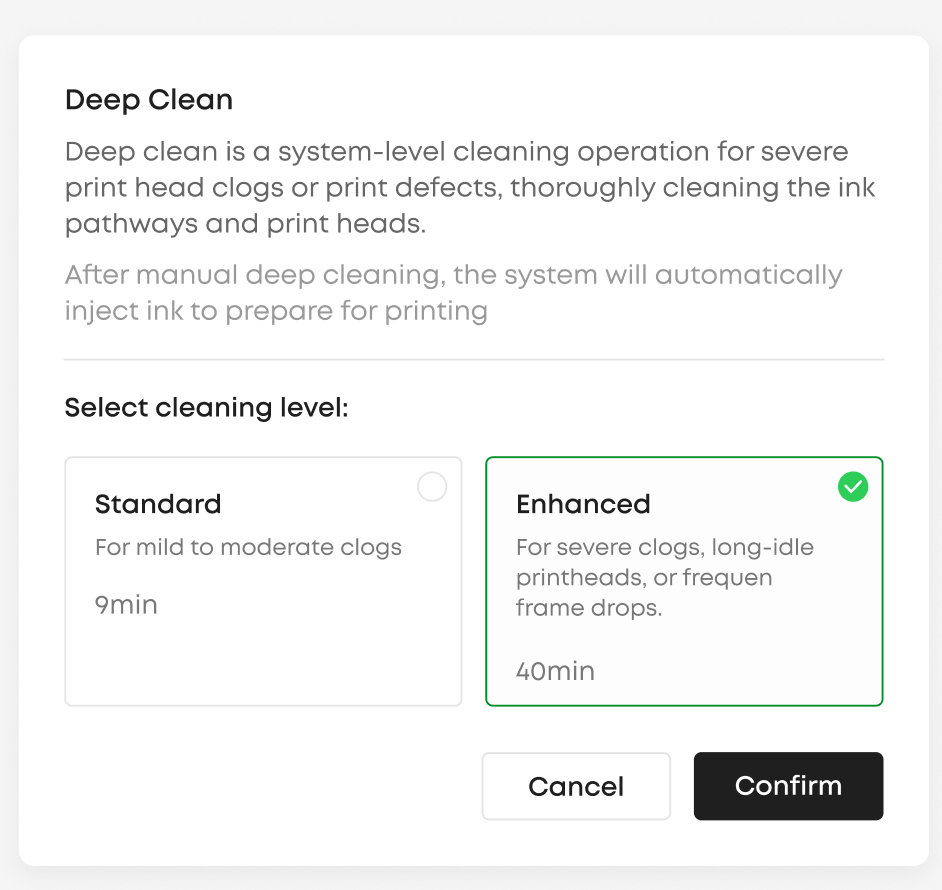
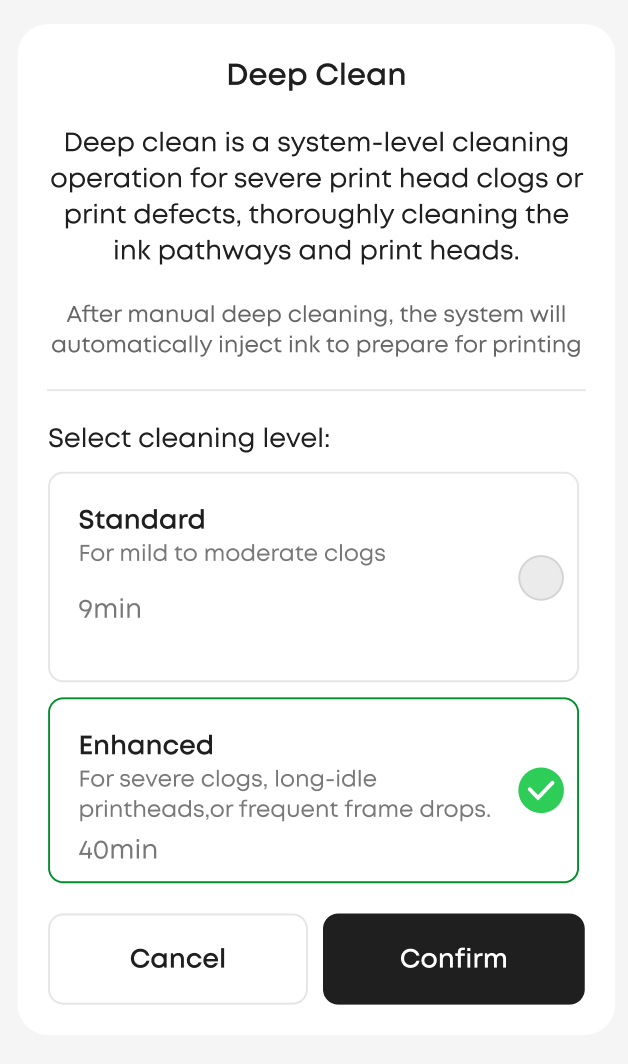
Lowers the risk of print head clogs: a stronger deep-clean option for when routine cleaning is not enough.
Manual Deep Clean now offers two levels: Standard and Enhanced. Use Standard for routine cases; choose Enhanced for stubborn clogs that routine cleaning cannot clear.
¶ Cleaning Cartridge Level Estimate
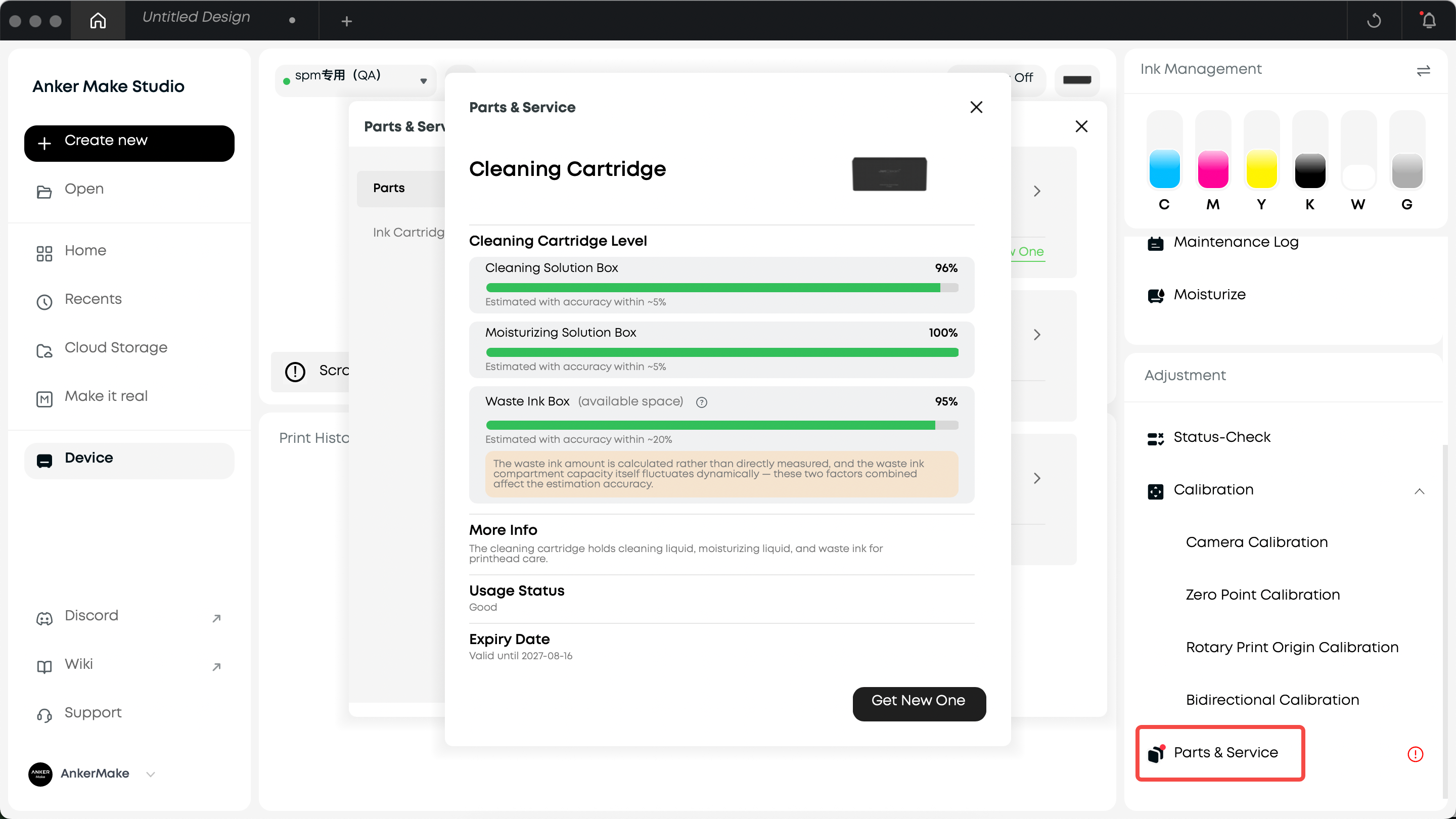
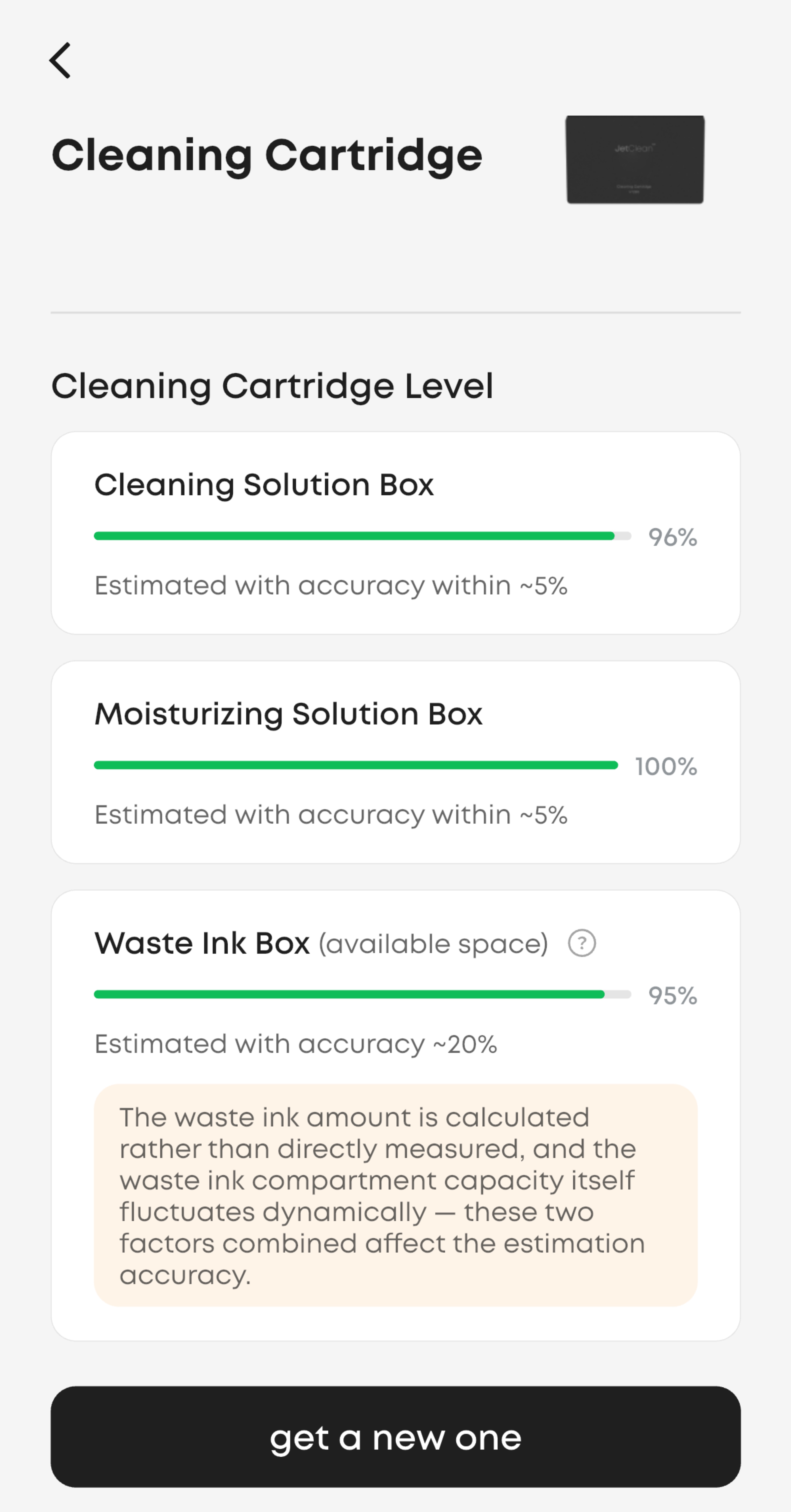
See how much is left: stock up in advance instead of stopping mid-job.
The cleaning cartridge details page now shows estimated levels for the cleaning, moisturizing, and waste ink compartments, so you can check remaining levels anytime. You get a reminder when any compartment drops below 30%, giving you time to prepare a replacement.
¶ Expired Ink Confirmation
No test print required: confirm the risk on the device page and get back to work.
The device status page now has a single confirmation entry for expired ink. Review the risk and confirm — related features become available again and ink levels display normally.
¶ Other Improvements & Bug Fixes
Smaller refinements: smoother interactions and better stability.
2.5D Relief Print Quality: improved print quality for 2.5D relief printing, reducing visible seams and fine-line artifacts
PC
- Local Snapshot: capture only the area you need on a large flatbed — faster for small substrates
- Batch Fill: selectively fill designs onto the contours you choose
- Contour Interaction: the selection dot in the top-left is gone — hover over a contour edge to highlight and click it, or drag a box to select
- Bug fixes: fixed degraded contour recognition quality, and print-quality-related bugs in certain scenarios for more consistent results
App
- Numeric Input: type numbers in directly — no more pop-up
- Crop: view and crop to a specific size
- Layer Dimensions: select a layer and its size is always visible
Firmware
- Bug fixes: fixed print-control-related bugs in certain scenarios for more consistent results
Web
- Creative Lab is now retired
¶ Update to 5.0
Open eufyMake Studio and check for updates in settings, or update from your app store
eufymake.com/studio
eufymake.com/app
Firmware upgrade guide
Enjoy v5.0