¶ Fault Phenomenon
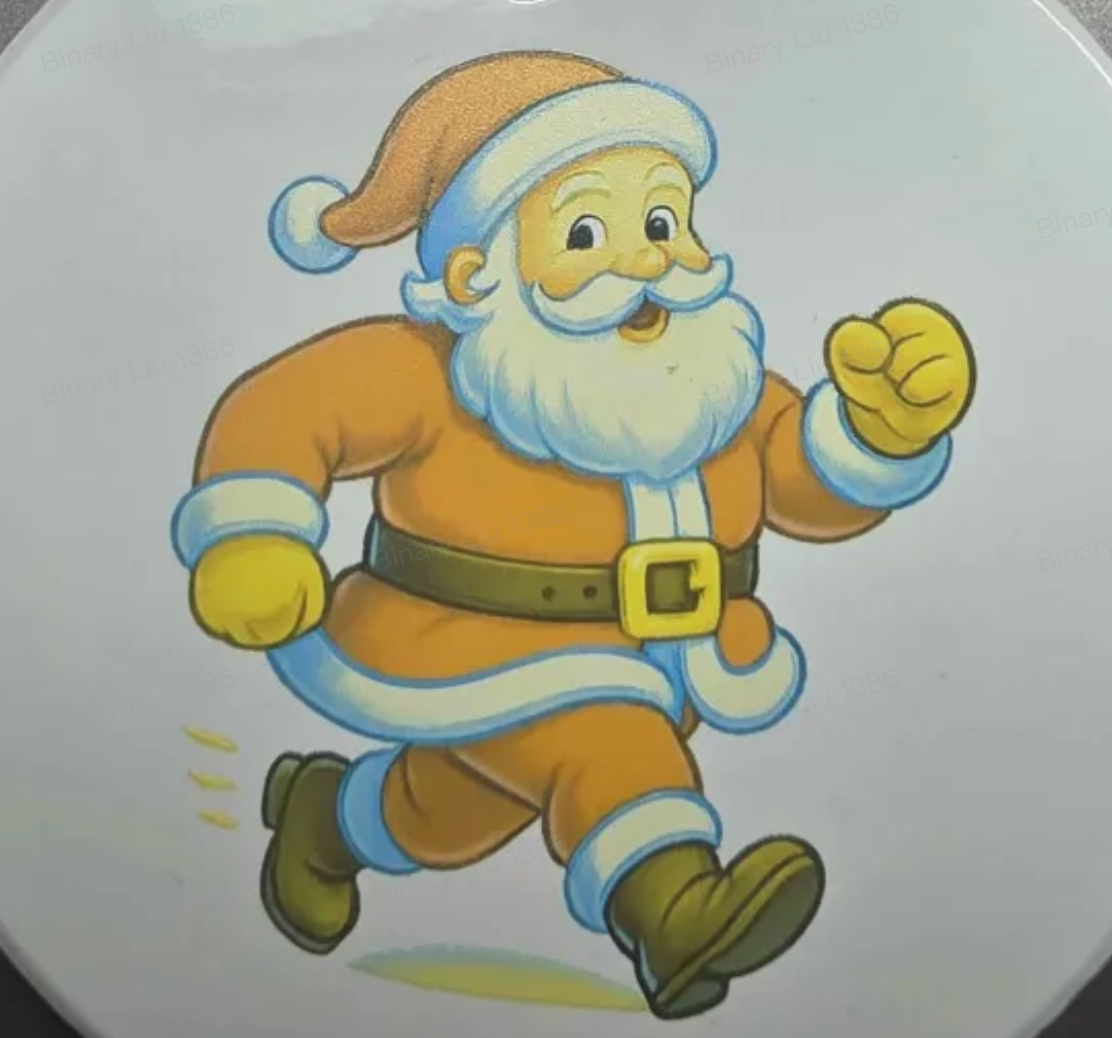
The printed image color is not shifted, but the overall output appears too pale or faded.


¶ Cause Analysis
- White ink is semi-clogged, preventing full and uniform ink ejection.
- Ink is mixed with cleaning or moisturizing fluid, resulting in reduced color density.
¶ Troubleshooting
- Print a test pattern and observe whether the image appears faded.
- Gently wipe the printed area with a dry tissue and check for any ink residue or uncured areas.
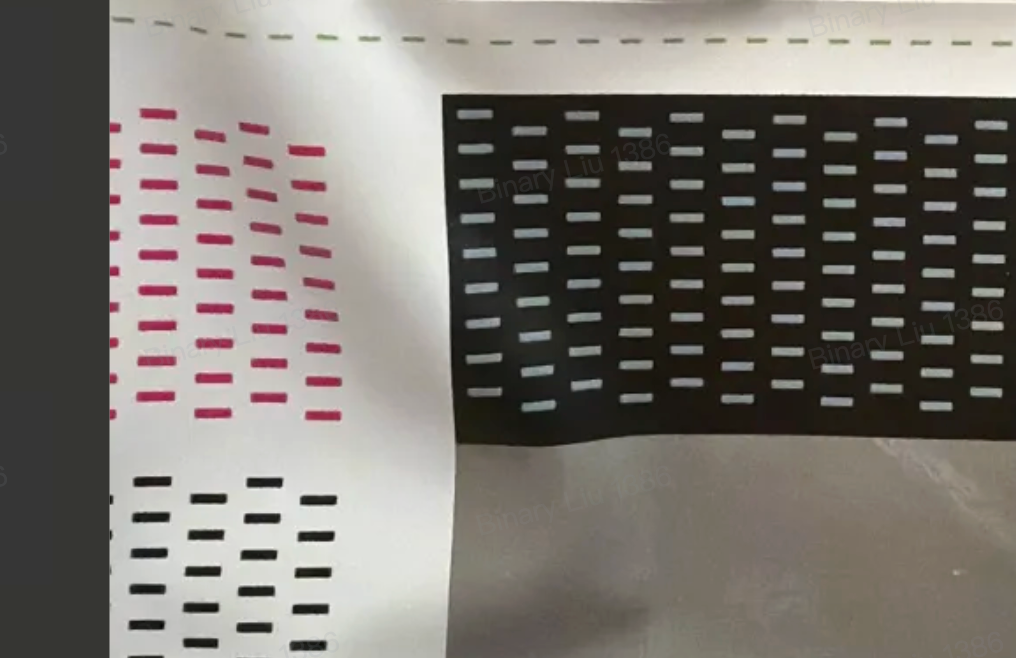
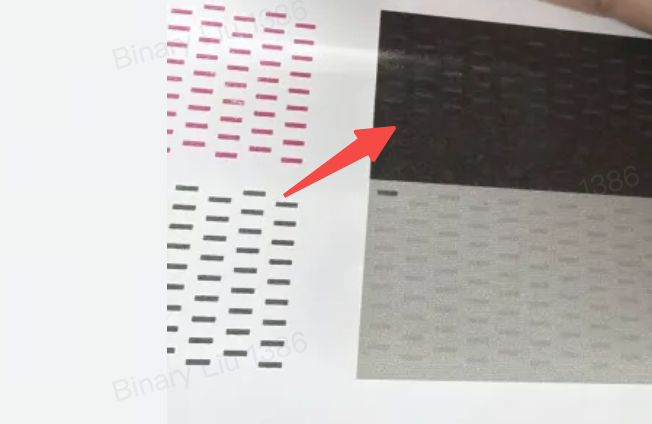
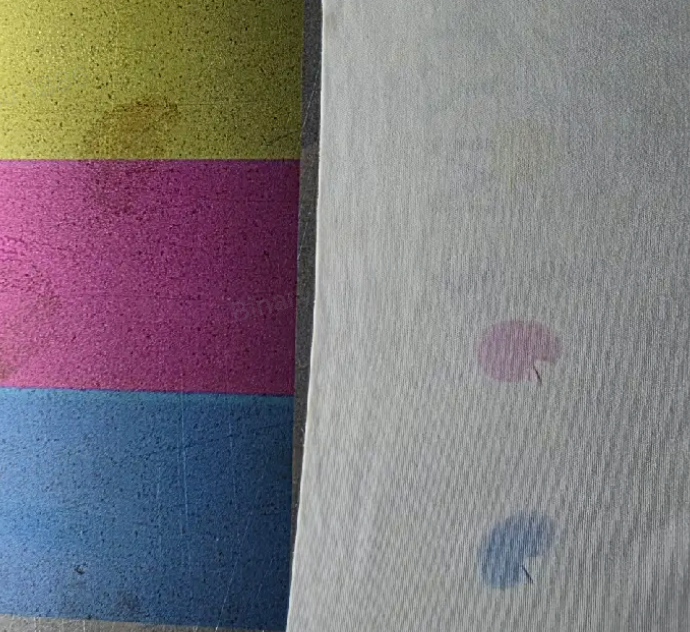
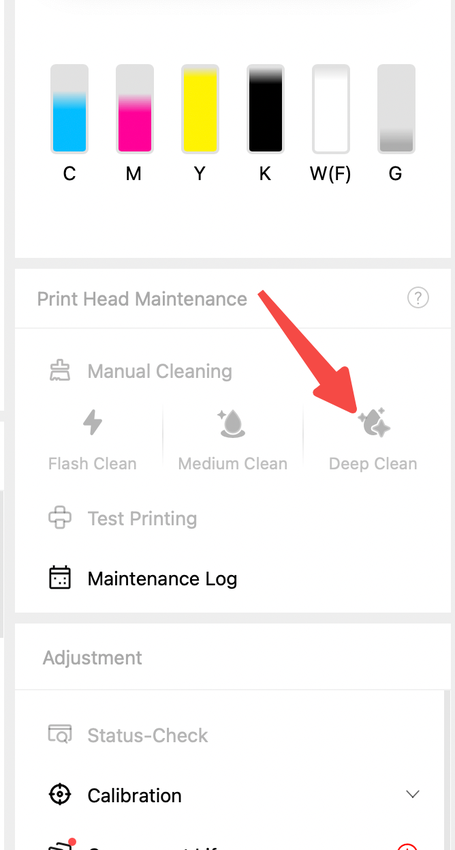
- Perform Deep Clean, then repeat the test pattern printing and inspection described above.
If the issue remains unresolved: Perform a factory reset, refill ink as prompted, and re-test printing
Factory reset guide: Device Unbinding& Factory Reset
Device Binding Operation Guide Initialization and Calibration Procedures
¶ Support Contact
¶ If the issue persists after completing the above steps, please contact eufyMake Customer Support at support@eufymake.com with the following information:
- Your Order Information
- Printer SN. Please refer to: Check SN
- Printer and App Logs. Please refer to:Upload Log
- Print photos of mixed ink and photos of the ink stack.