¶ eufyMake UV Printer E1 Device Unbinding & Factory Reset
¶ Problem Description
When changing device ownership, reselling the device, or resolving certain complex software issues, it may be necessary to unbind the device from the current account and restore it to its factory state.
¶ Applicable Product
- eufyMake E1
¶ Solution
Depending on your needs, you can either unbind the device from your account only, or unbind it and restore it to factory settings. The available methods are outlined below.
¶ Method 1: Software-Based Unbinding (Recommended)
This method is simple to operate and provides two different unbinding options.
-
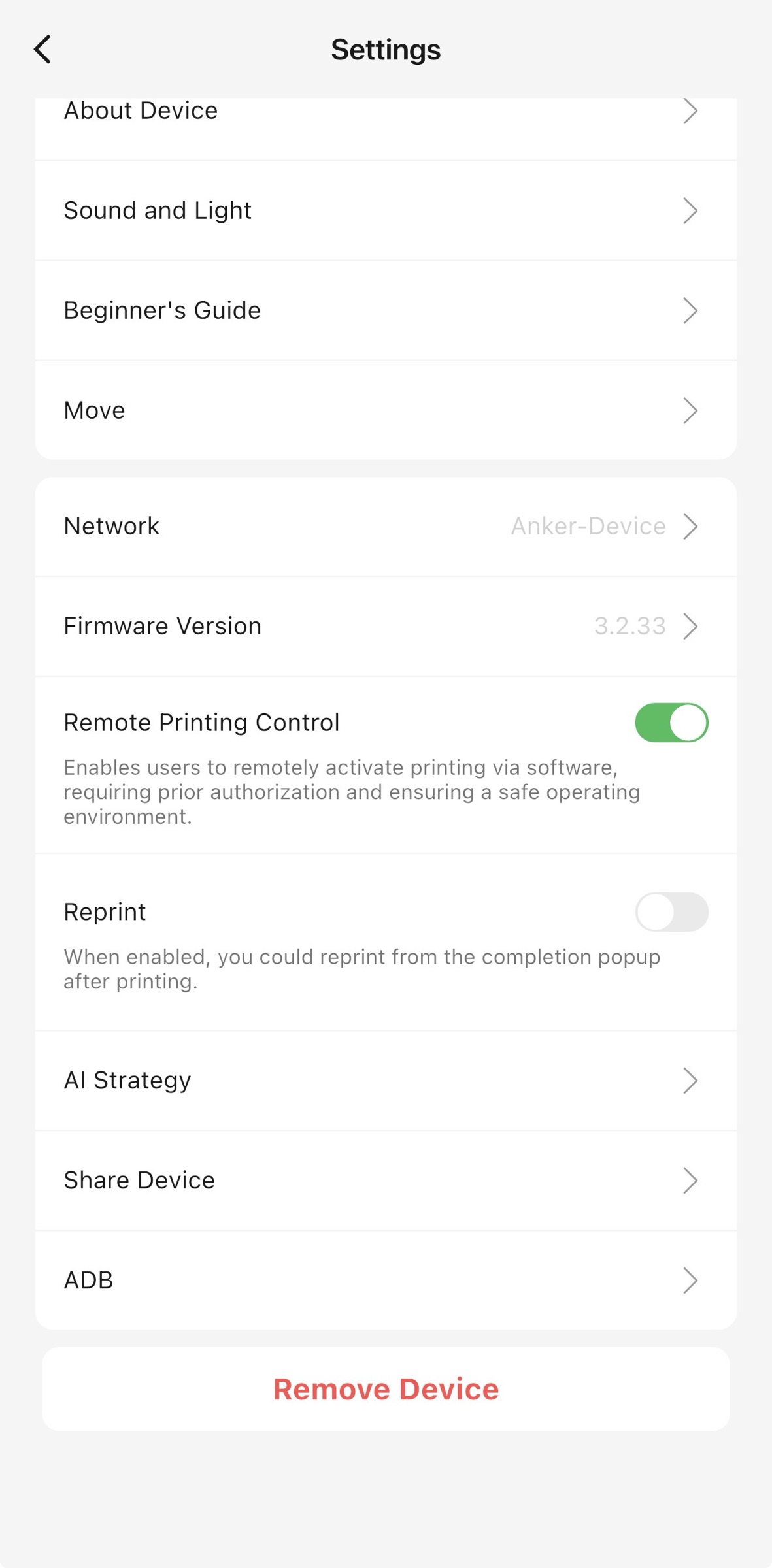
Open the eufyMake software (such as UV Print Studio) and enter the device management interface.
-
In the device settings, locate and select Remove Device.
-
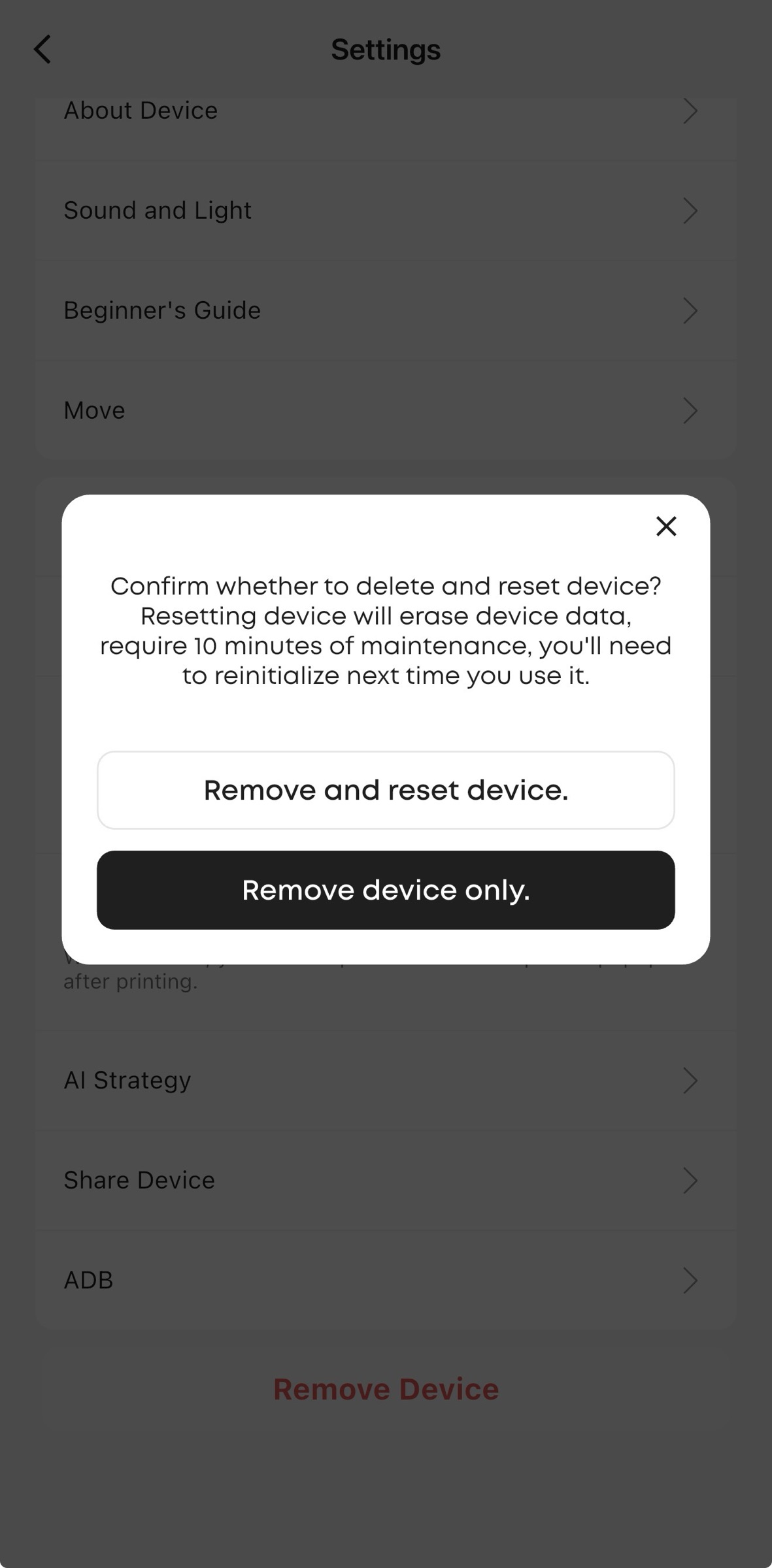
A confirmation window will appear with two options. Choose the option that best fits your situation.
Option 1: Remove Device Only
-
Function: Removes the device from the currently logged-in account only. The device itself retains all data and network settings and is not reset.
-
Applicable scenarios: You no longer want to manage the device from this account or computer, but the device may still be used by others or rebound later.
Option 2: Remove and Reset Device
-
Function: Removes the device from your account and restores it to factory settings, erasing all stored data.
-
Applicable scenarios: Preparing the device for transfer to another user, fully resolving complex device issues, or starting a fresh setup.
-
Tip: Selecting this option will start the factory reset process, which takes approximately 10 minutes.
¶ Method 2: Hardware-Based Factory Reset (Forced Reset)
If the software cannot connect to the device or cannot be operated normally, you can use this method to force a factory reset.
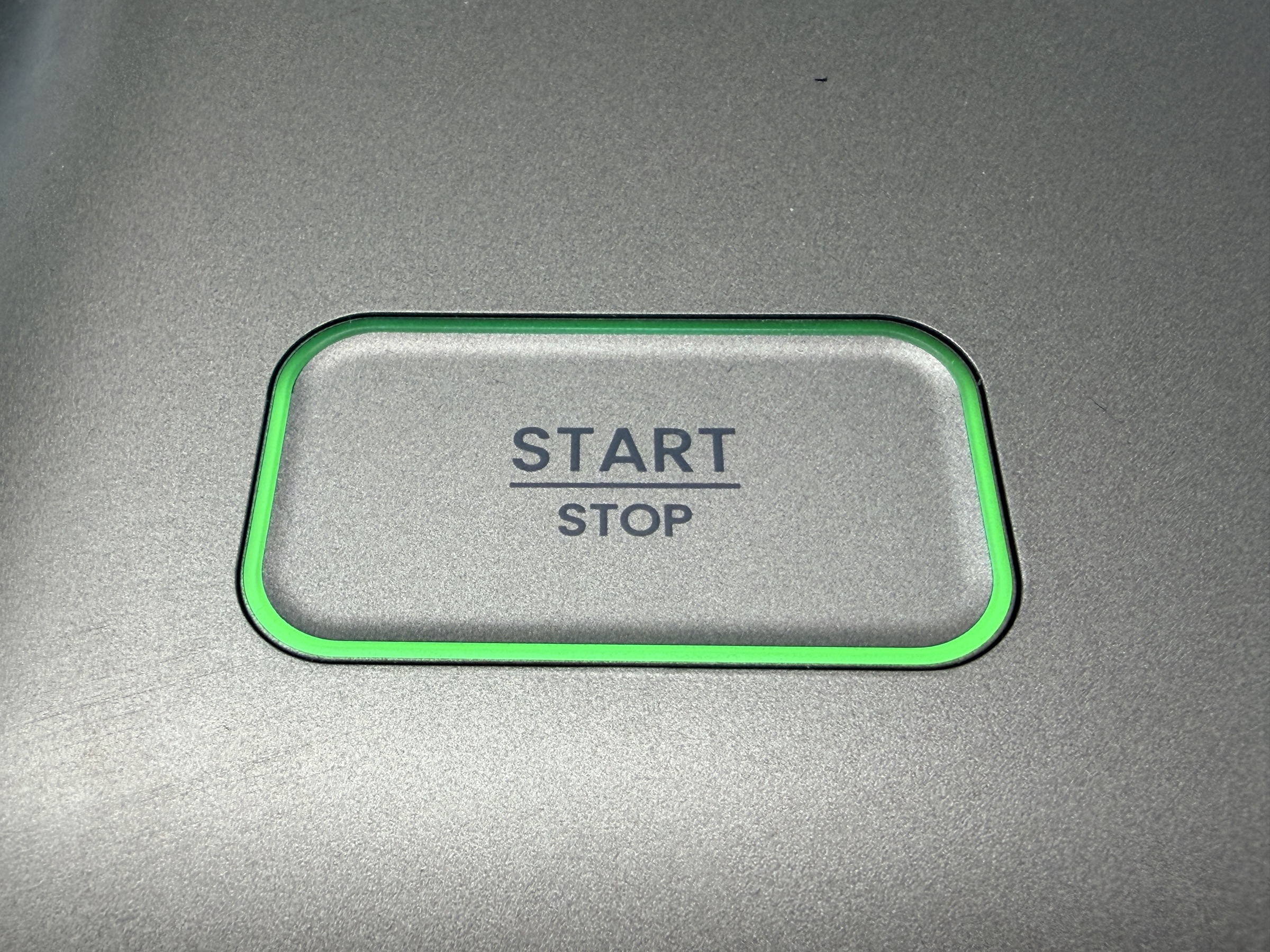
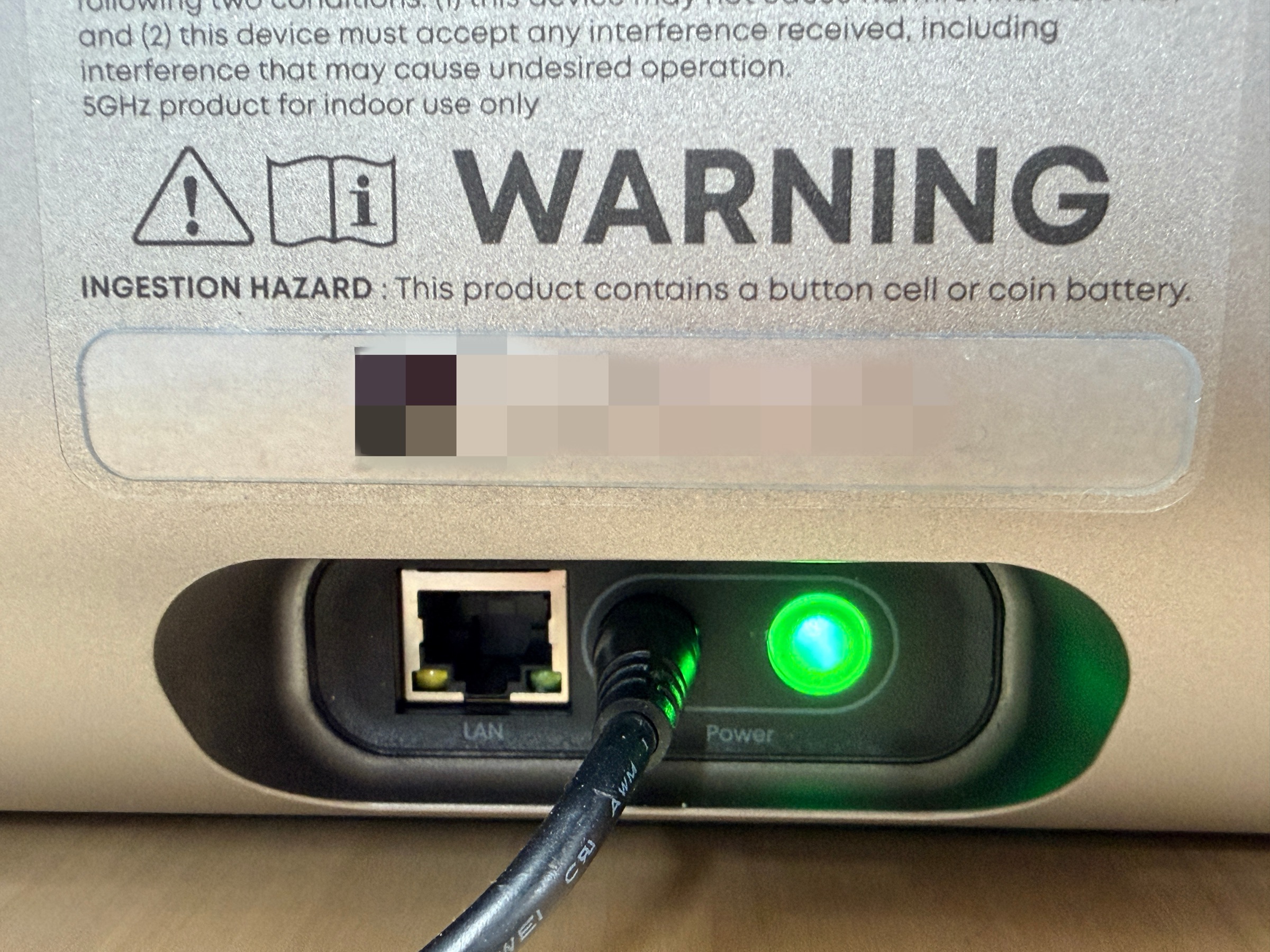
- Locate the Power button and Start button on the device.
-
Press the Power button, then immediately press and hold the Start button for more than 5 seconds.
-
The device will first run a cleaning and moisturizing process, which takes approximately 10 minutes. After completion, all user data will be cleared automatically.
-
The device will restart and return to its factory state.
¶ Notes
-
Data backup: A factory reset permanently deletes all user data stored on the device, including print jobs and network configuration. Confirm that no data needs to be retained before proceeding.
-
Re-initialization: After a factory reset, the device must be set up again as a new machine, including network configuration and account binding, before use.