¶ Highlights
What's new across these releases, at a glance.
- ✨ All-new Skills hub — reuse, link, trace, and video covers.
- 💾 Craft Mode parameters — save once, reuse everywhere.
- ⚡ Smoother experience — faster text, quicker imports, and reliability fixes.
¶ Skills
All-new Skills hub.
All-new Skills hub: reuse any Skill with one tap, link Skills when publishing, trace projects back to their Skill, and use video Skill covers.
¶ Editor
Fixes for publishing, printing, and image & rendering.
- Improved navigation and narrow-screen layout, plus fixes for draft and linked-parameter issues.
- Fixed invisible oversized images and NaN parameters on Safari.
- Fixed queued prints stuck at 99% and print files only printing halfway.
- Fixed lost print properties after duplicating basic shapes, and large position jumps in the print list when Sequential Print is enabled.
- Added a rebuild mechanism for print/preview generation; print file sending now retries a limited number of times and shows a clear error instead of failing silently.
- Fixed misaligned background-removed images after cropping, grayscale residue when switching after cropping, and 3D misalignment of stacked cropped elements.
- Fixed filter effects lost when converting filtered images to 2.5D, and downsampling-related issues with filters, background removal, vector-to-texture, and layer merging.
- Fixed gaps in contour auto-fill and images being enlarged when dragged into contours.
- Fixed local font paste reverting and text wrapping inconsistent with printing.
- Fixed select/delete/undo/rename issues with vectorized subgroups, and typing "a" being mistaken for select-all that cleared text.
- Fixed Array Copy naming (now "source_copy_N") and parameters not resetting after cancelling the dialog.
- Fixed points not refreshing in real time after emboss/brush consumption, blank preview after switching tabs, and new project canvas not centering.
¶ Craft Mode Parameter Saving
Keep your go-to settings for the next job.
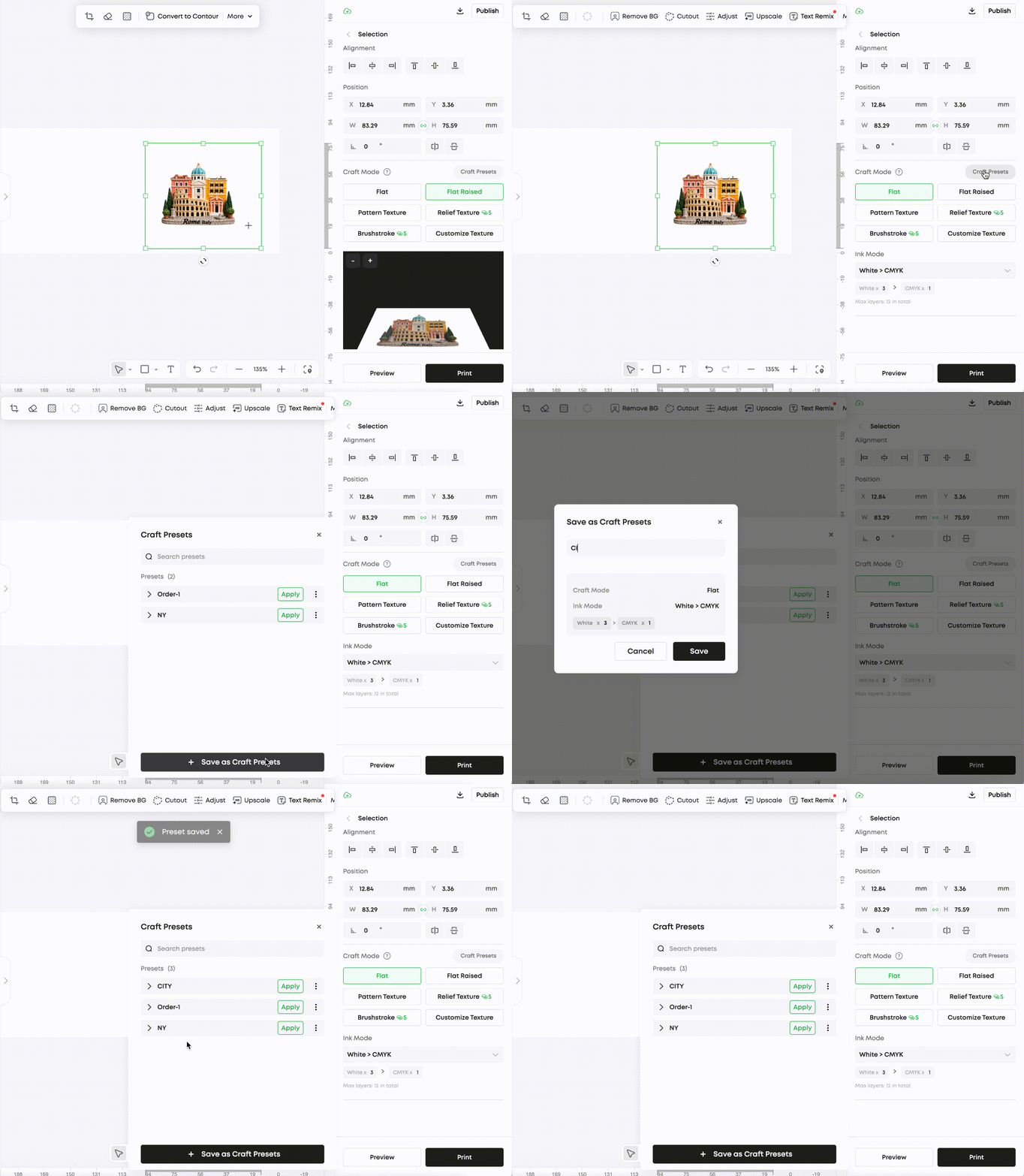
¶ Save your parameters once, load them on your next project.
Save your craft mode parameters in the right-side panel, and they're ready to use in your next project.
Working with the same material? Your tuned power and speed settings are ready to go — no need to re-enter them each time.
¶ Craft Mode Parameter Reuse
Apply the same settings across elements instantly.
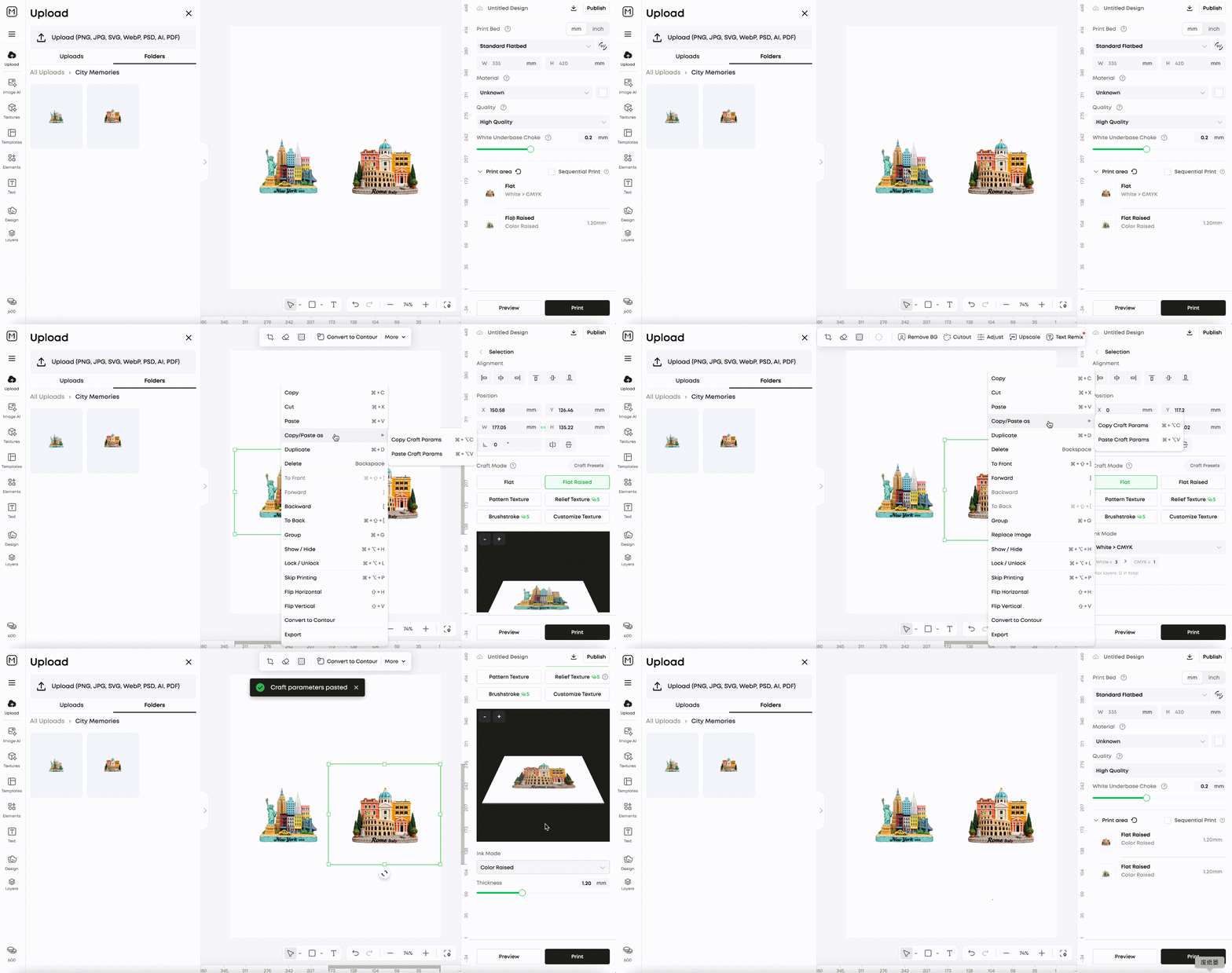
¶ Copy parameters from one element, paste onto another.
Right-click any element to copy its craft mode parameters, then right-click another element and choose "Paste Craft Mode Parameters" to apply them instantly.
Matching settings across a batch — copy from one element and paste onto the rest in a single step.
¶ Text Enhancements
Faster text editing, quick case switching.
¶ Load text faster, convert case in one click.
Optimized the text list loading experience and added uppercase/lowercase conversion support.
English copy and titles — switch between uppercase and lowercase without retyping.
¶ Large File Import
Big files start faster with local-first loading.
¶ Drag in large files, start editing sooner.
Files dragged into the editor canvas now load locally first, making large-file imports noticeably faster.
High-res images and detailed models — local-first loading means less waiting.
¶ Editor Optimizations
Smaller fixes and polish in this release.
- Fixed rounded-corner print designs not matching actual print output.
- Fixed the canvas zoom resetting unexpectedly after clicking the sidebar menu.
- Fixed the snapping (alignment) behavior not working correctly on the canvas.