¶ 1. Device Sharing Instructions:
A primary account can share devices with up to 2 other accounts .
The shared account has print permissions , but cannot perform management operations (such as firmware upgrade, upload log, etc.).
For a single device, up to 3 instances of eufyMake studio can be logged in. (app/pc/ipad)
If the device needs to be shared by multiple people, it is recommended to use a public computer as the main operating platform for easy management and operation.
¶ 2. Sharing Steps:
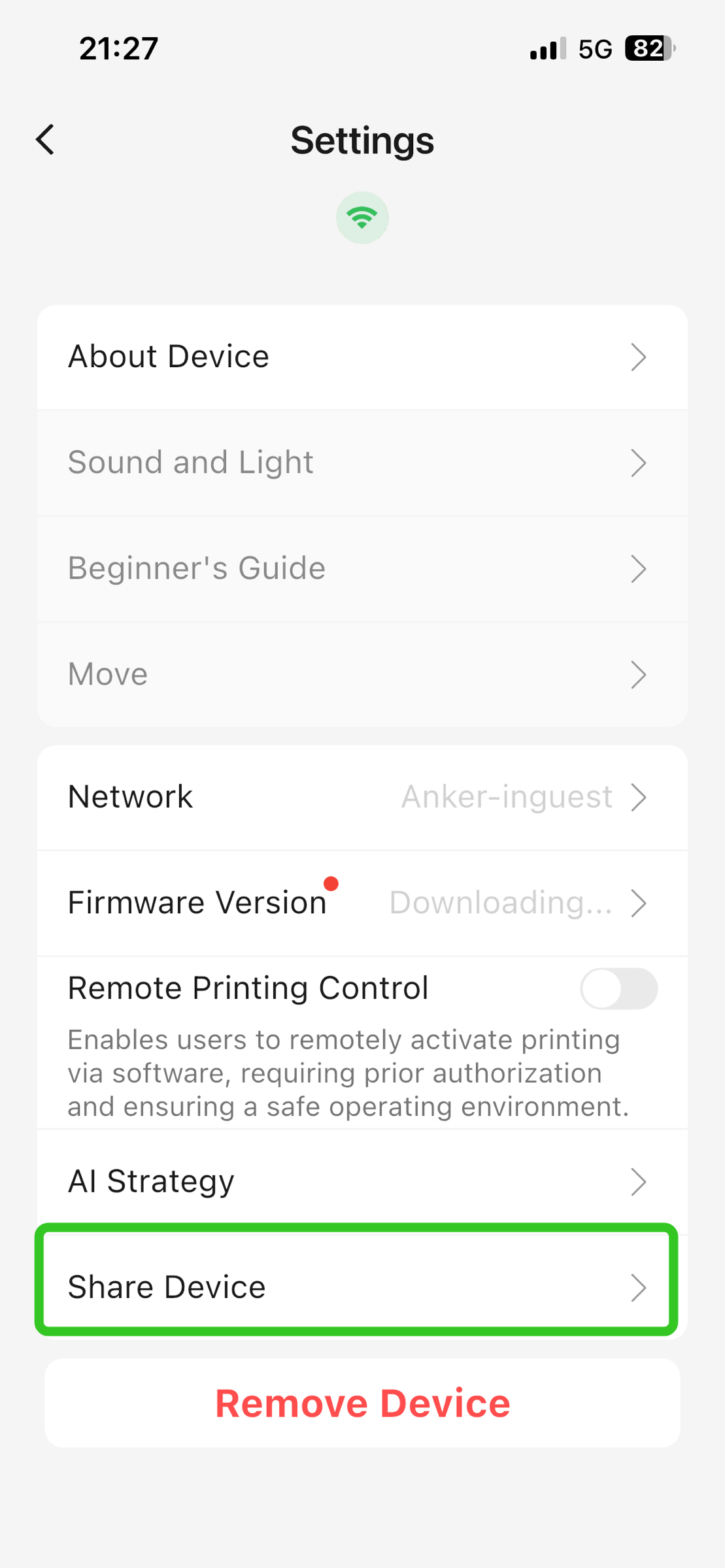
- Open the Devices page; click Settings.
- Click Share Device.
3. Click Share.
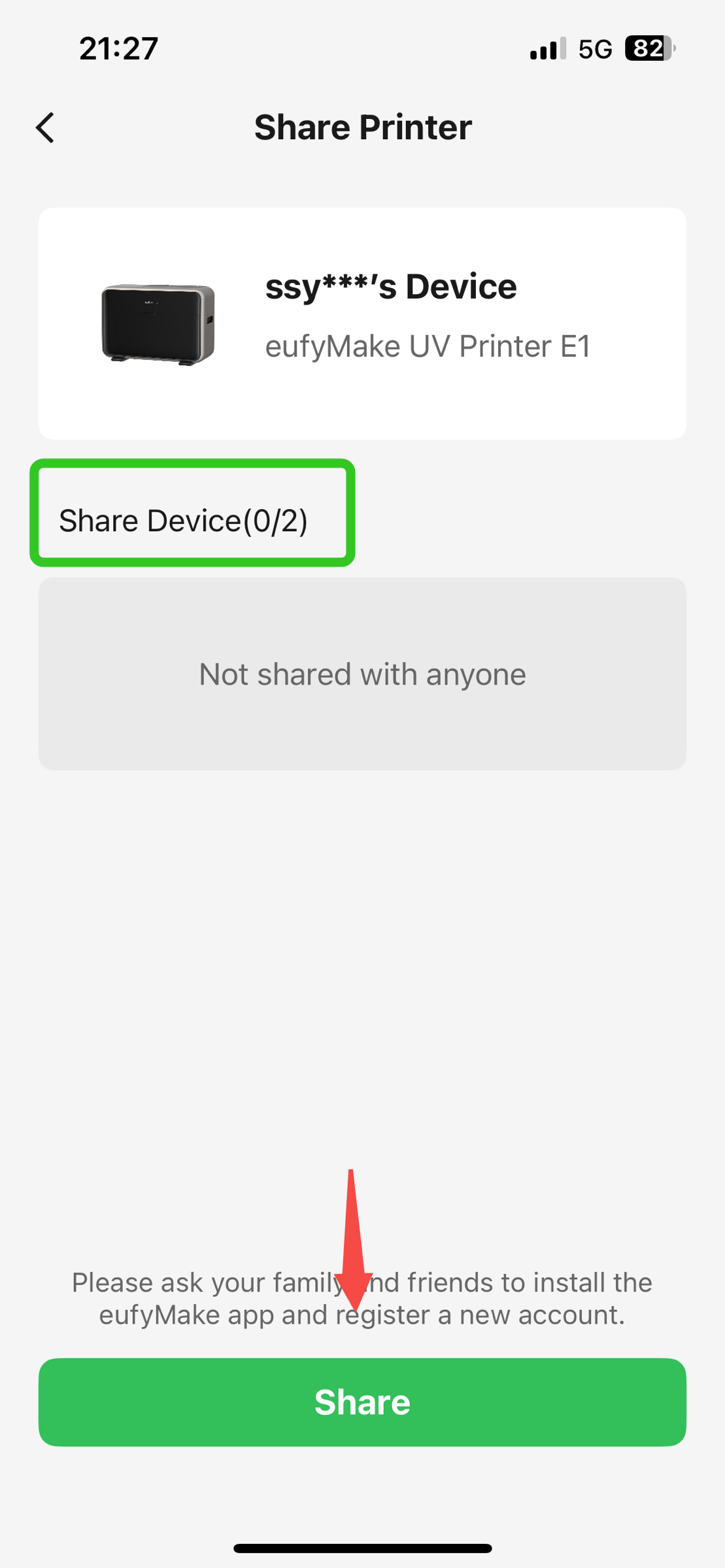
4. Enter the recipient’s email address and select whether to grant Control Permissions to the recipient.
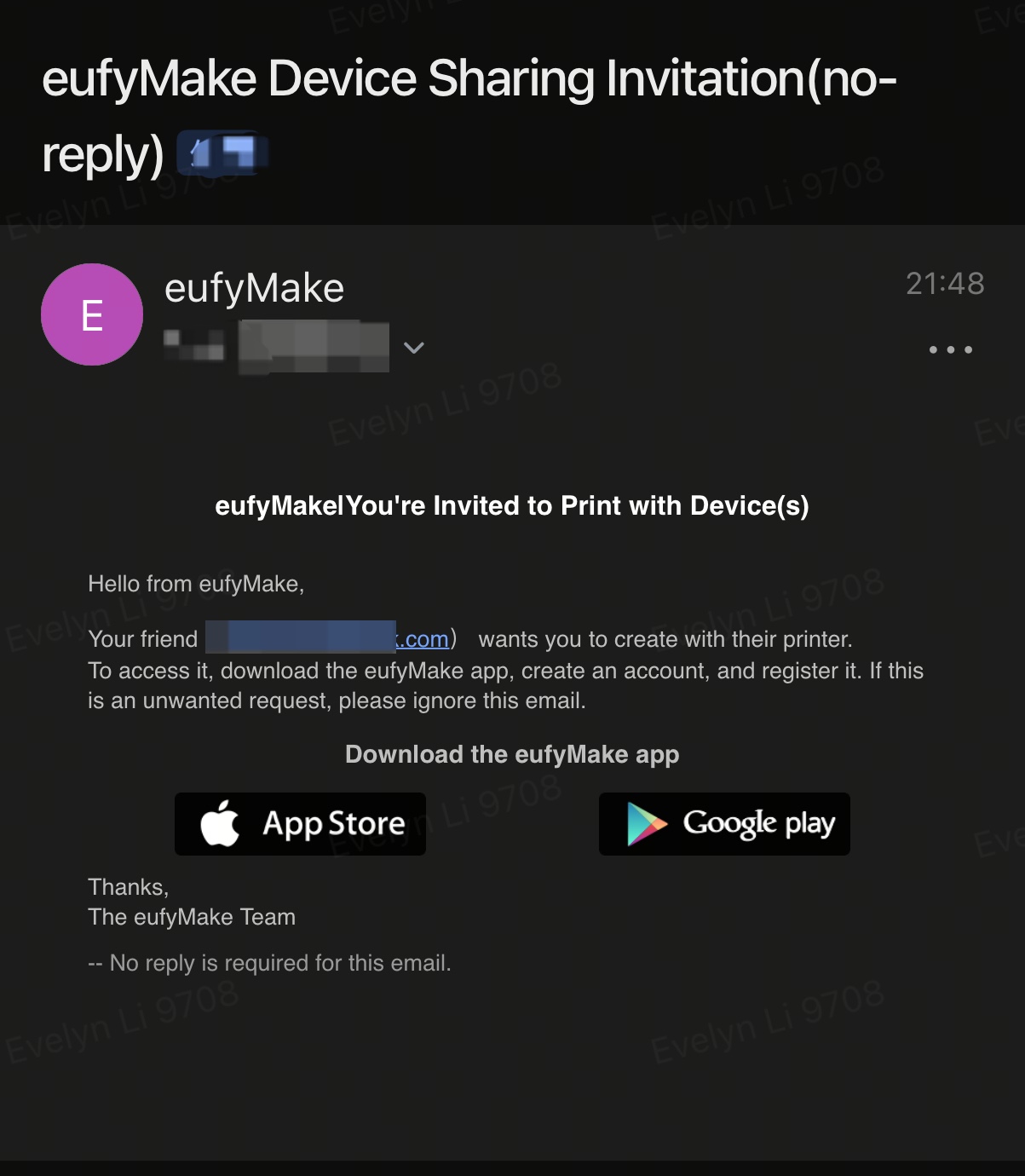
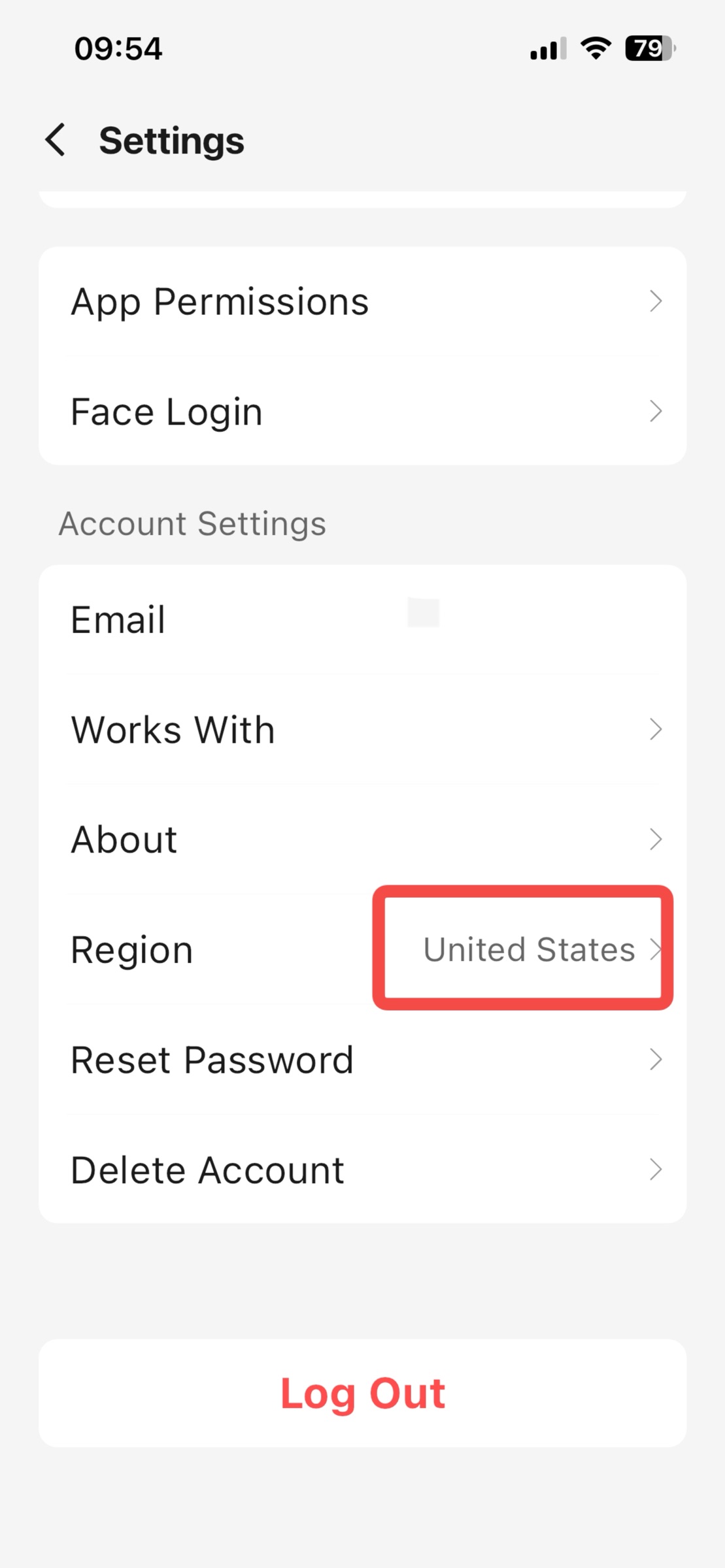
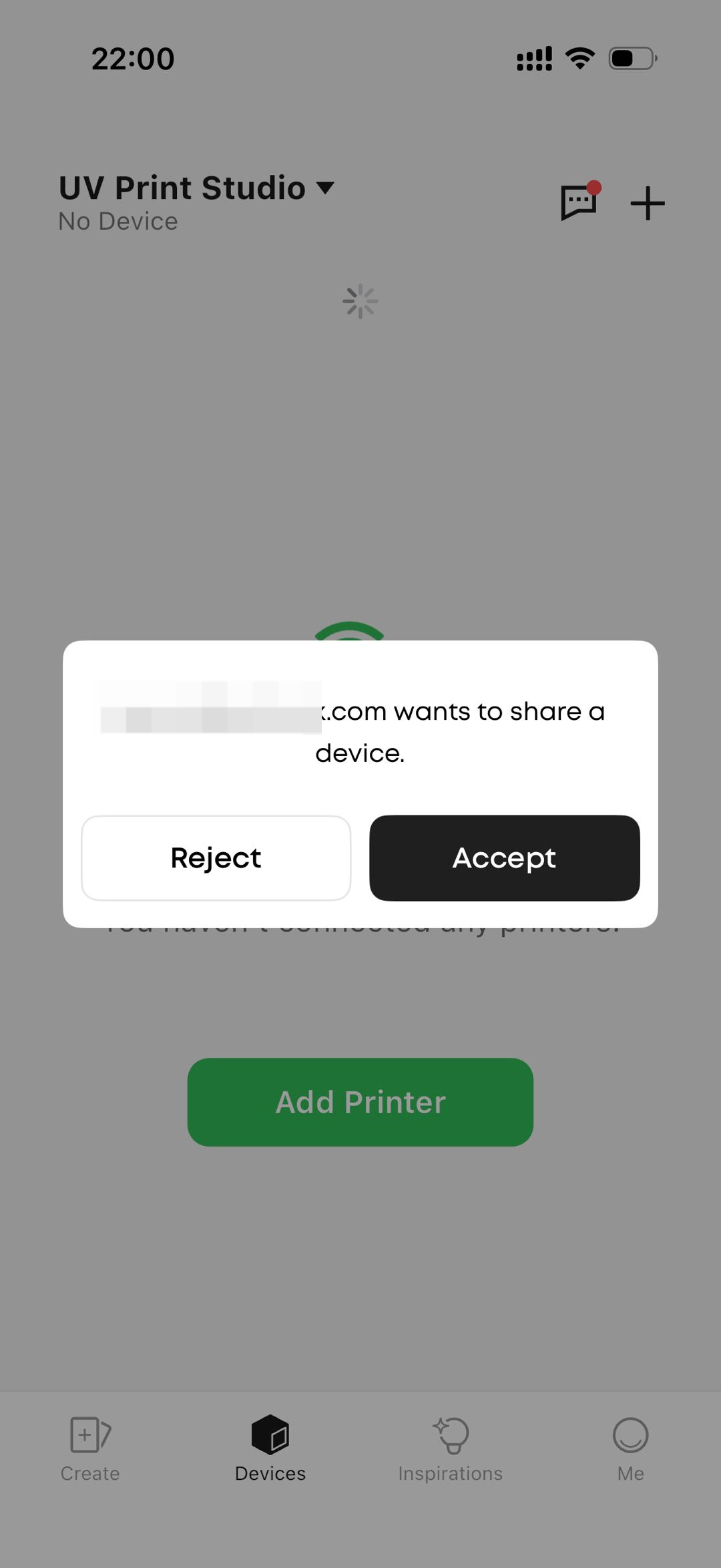
5. After the recipient receives the email and clicks Confirm, ensure they are in the same Region as the owner account. After logging in to the eufyMake App, they will receive a pop-up window. Click Accept to start using the device.
¶ 3. Remove Sharing
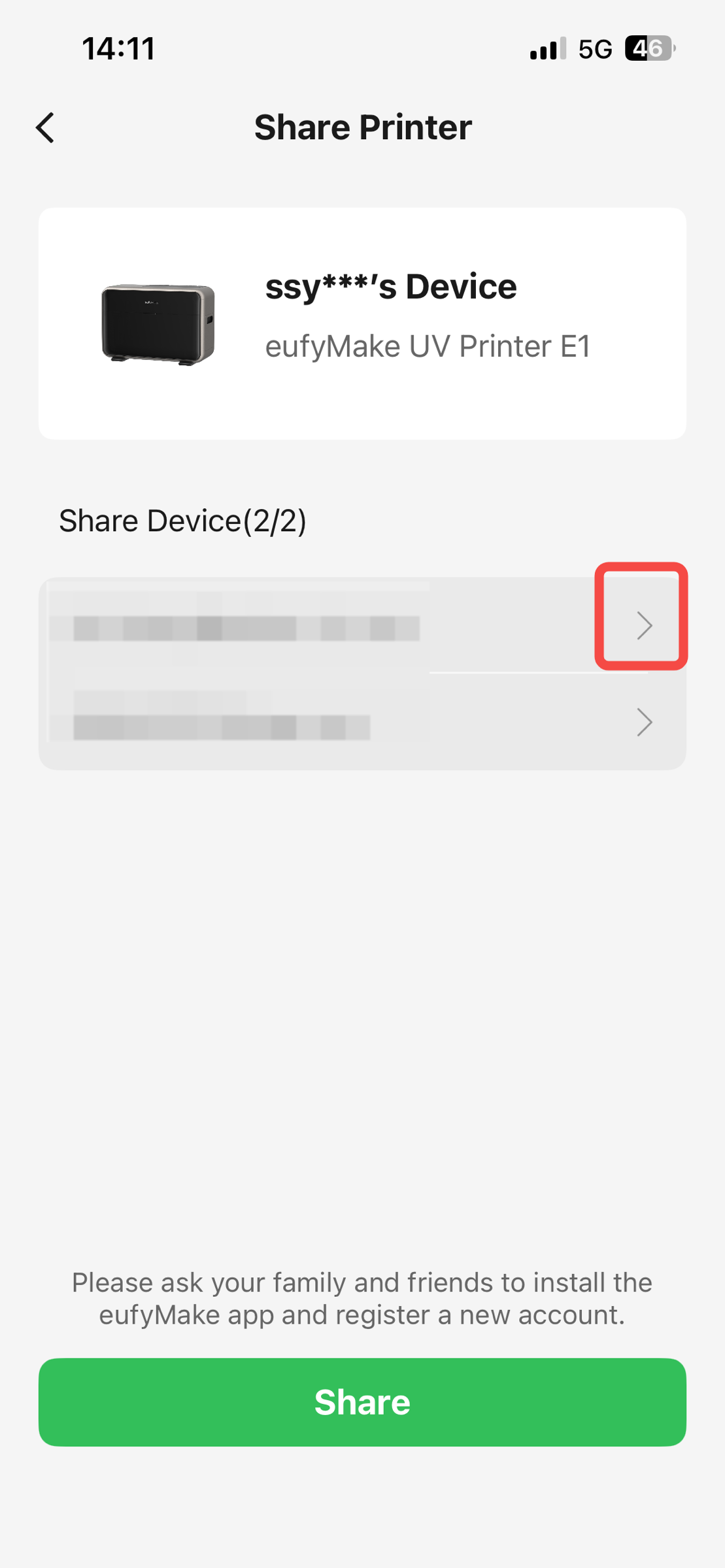
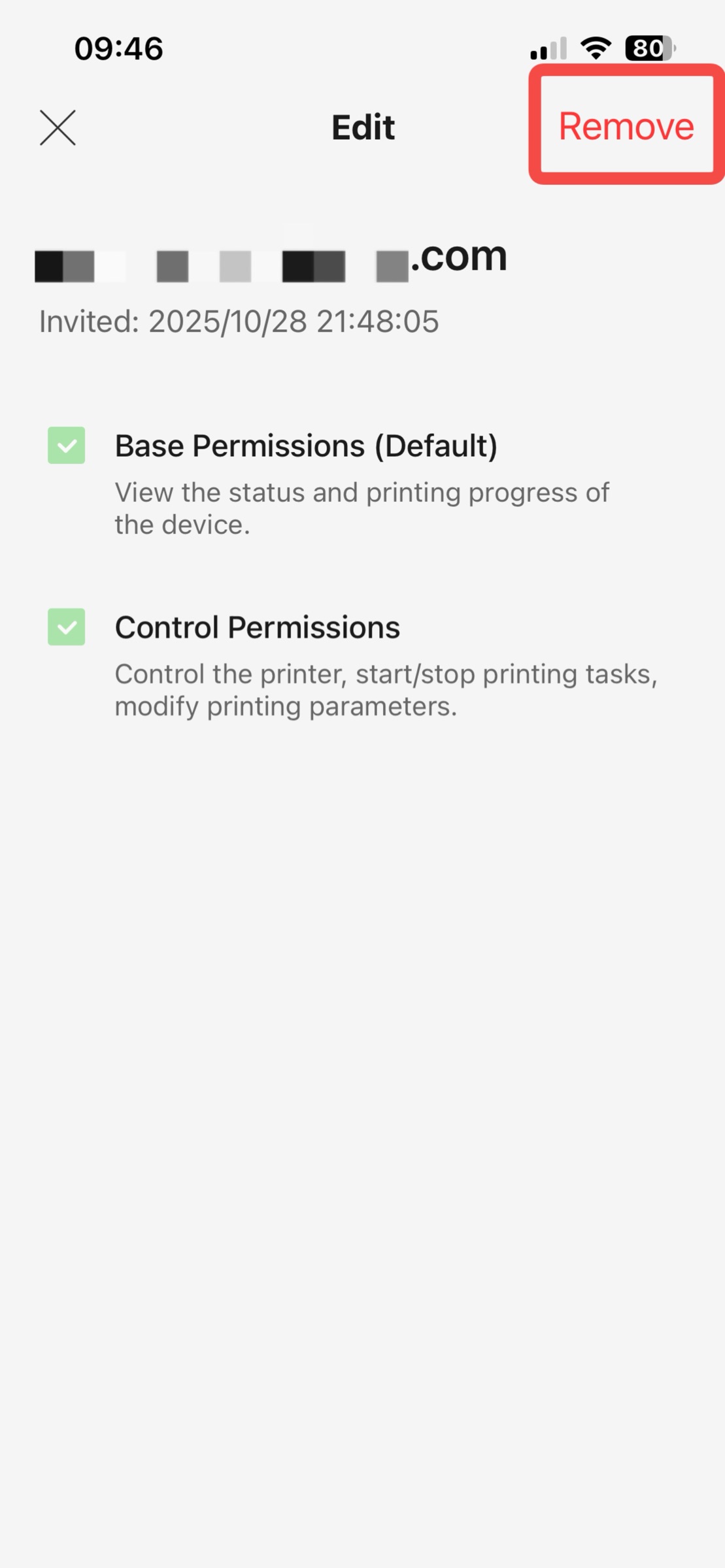
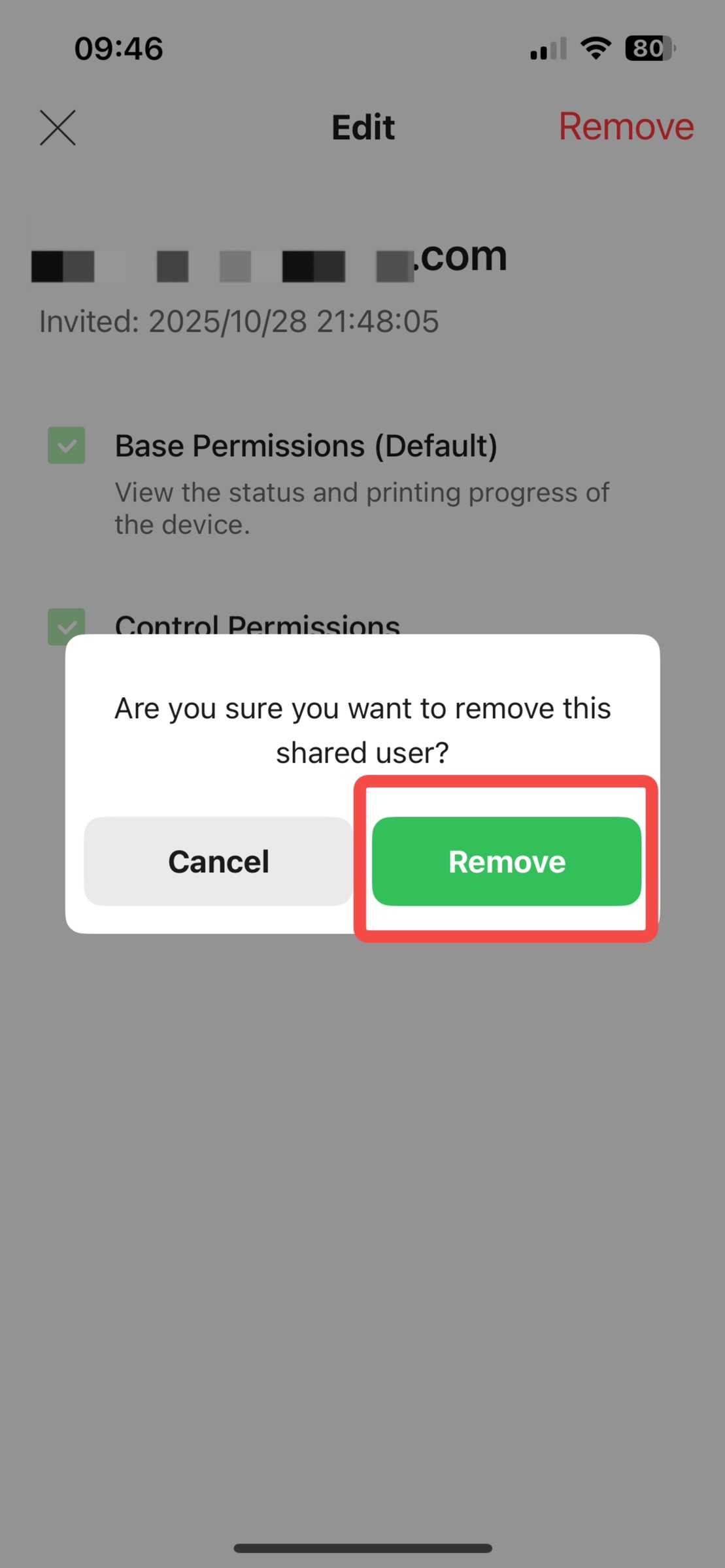
Click the email you want to remove, click Remove, and a confirmation pop-up will appear asking if you want to remove. Click Remove again.