¶ eufyMake UV Printer E1 Print Test
Introduction
In eufyMake Studio or the eufyMake App, you will find the Test Printing function in the Print Head Maintenance panel. This is the primary diagnostic tool used to check print head condition, color output consistency, and overall print reliability.
By running a print test, you can quickly determine whether the printer is operating normally and identify potential issues that may affect print quality.
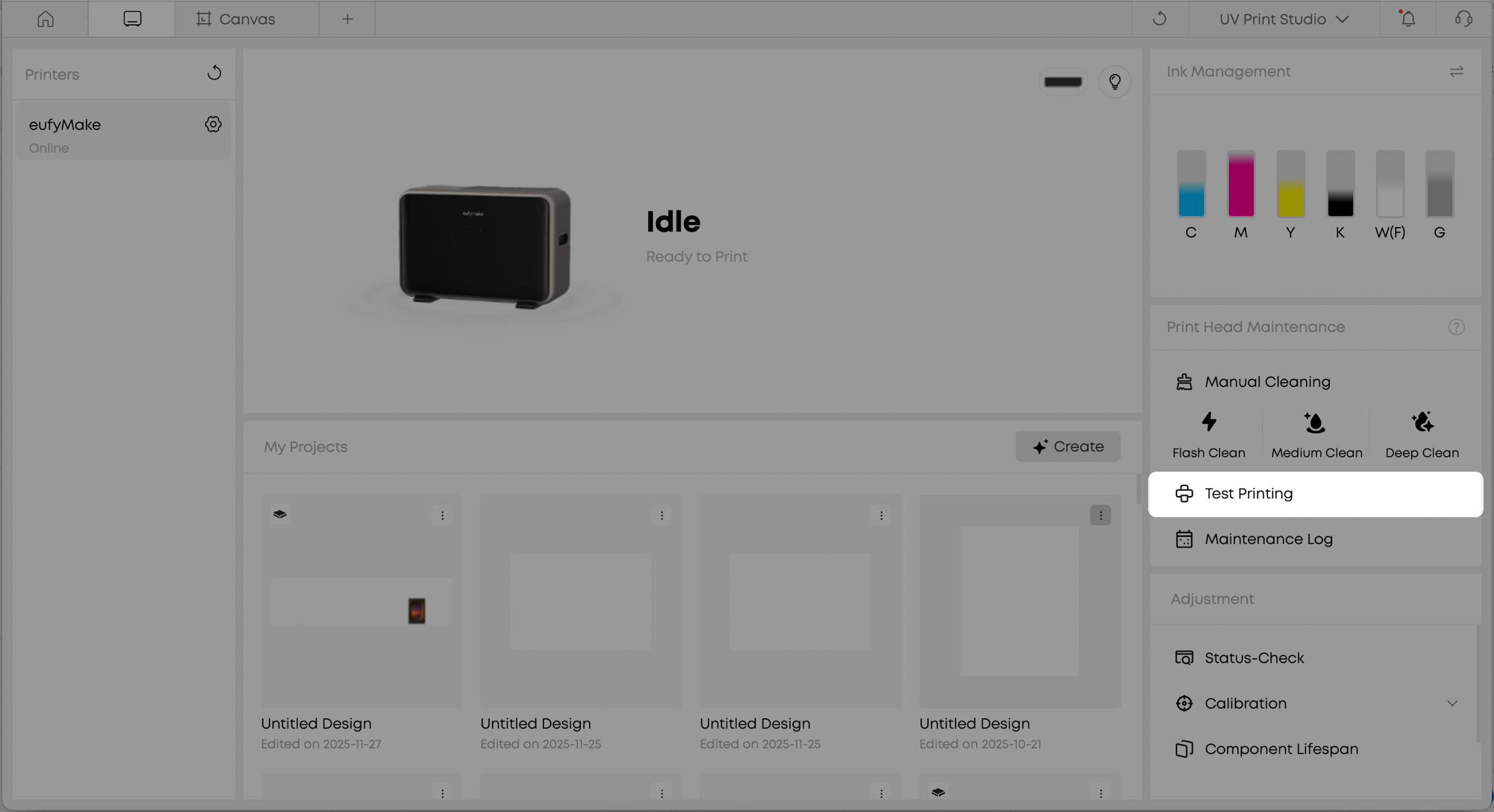
eufyMake Studio
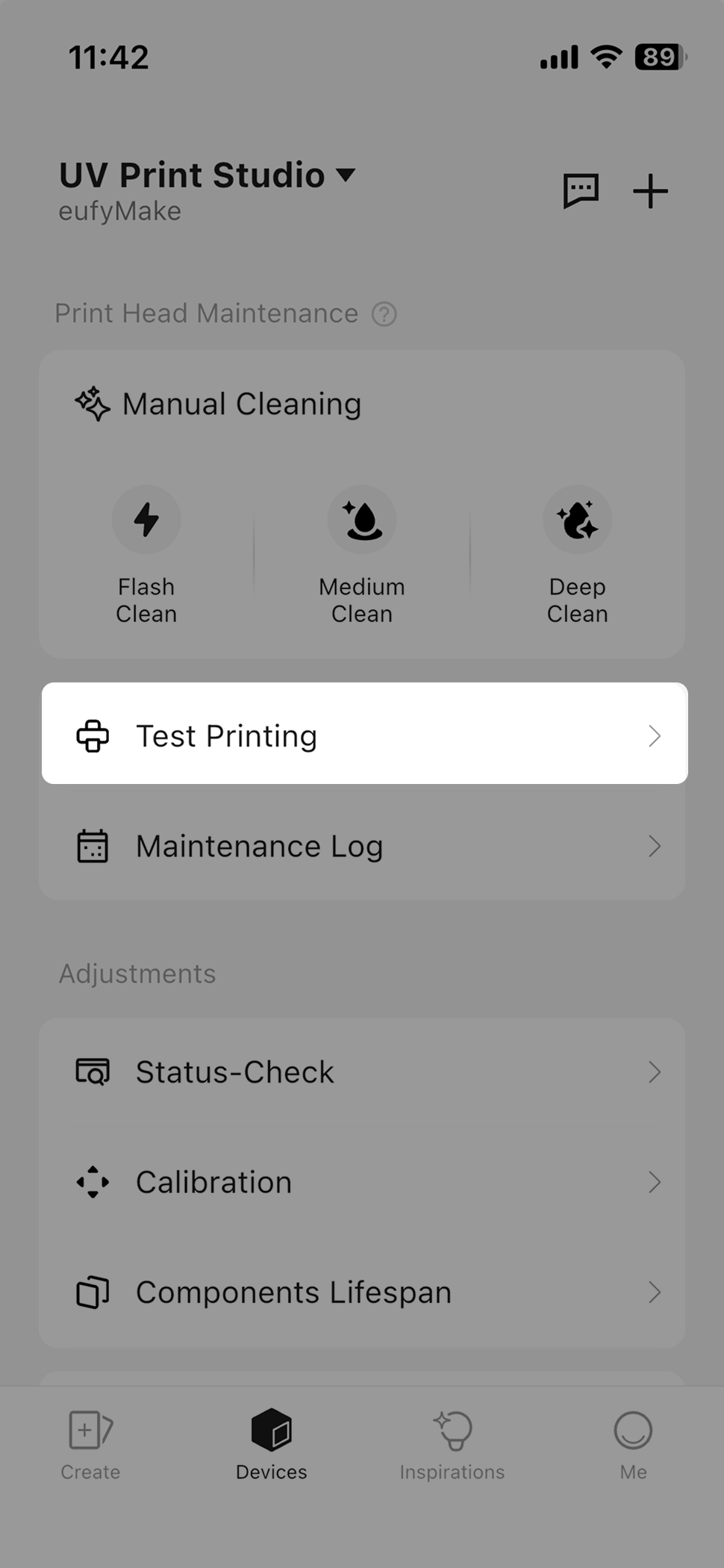
eufyMake App
¶ What is a print test?
A print test is a basic diagnostic function used to check nozzle status and verify print quality. When using the printer for the first time, after performing print head maintenance, or when issues such as missing lines or abnormal colors occur, a print test helps determine whether the nozzles are functioning correctly.
The print test outputs a test chart containing standard color blocks and line patterns. These allow you to check whether nozzles are unobstructed, colors are uniform, and whether additional cleaning or maintenance is required.
¶ When should a print test be run?
It is recommended to run a print test in the following situations:
When the printer is powered on for the first time or has not been used for an extended period
When color streaks, broken lines, or insufficient white ink coverage appear during printing
After replacing ink cartridges and completing Deep Clean operations
Before printing important work, such as large-area graphics or customer orders
When there are significant changes in ambient temperature or humidity
Regular print testing helps keep the print head in stable condition and reduces the likelihood of more extensive maintenance later.
¶ How to perform a print test
¶ Open the Print Test function
In eufyMake Studio or the eufyMake App, go to the device page and select Test Printing from the Print Head Maintenance panel.
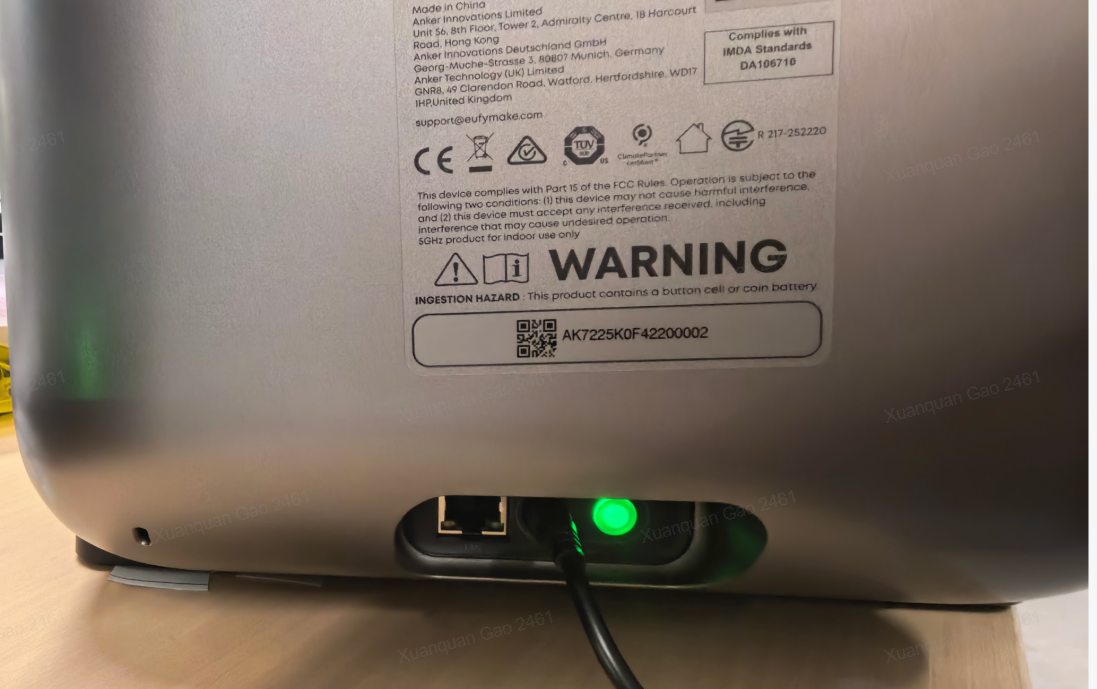
eufyMake Studio
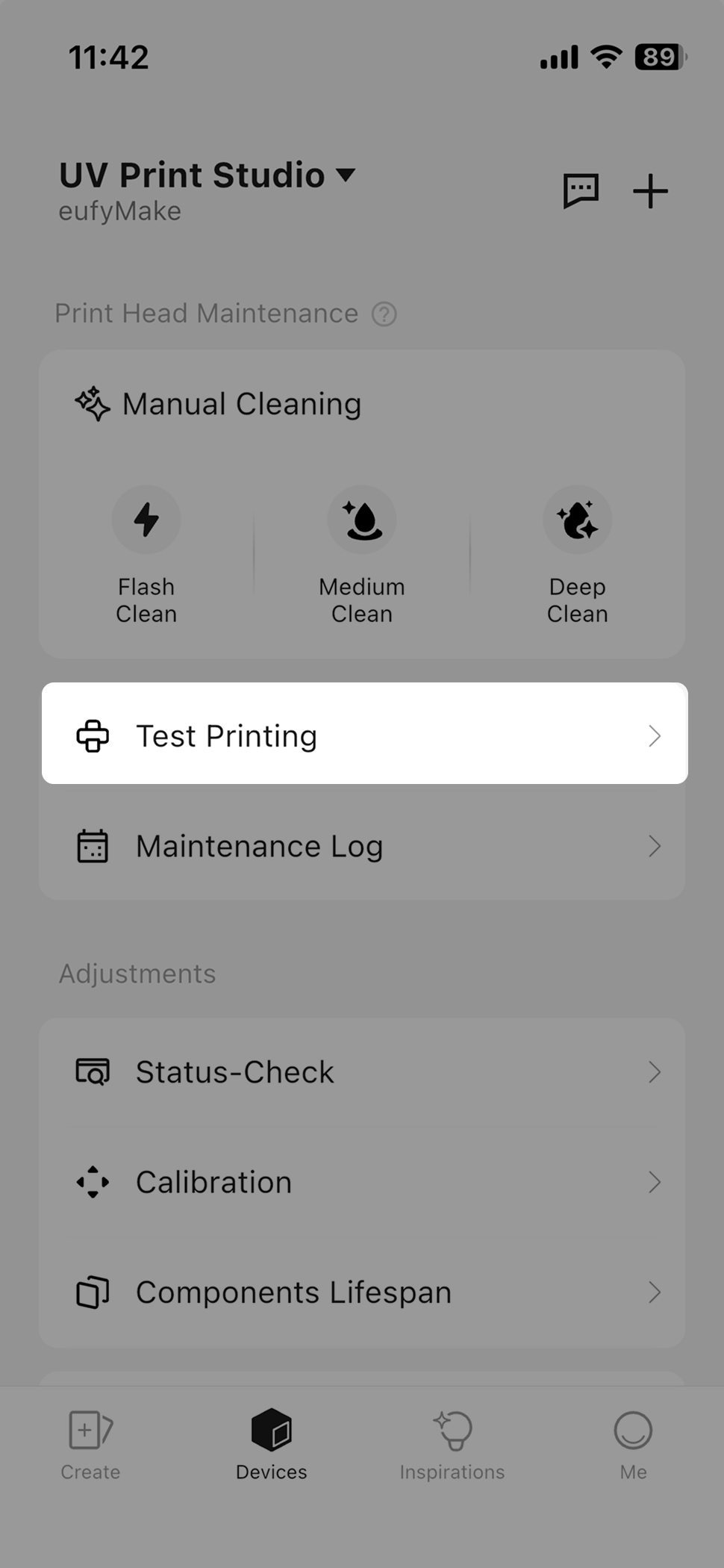
eufyMake App
¶ Place the test material
For consistent and reliable results, it is recommended to use:
Materials identical or similar to those used for normal printing
A clean, flat surface
Substrates suitable for UV ink adhesion
¶ Check test chart
After printing is complete, carefully check the following:
Whether there are broken lines or missing nozzles
Whether white ink coverage is even
Whether colors are complete and free of visible streaking
Whether lines show jagged edges or positional offsets
If any abnormalities are observed, follow the on-screen prompts and perform the appropriate maintenance actions, such as:
Deep Clean
White Ink Circulation
Maintenance fluid moisturizing
Adjusting environmental conditions (temperature, humidity)
¶ Frequently Asked Questions (FAQ)
Does a print test consume a large amount of ink?
No. A print test uses a small, standardized amount of ink. Its purpose is diagnostic, and ink consumption is minimal.
Does the print test require special paper?
It is recommended to use a clean, flat, white A4-sized or equivalent material. Place it on the sticky mat, on either the mini or standard print platforms.