¶ Fault Phenomenon
When printing a status chart or a white pattern, the white areas appear significantly faded.

¶ Cause Analysis
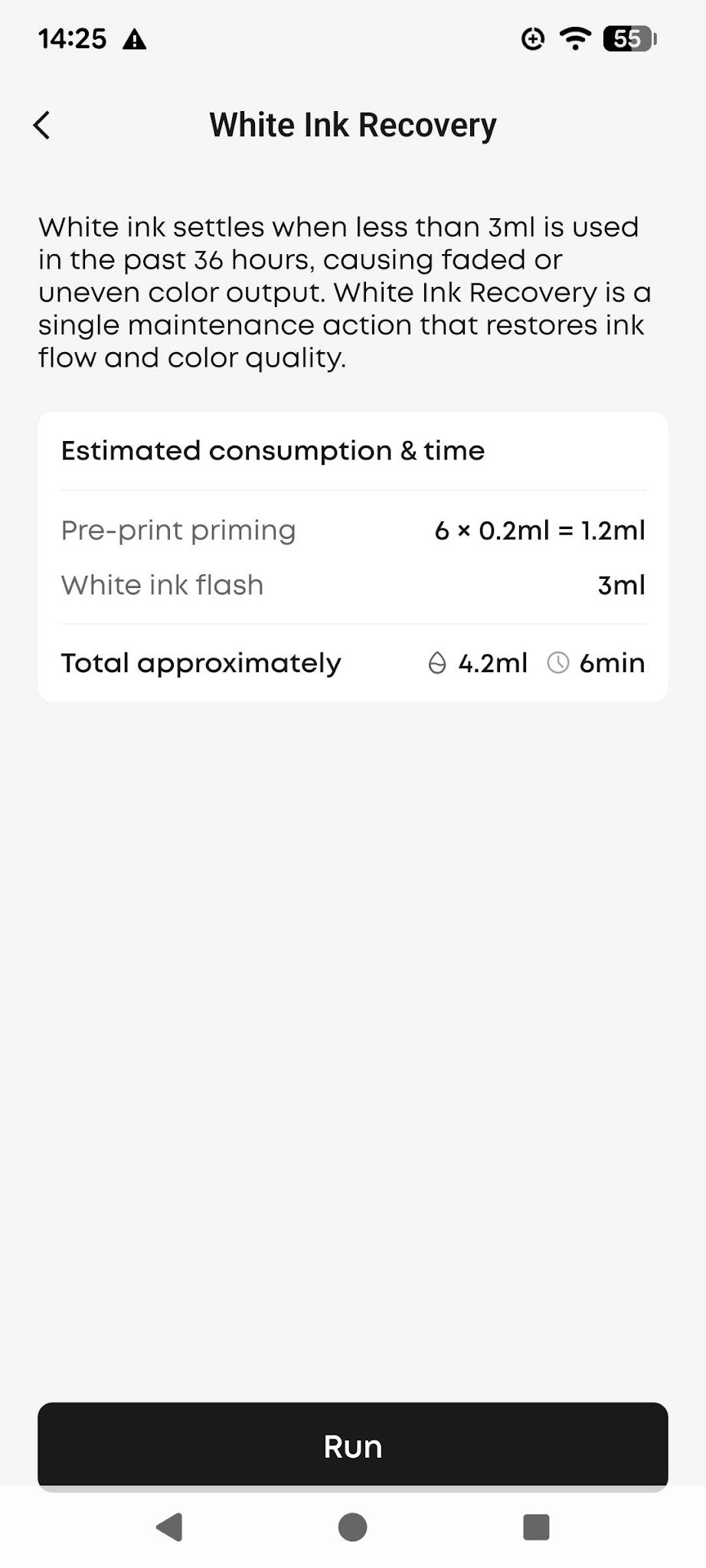
If white ink is not used for an extended period or printing frequency is very low, the ink may settle within the system.
This reduces the effective concentration of the white ink and can result in faded prints.
¶ Solution: White Ink Settling Repair
When the system detects that white ink may have settled, it can trigger a repair process to restore uniform ink distribution. After the repair is complete, print a test image to confirm whether the white ink has returned to normal.
Automatic trigger: When the system detects that white ink may have settled, it automatically displays a prompt and starts the repair process. Follow the on-screen instructions and wait for the repair to complete.
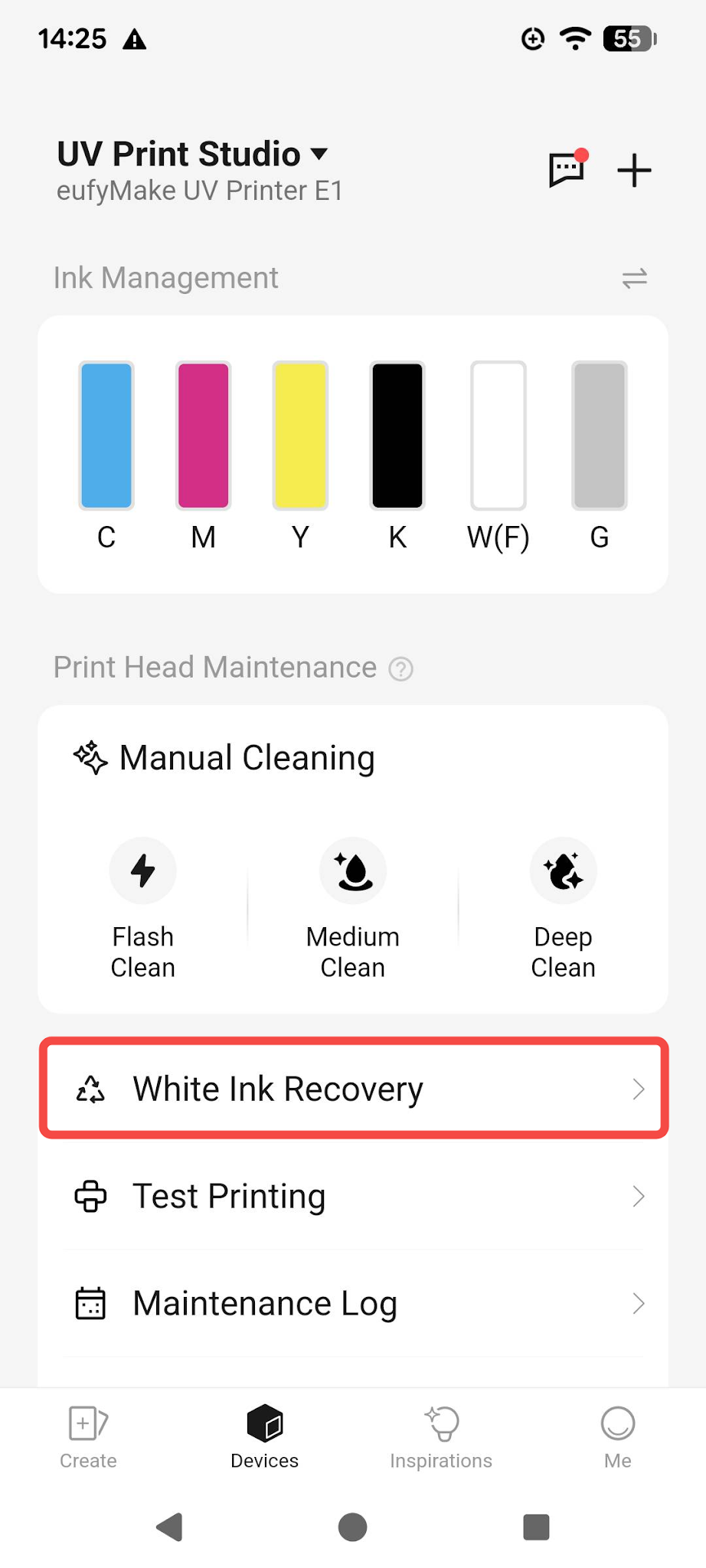
Manual trigger: Go to the maintenance section in the app or PC client and click the Run button to start the white ink settling repair.
 |
 |
After the repair is complete, print a test image to check the result. If the white ink has returned to normal, continue using the printer as usual. If the issue remains, run the white ink settling repair once more.
¶ Nozzle Dropouts After White Ink Settling Repair
In a small number of cases, nozzle dropouts may occur after running the white ink settling repair. If this happens, run one Medium Clean (Enhanced) cycle to resolve the issue.
¶ If the issue remains, contact eufyMake Customer Support
If the white ink fading issue still persists after trying the steps above, contact eufyMake Customer Support and provide the following information so the team can quickly pinpoint the problem:
- Printer SN (device serial number)
- Ink cartridge batch number / ink cartridge SN (found on the cartridge label; a photo is recommended)
- Photo of the printed test image (should clearly show the nozzle dropouts / missing lines)
- Complete operation record: white ink settling repair performed - nozzle dropouts appeared - Medium Clean (Enhanced) performed - result
- Printer logs (exported via the App / PC client; includes error codes and maintenance records)