¶ Fault Symptoms
During automatic measurement with the Rotary Printing Attachment, the printer reports error code 0xFD011E0009, and the measurement process cannot be completed.
¶ Cause Analysis
- The cup dimensions do not meet the supported requirements, or the selected substrate type does not match the cup.
- The cup is installed in the wrong orientation or is not secured correctly.
- The right end of the cup is positioned higher than the left end, preventing the Rotary Printing Attachment from raising the left side to a level position.
- The cup becomes loose or shifts during measurement.
¶ Troubleshooting Steps
Complete the following checks in order.
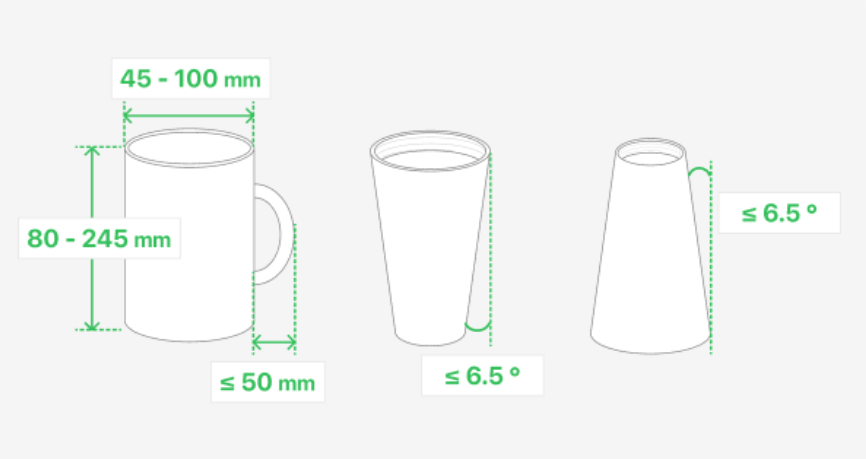
¶ 1. Check the Cup Dimensions
Confirm that the cup meets the supported dimensional requirements.
¶ 2. Check the Cup Orientation
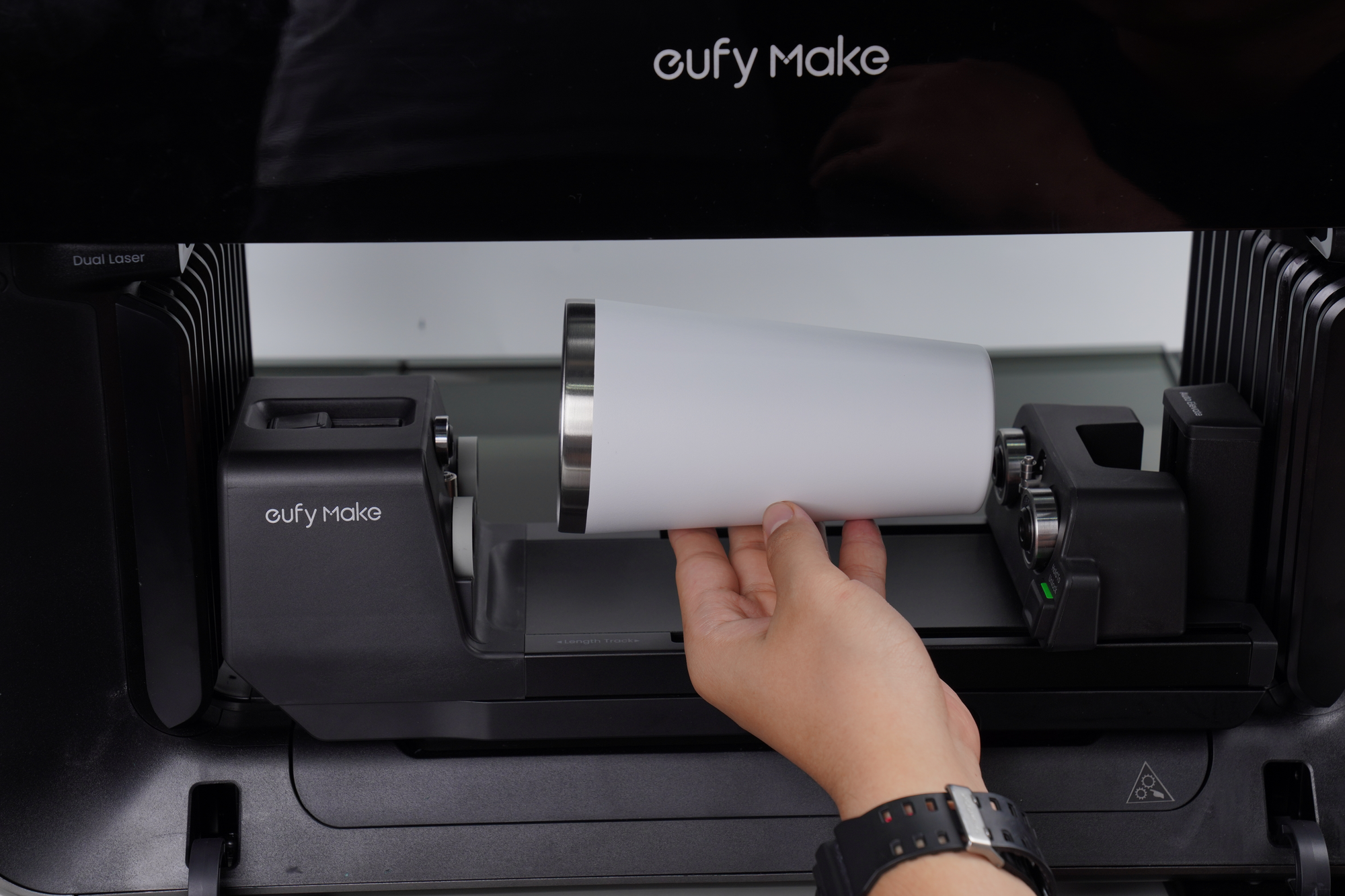
Confirm that the cup is installed in the correct direction.
The left end of the cup must be level with or higher than the right end. Do not install the cup in the reverse orientation
¶ 3. Check the Cup Installation
Confirm that the cup is positioned correctly and secured firmly on the Rotary Printing Attachment.
Make sure the cup cannot loosen, rotate, or shift during the automatic measurement process.
For detailed installation and compatibility guidance, refer to:
https://wiki.eufymake.com/en/Getting-Started/requirements-for-rotary-printing-attachment
¶ Contact Technical Support
If the issue persists after completing the above steps, please contact eufyMake customer support via support@eufymake.com and provide the following information:
- Your order information
- Printer serial number (SN). Please refer to: check-sn
- Printer and App logs. Please refer to: log Upload
- Relevant photos and videos