¶ Power indicator abnormal
¶ Fault Phenomenon:
-
The power supply is connected, but the power indicator does not light up
-
The power supply is connected, and only the red indicator light is on
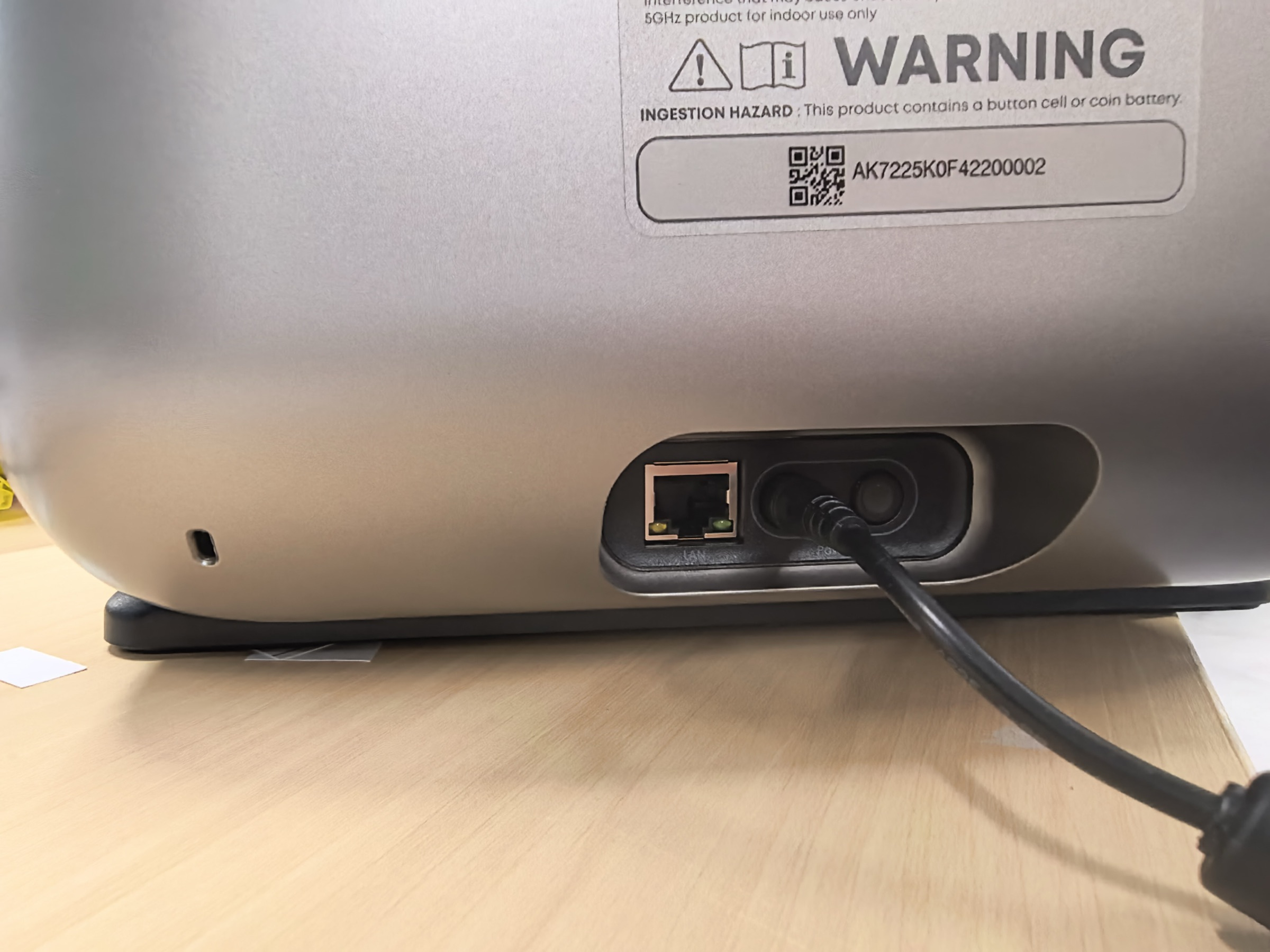
Power light is not lit
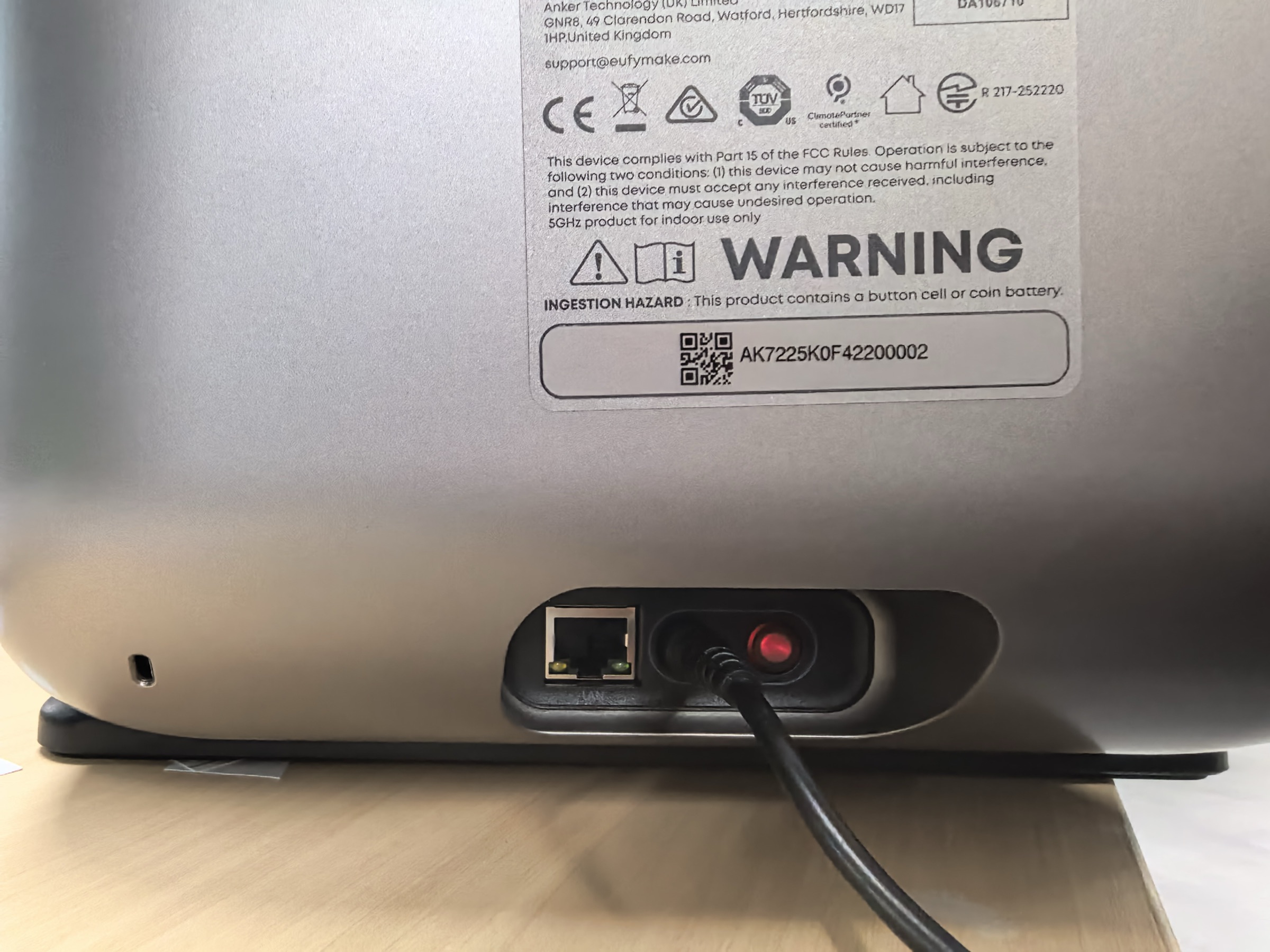
The power light is red
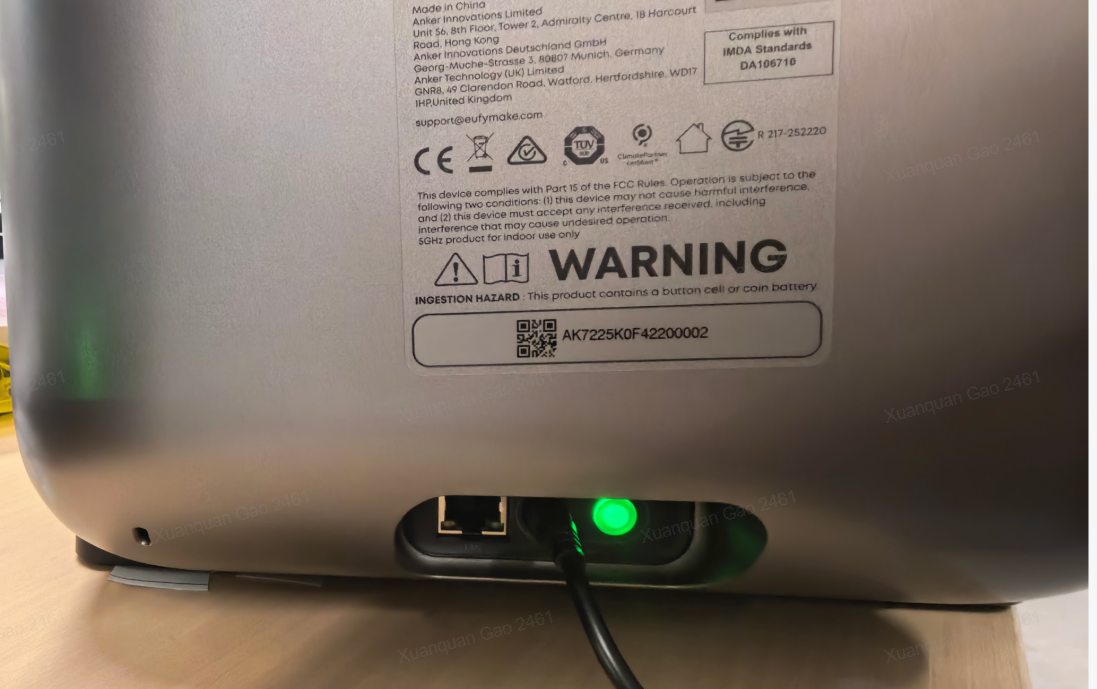
Power light is normal (green)
¶ Cause Analysis:
| Problem Elements | Specific reasons |
|---|---|
| Power is connected, but the power light does not illuminate | No power supply or adapter damage |
| When connected to power, only the red light is on | The power cord from the power supply board to the motherboard is loose or the motherboard is damaged |
¶ Required Tools:
- None
¶ Safety Precautions
- When replacing the power adapter, always use the officially designated model. Using a non-approved adapter may cause device damage.
¶ Troubleshooting Steps
¶ Scenario 1: Power supply connected, power indicator does not light up
-
Check and confirm that the power source is functioning normally.
-
Inspect the power adapter as shown below.
-
If the adapter is damaged, replace it with an official eufyMake power adapter.
-
If the adapter is normal, the printer host may be damaged. Contact after-sales service for repair.
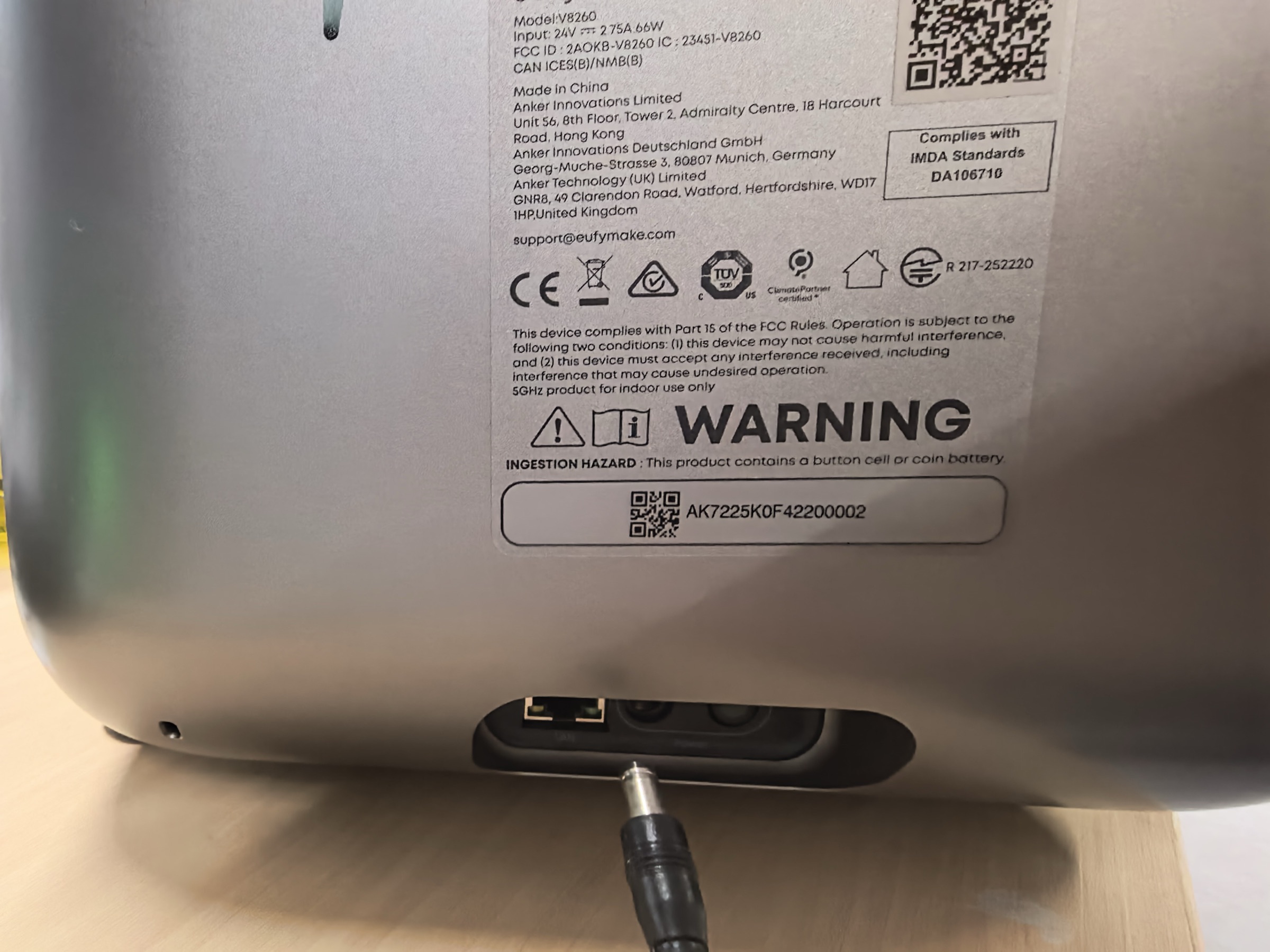
Unplug the plug
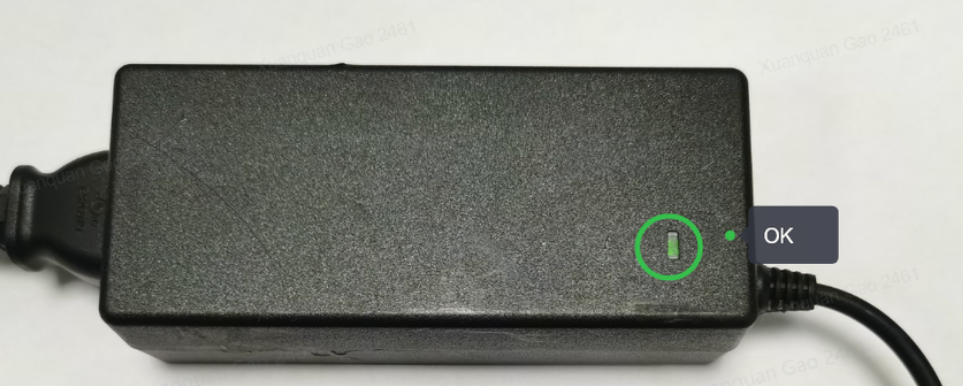
Adapter plugged in, green light - normal
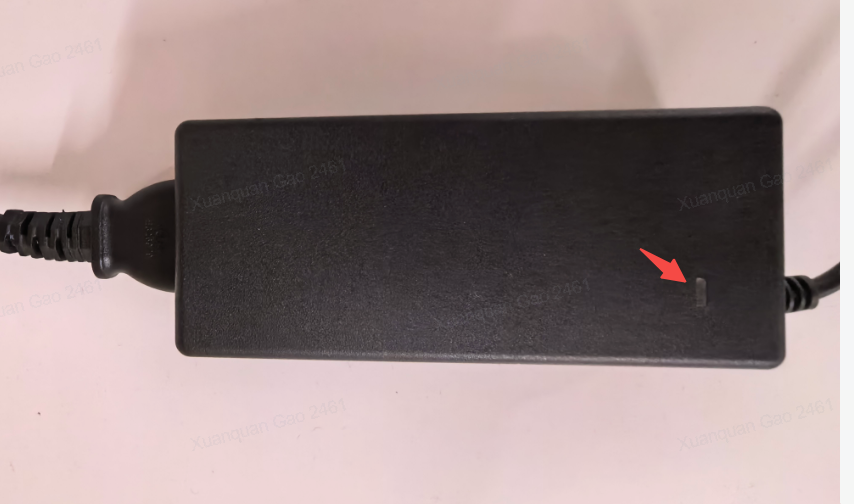
Adapter plugged in, red light - damaged
¶ Scenario 2: Power supply connected, only red indicator light is on
-
Unplug the printer power cord.
-
Refer to the following guide to remove the left and upper housings:
https://support.eufymake.com/s/article/eufyMake-UV-Printer-E1-Printer-Outer-Shell-Disassembly-SOP -
Check the power cables connected to the motherboard and the power supply board. Remove and firmly reinsert the cables as shown below.
-
If the power indicator returns to normal, reassemble the printer following the same SOP and confirm the issue is resolved.
-
If the printer still shows only a red indicator, reassemble the printer. If host damage is confirmed, contact after-sales service for repair.
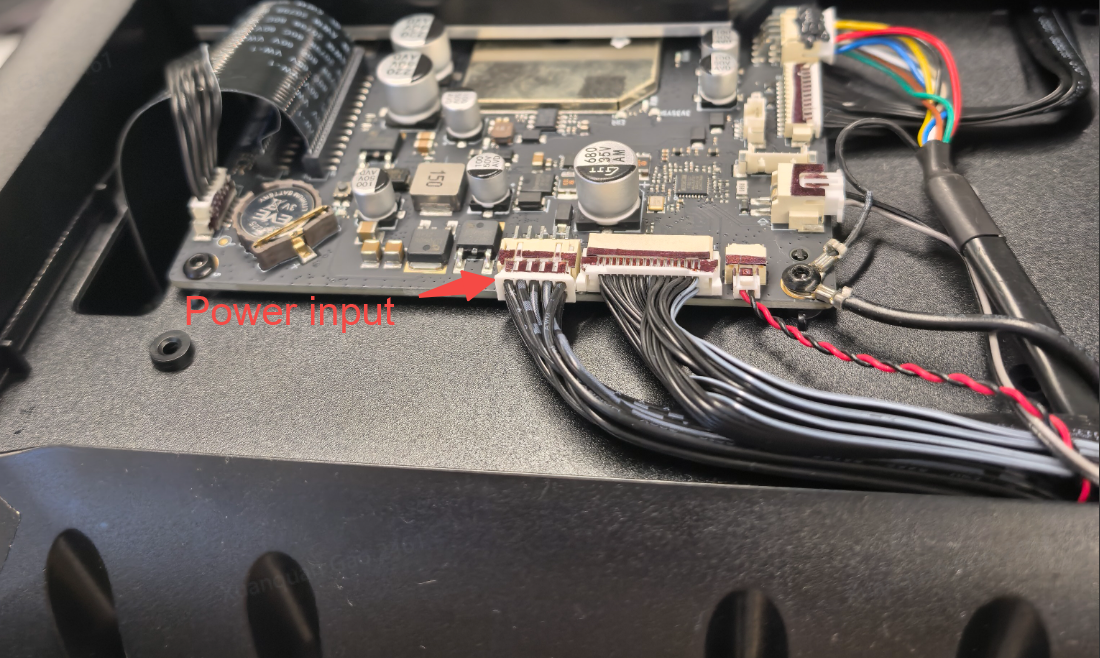
Pull out the motherboard's Power input, then plug it in all the way
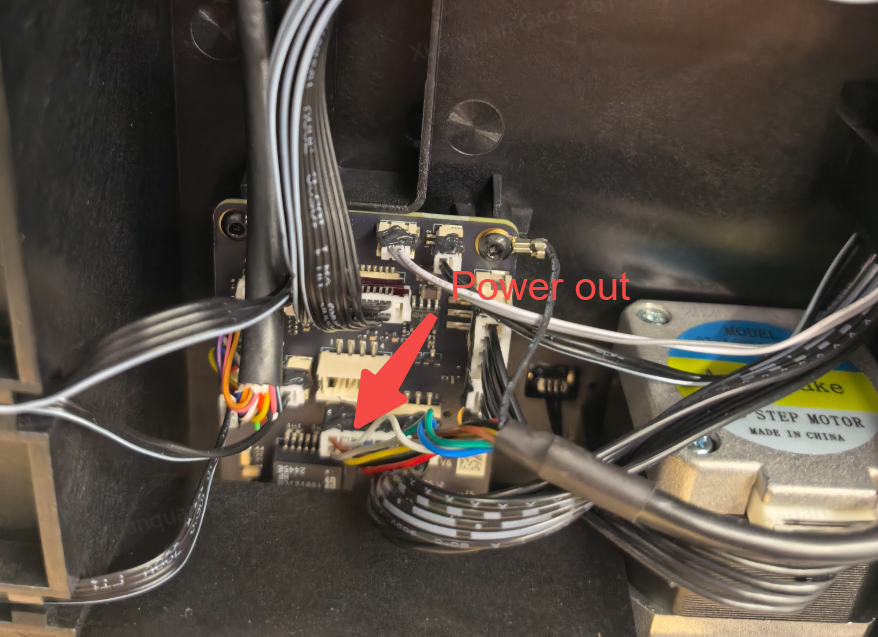
Pull out the Power output, then plug it in all the way
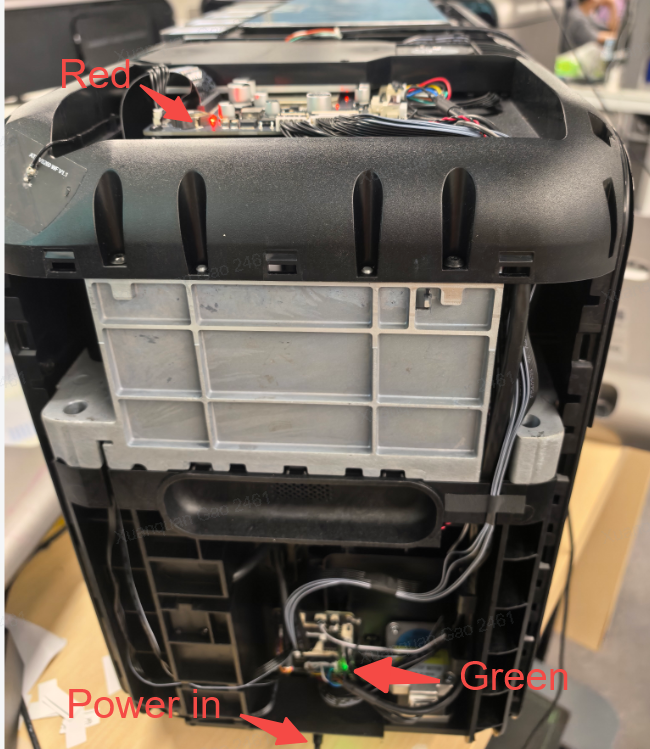
Printer is normal
If the above steps still do not resolve your issue, please contact eufyMake Customer Support at support@eufymake.com and include the following information:
a. Your purchase order information
b. Printer SN, please refer to: https://support.eufymake.com/s/article/How-to-Check-the-Device-Serial-Number-SN
c. Printer and APP logs, please refer to:https://support.eufymake.com/s/article/Log-Feedback-Upload-Process-App-PC-Overview
d. Related troubleshooting videos and photos