¶ Fault Phenomenon
Cartridge Not Installed Properly
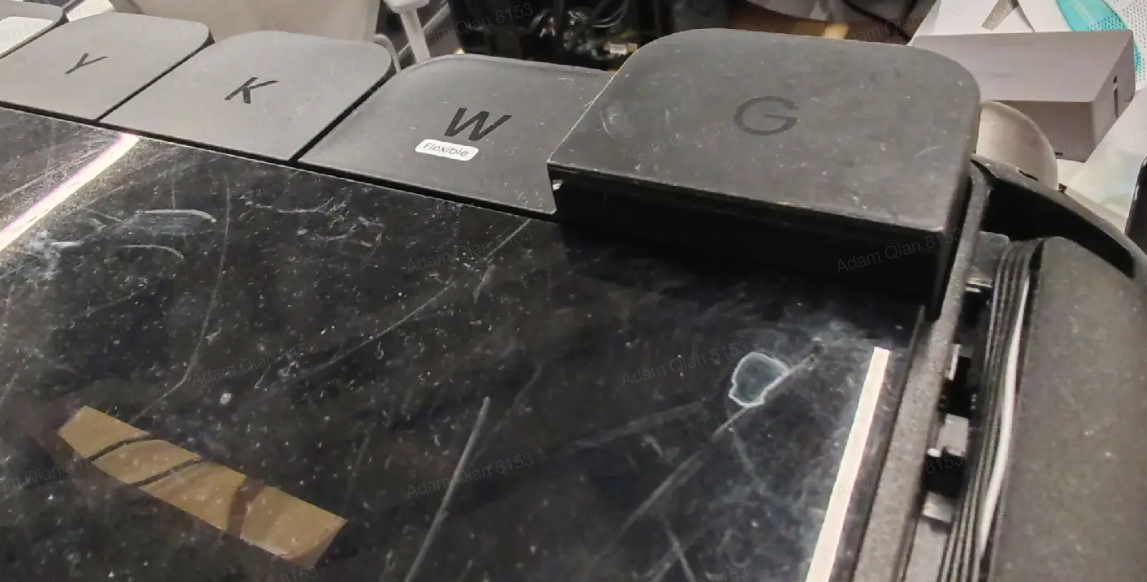
After installation, the ink cartridge sits at the same height as other cartridges but rebounds and cannot be locked into place.
¶ Cause Analysis
Ink cartridge hook is broken
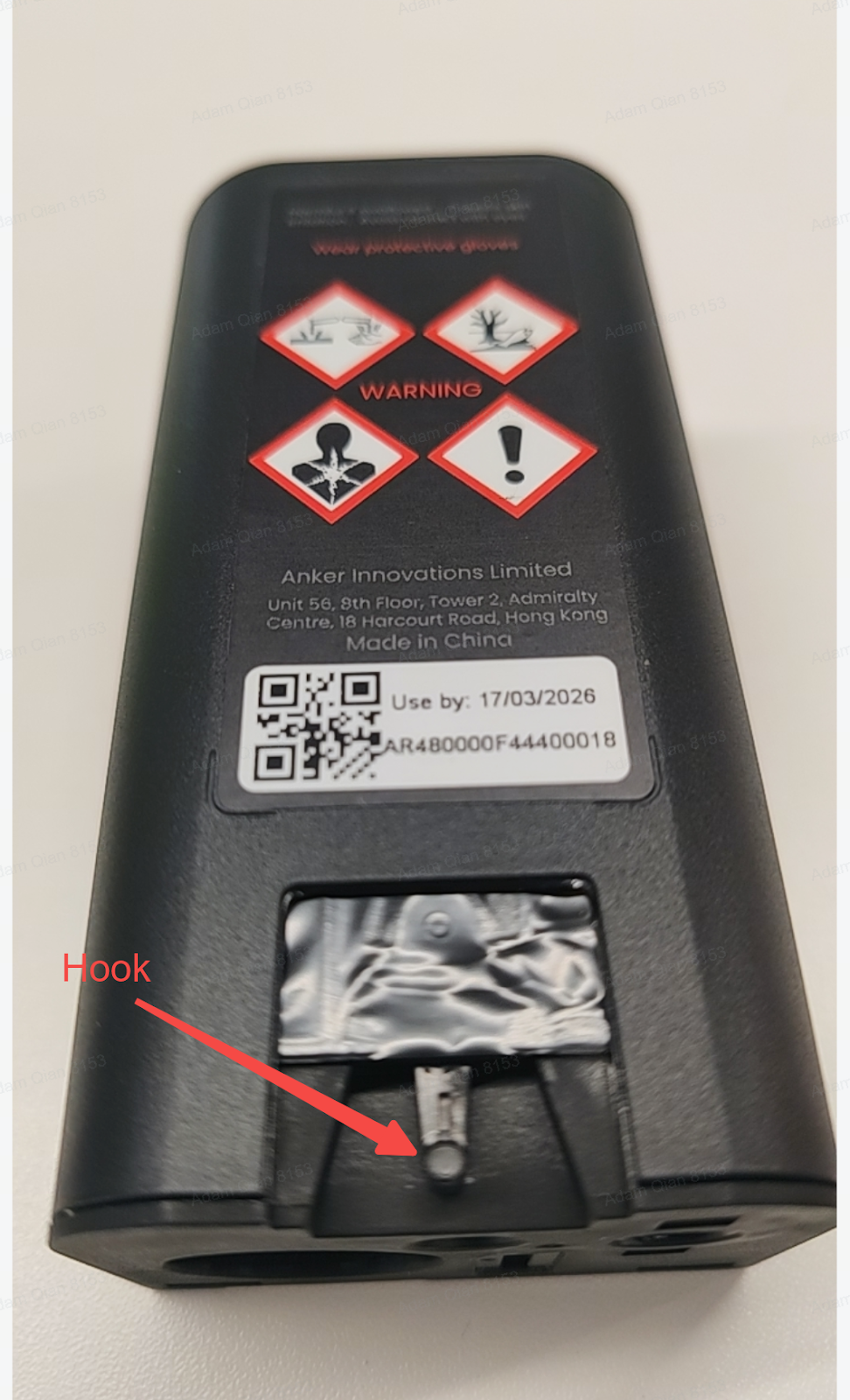
Liquid contamination on the cartridge hook
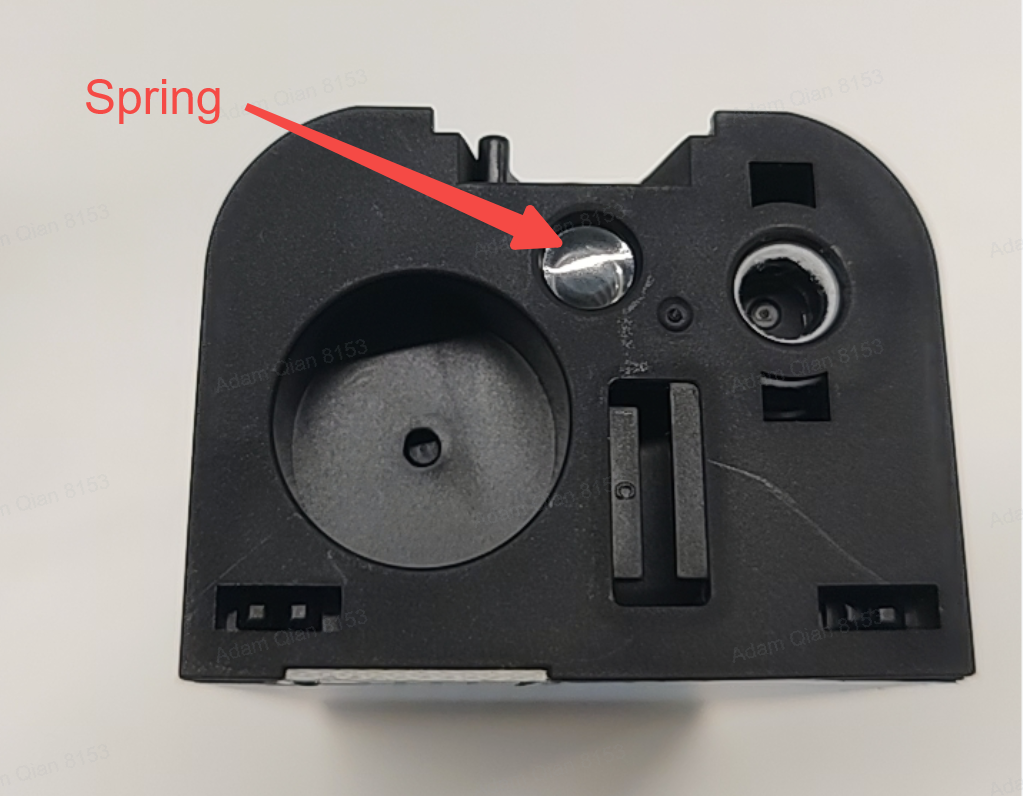
Missing spring at the bottom of the ink cartridge
Cartridge not pressed fully into position
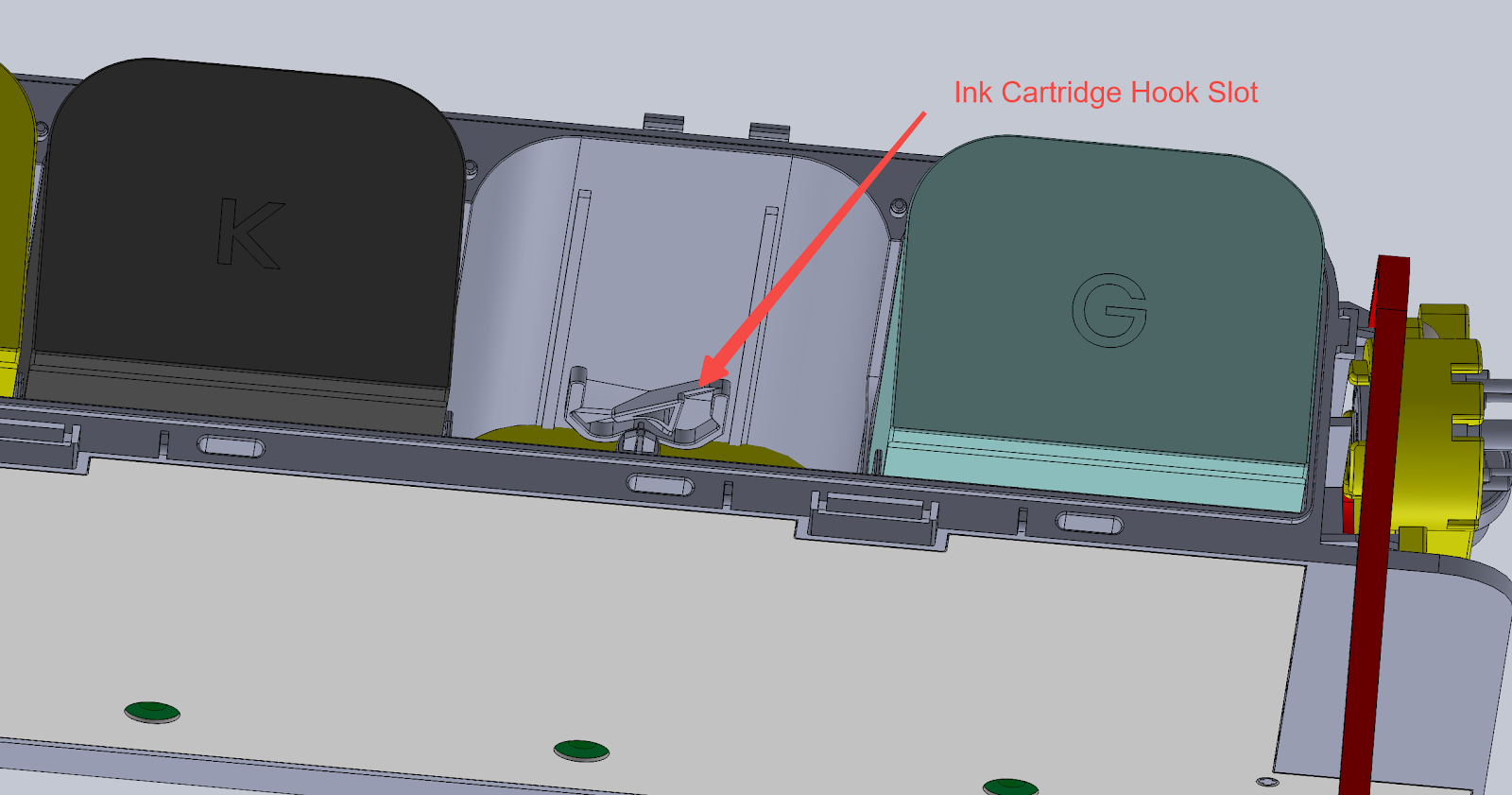
Ink cartridge holder hook is damaged
¶ Required Tools
Maintenance Cartridge
¶ Operation Safety Precautions
Gloves must be worn during operation to prevent ink from contacting the skin.
¶ Troubleshooting Steps
Ink cartridge hook is damaged: Replace the ink cartridge.
Liquid present on the ink cartridge hook: Use a tissue or the cotton swab included in the maintenance kit to thoroughly clean the ink from the hook area.
Ink cartridge spring missing
Check whether the spring at the bottom of the cartridge is missing.
If missing, remove a spring from an empty ink cartridge and install it onto the cartridge that lacks the spring.
Ink cartridge holder hook damaged
If the hook on the cartridge holder is damaged, the cartridge holder must be replaced.
This repair must be performed by an authorized maintenance center.
¶ Support Contact
If the issue persists after completing the above steps, please contact eufyMake Customer Support at support@eufymake.com with the following information:
Your Order Information
Printer SN. Please refer to:Check SN
Printer and App Logs. Please refer toUpload log
Relevant photos and videos.