¶ Bidirectional Printing
¶ Q1: How do I use Bidirectional Printing?
- Check your versions: Make sure your device firmware is at least 4.0.9 and your PC software is at least 4.3.3. You can check for updates on our official website or in Settings > Check for Updates on the PC software. If either is not updated, the feature may not appear or work properly.
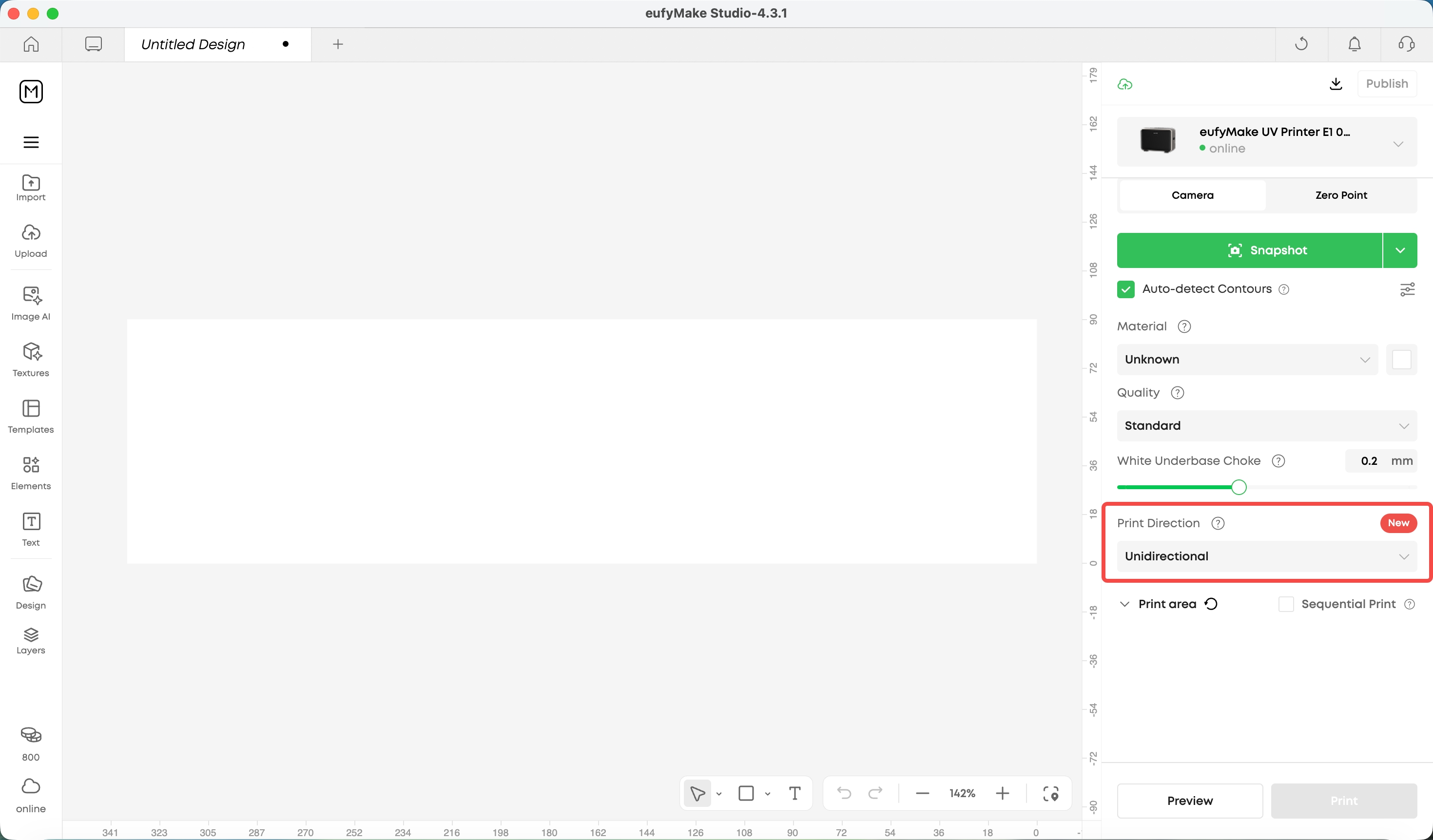
- Switch the print direction: In the print settings panel, manually change the direction from "Unidirectional" to "Bidirectional".
- Complete bidirectional calibration (about 5 minutes): Follow the on-screen guide—print the forward/reverse calibration lines, then manually enter the compensation value as prompted.
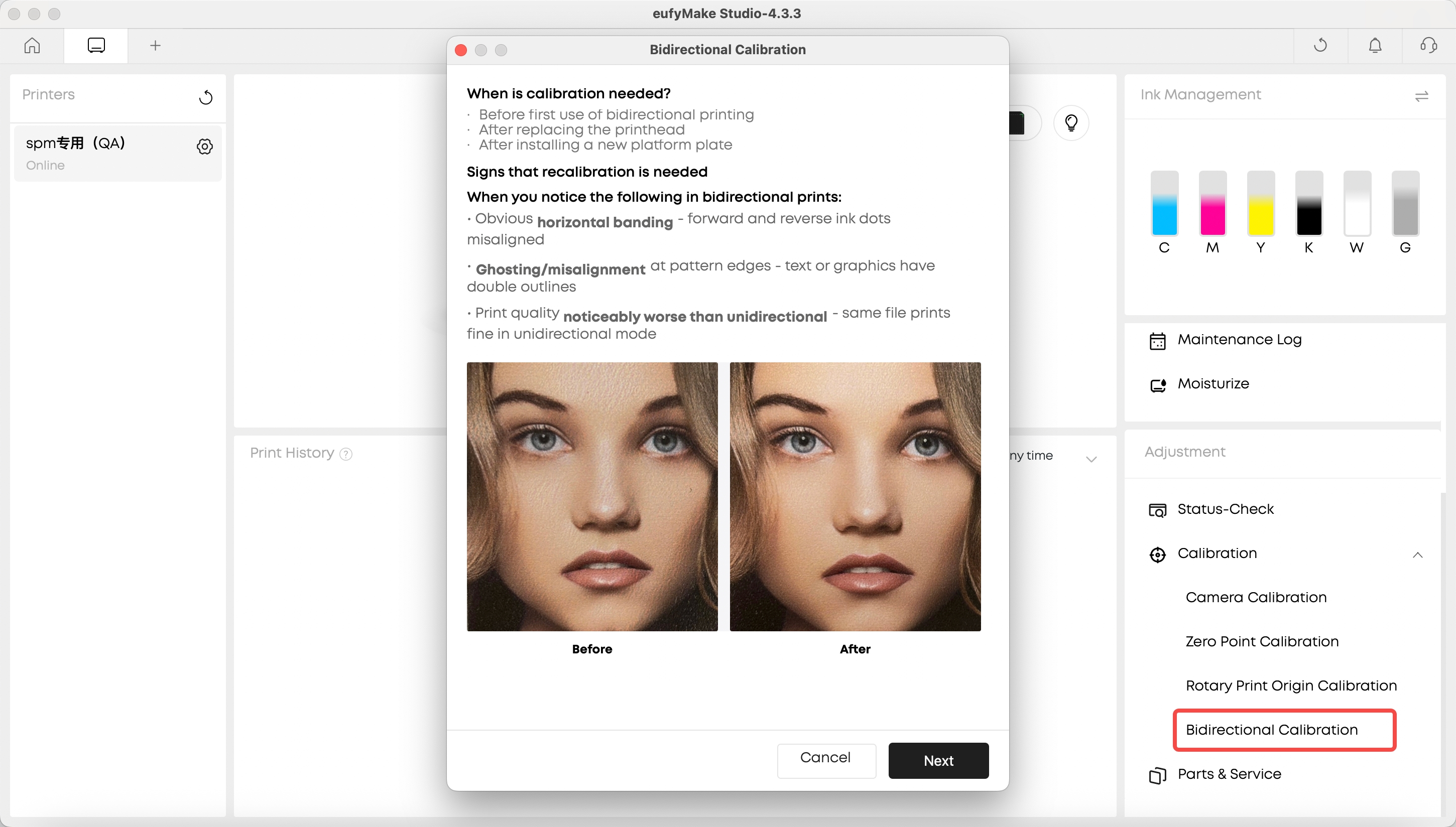
- Until calibration is complete, the printer will continue to use unidirectional printing to avoid alignment errors.
¶ Q2: Which scenarios support Bidirectional Printing? Which are not supported yet?
Bidirectional Printing currently supports flat printing, thick material printing (same as unidirectional, no height limit), and 2.5D printing (0.3–5 mm thickness).
With Bidirectional Printing enabled, flat printing can be about 40%–75% faster depending on the mode, and 2.5D printing can be about 50% faster in Standard mode.
Not yet supported: roll-to-film, rotary attachment, and flexible white ink. These scenarios are still being tuned and adapted, and are not available at this time.
¶ Q3: Can I use Bidirectional Printing on the mobile app?
It is currently available on PC only. Mobile app support is planned and the release date will be announced separately.
¶ Q4: Do I need to recalibrate every time I switch between unidirectional and bidirectional modes?
No. Once Bidirectional Printing is enabled and calibrated for the first time, switching between unidirectional and bidirectional modes does not require recalibration. Recalibration is only required in these cases:
- After replacing the printhead
When using a brand-new flatbed (a flatbed type that has not been calibrated before)
- After restoring the device to factory settings
The same type of flatbed only needs to be calibrated once. If you switch to another flatbed of the same type (for example, from mini flatbed A to mini flatbed B), the system will not force recalibration, but we recommend calibrating again (about 5 minutes) to ensure accuracy.
¶ Q5: Does Bidirectional Printing affect print quality?
Bidirectional Printing may slightly reduce print quality, but the difference varies from person to person. If you require high detail reproduction, we recommend running a test print to compare, or switching back to unidirectional printing.
The image below is based on a test using a 57 mm × 57 mm fridge magnet and can be used as a reference for print results.
¶ Continue Printing with Expired Ink
¶ Q1: What are the risks of using expired ink? Why is expired ink now allowed?
Expired ink is no longer hard-locked, so you can continue using it, but we do not recommend it. Expired ink may settle or separate, which can significantly reduce print quality and increase the risk of printhead clogging and damage.
Considering that some users may need to print urgently before new ink arrives, we have adjusted the handling mechanism: expired UV ink is no longer hard-locked. When detected, the software will show a risk warning, and you can choose to continue using it.
Important: We provide a 14-day grace period. Please purchase and replace with new ink as soon as possible during this period. After replacing with new ink, your printer warranty, printhead warranty, and eufyMake Care benefits will all remain unaffected.
¶ Q2: What are the usage restrictions and warranty policy for expired ink?
Usage restrictions: Expired ink only supports printing scenarios (initiating prints from the editor and reprinting). It does not currently support manual maintenance, test printing, calibration, or other functions.
Warranty policy:
Ink expired ≤14 days: eufyMake Care and printhead warranty still apply under their original terms.
Ink expired >14 days: Continuing to use expired ink is deemed acceptance of the associated risks, and you may not be eligible for eufyMake Care and printhead warranty.
A risk warning will appear before each print when the ink has expired for more than 14 days. If you still choose to continue, please ensure you fully understand the associated risks.
¶ Q3: Do the same policies apply to expired cleaning fluid and moisturizing fluid?
No. Currently, only UV ink is allowed to be used after expiration. Cleaning fluid and moisturizing fluid have relatively long shelf lives, and their use after expiration is still restricted and not yet supported.