¶ From Import to Print —
Editor V17 : What's New
5 major updates across the full design workflow. More control, less switching between apps.
¶ SVG Import, Done Right
Design files come in exactly as you made them — no rework
¶ Exact physical dimensions, fill & stroke fully preserved
SVGs import at their true physical size. Fill colors, stroke colors, and weights come through intact and stay editable in the editor.
Moving between design tools? Cutting and printing files stay perfectly aligned.
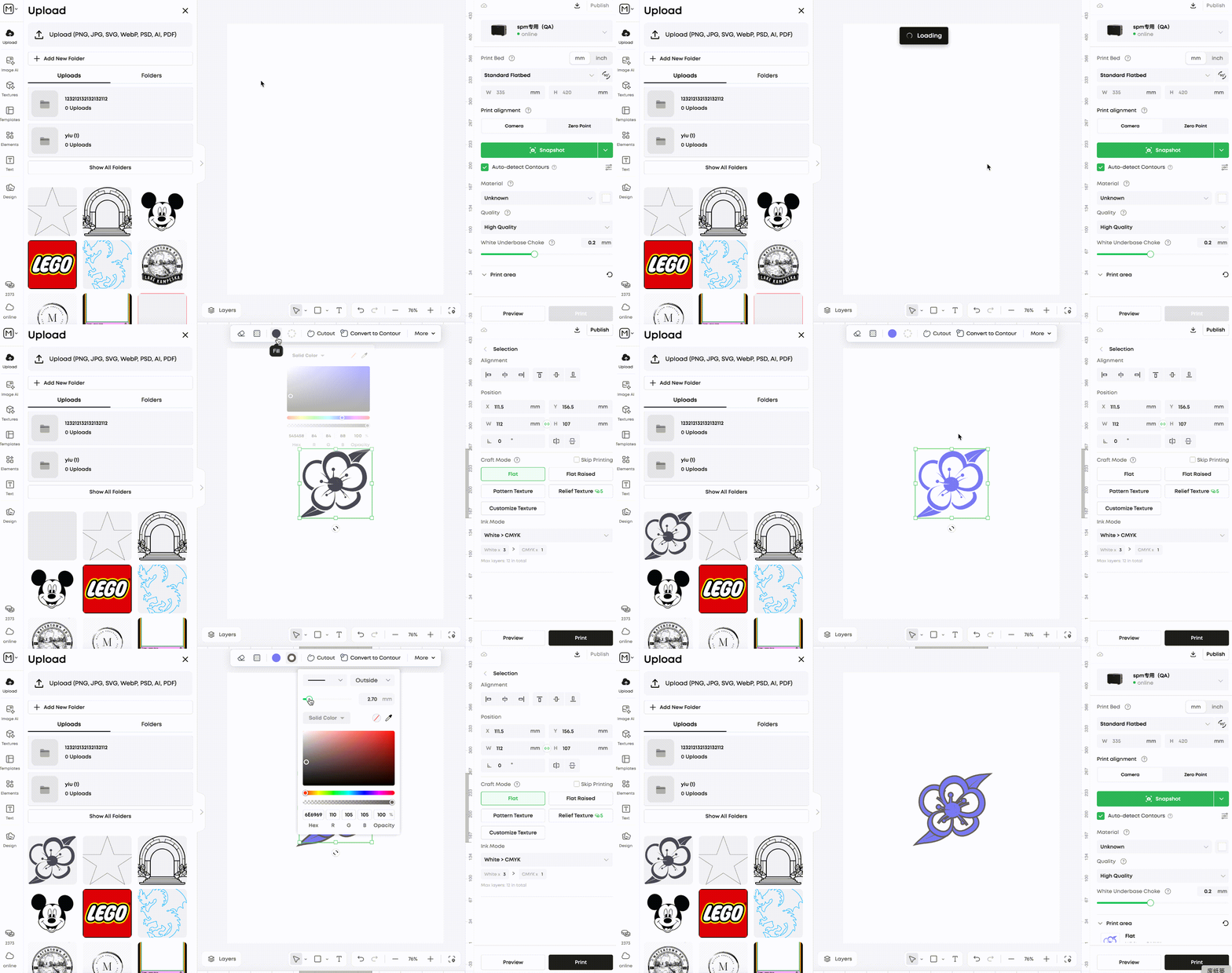
¶ Convert stroke-only paths to closed contour in one click
Cutting paths (stroke-only, no fill) expand into closed outlines at the exact same size. Align cutting and printing in one step — no manual re-tracing.
Laser cutting paths become print borders instantly — no re-tracing needed.
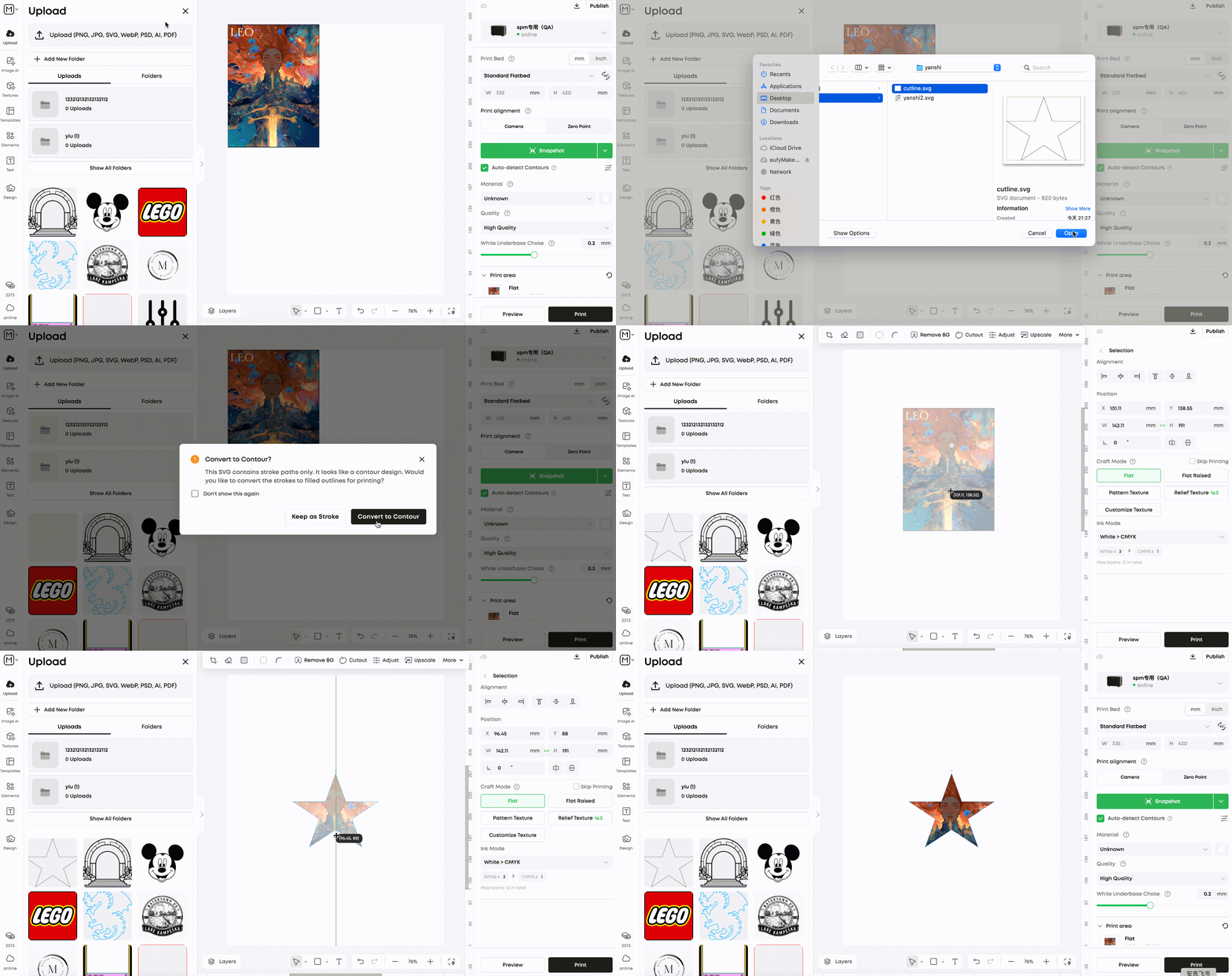
¶ Editing Toolbar — Upgraded
High-frequency edits at the top — less menu diving, more making
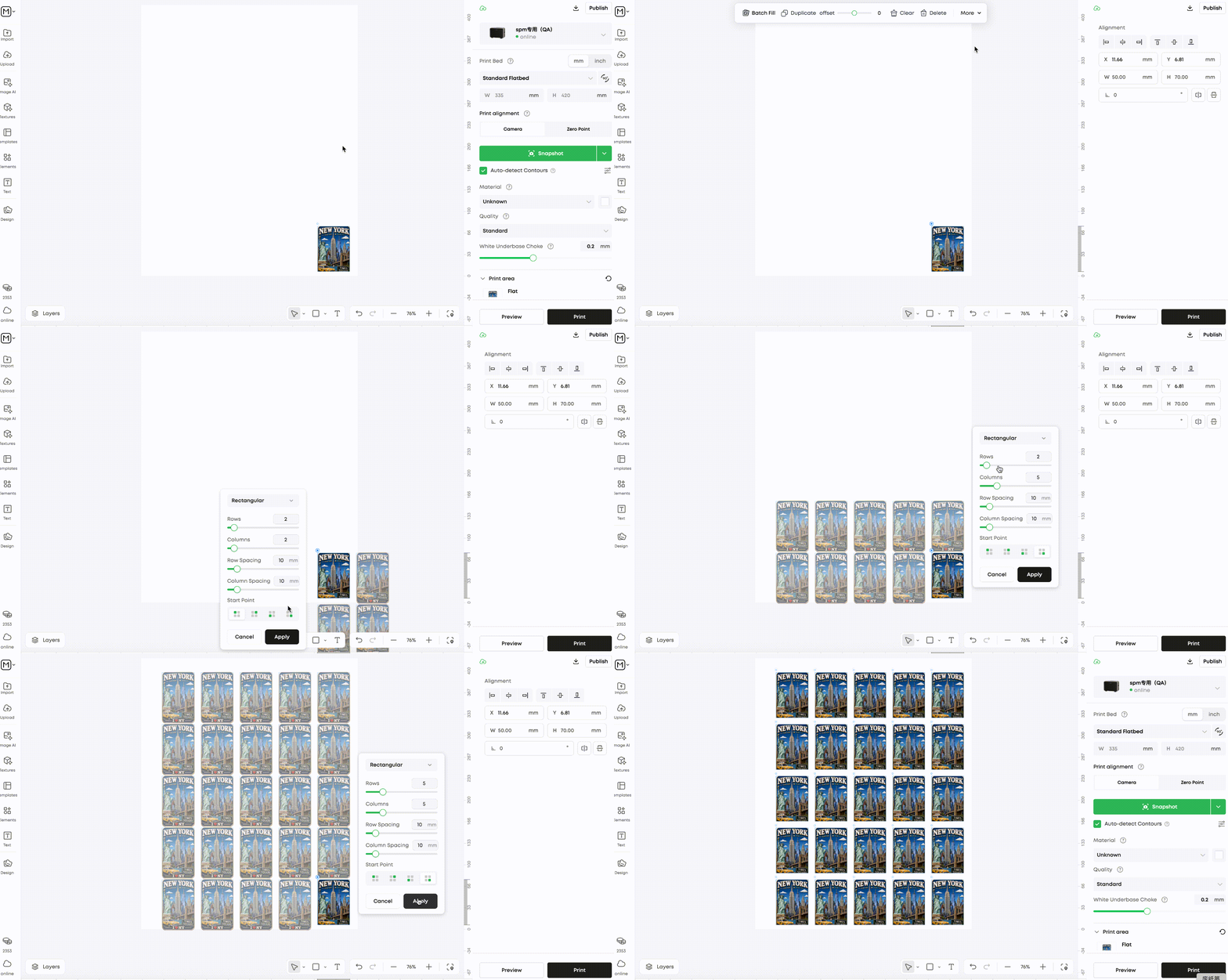
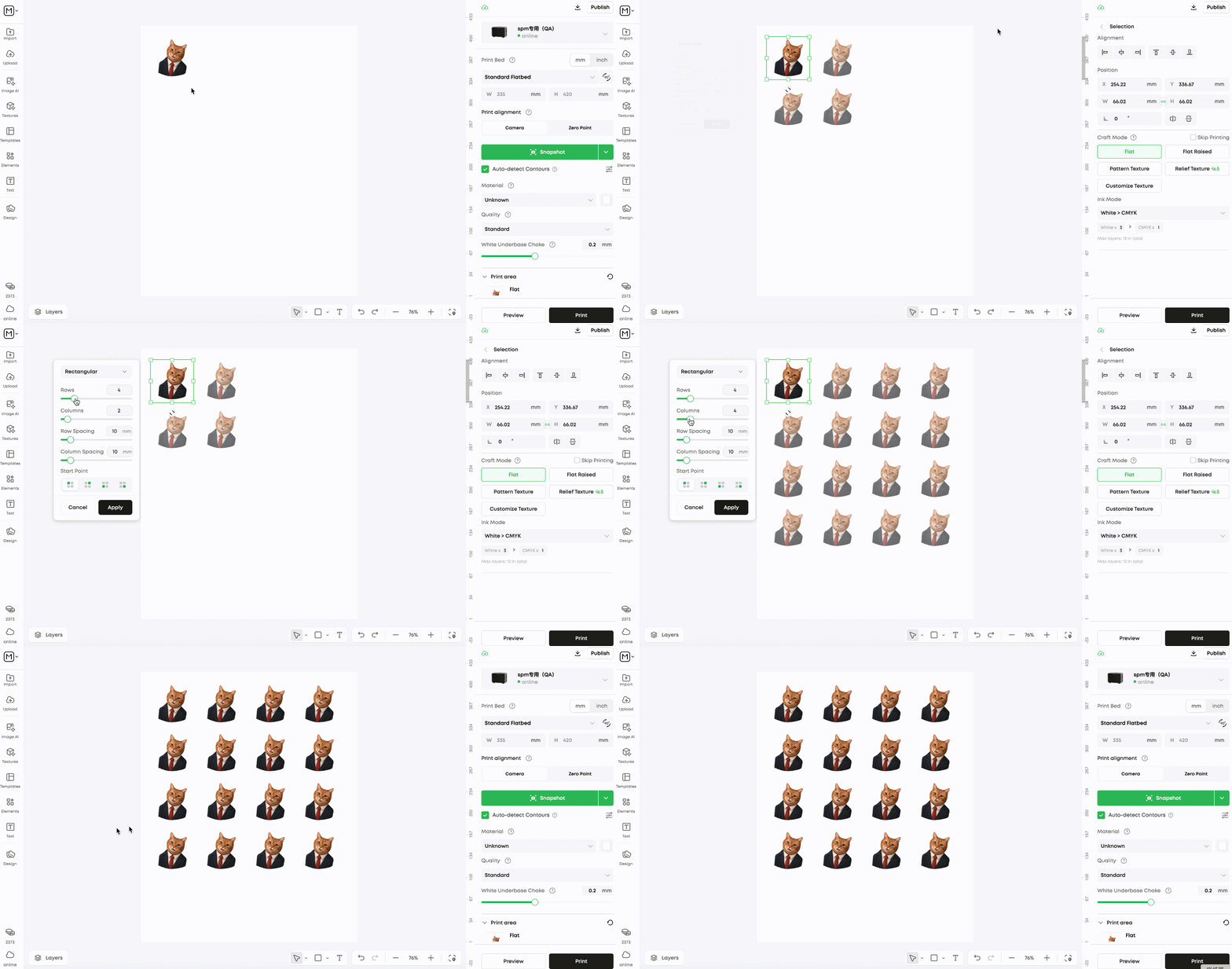
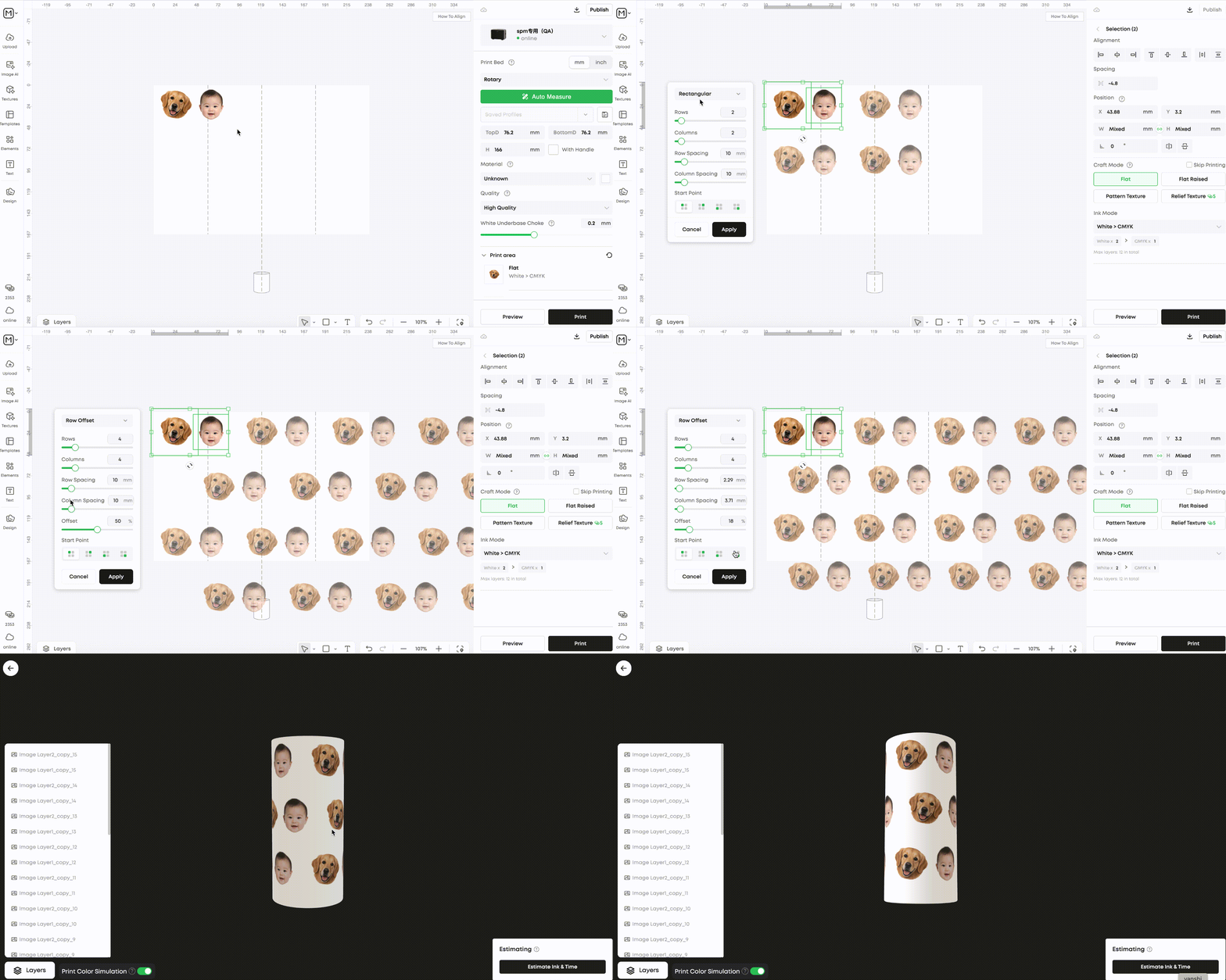
¶ Layout a full print sheet. Swap all artwork in one click.
Set rows and columns for an instant grid. Then select the whole array and replace every image in one operation — no clicking into individual slots.
Sticker sheets, mug batches, jig layouts — set the grid once, swap artwork per run.
¶ Vectorize bitmaps — sharp at any print size
Convert PNG/JPG logos and artwork to vector. Scale freely without blur, edit colors independently, and print with crisp edges every time.
Downloaded a PNG logo? Convert it to vector — resize freely, edit colors, and print with sharp edges.
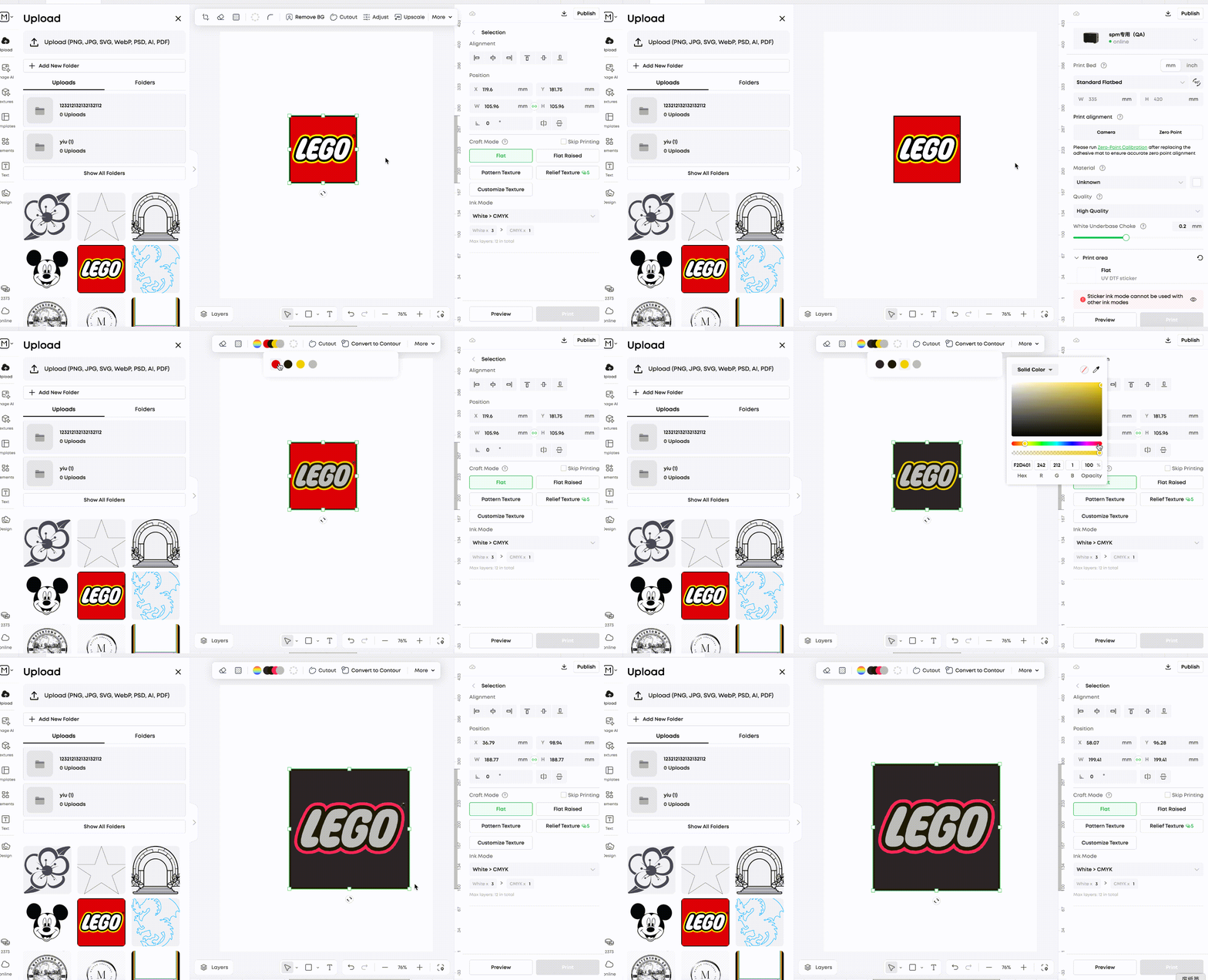
¶ Select a group, recolor everything at once
Edit fill and stroke for all objects in a group simultaneously. Three stroke alignment modes: center, inside, outside. Fill also supports a "no color" state.
¶ Copy Contour with exact coordinates — reuse for the next batch
Contour is now movable and copyable with precise dimension and position data. Set up once, reuse across production runs.
¶ Precise Crop — fit your design to the exact substrate size
Input a precise target size (e.g. 50×80mm) for a pixel-perfect crop that matches your substrate exactly — no guesswork, no trimming waste.
Crop to substrate size precisely, eliminating alignment errors at print time.
¶ Rounded Corners — ideal for phone cases and curved substrates
Add rounded corners to bitmaps and shapes directly in the editor. No external app needed — perfect for phone case designs and other substrates with curved edges.
¶ Cleaner edges after background removal — print-ready straight away
Edge jaggedness is dramatically reduced. Remove a background and use the result directly for print — no extra cleanup step.
¶ Style individual characters in one text box. Full keyboard shortcut support.
Select specific characters and change their font, size, weight, or color — without splitting into multiple text boxes. All common editor actions now have shortcuts; click the MIR icon to see the full list.
¶ Height Map Editing
Control 3D texture height directly in the editor, with global adjustments and local brush-based control.
Parameter update: Smoothness under Relief Texture → Gamma;Smoothness under Pattern Texture → Contrast
A height map represents 3D texture height based on brightness: brighter areas print higher and darker areas print lower. Use global adjustments to fine-tune the overall map, or use the brush tool to control local height.
¶ Global Adjustment & Local Brush Control
Adjust the entire height layer with global parameters, or paint local changes with the darken and lighten brushes. Every change previews in real time — no export-and-reimport loop.
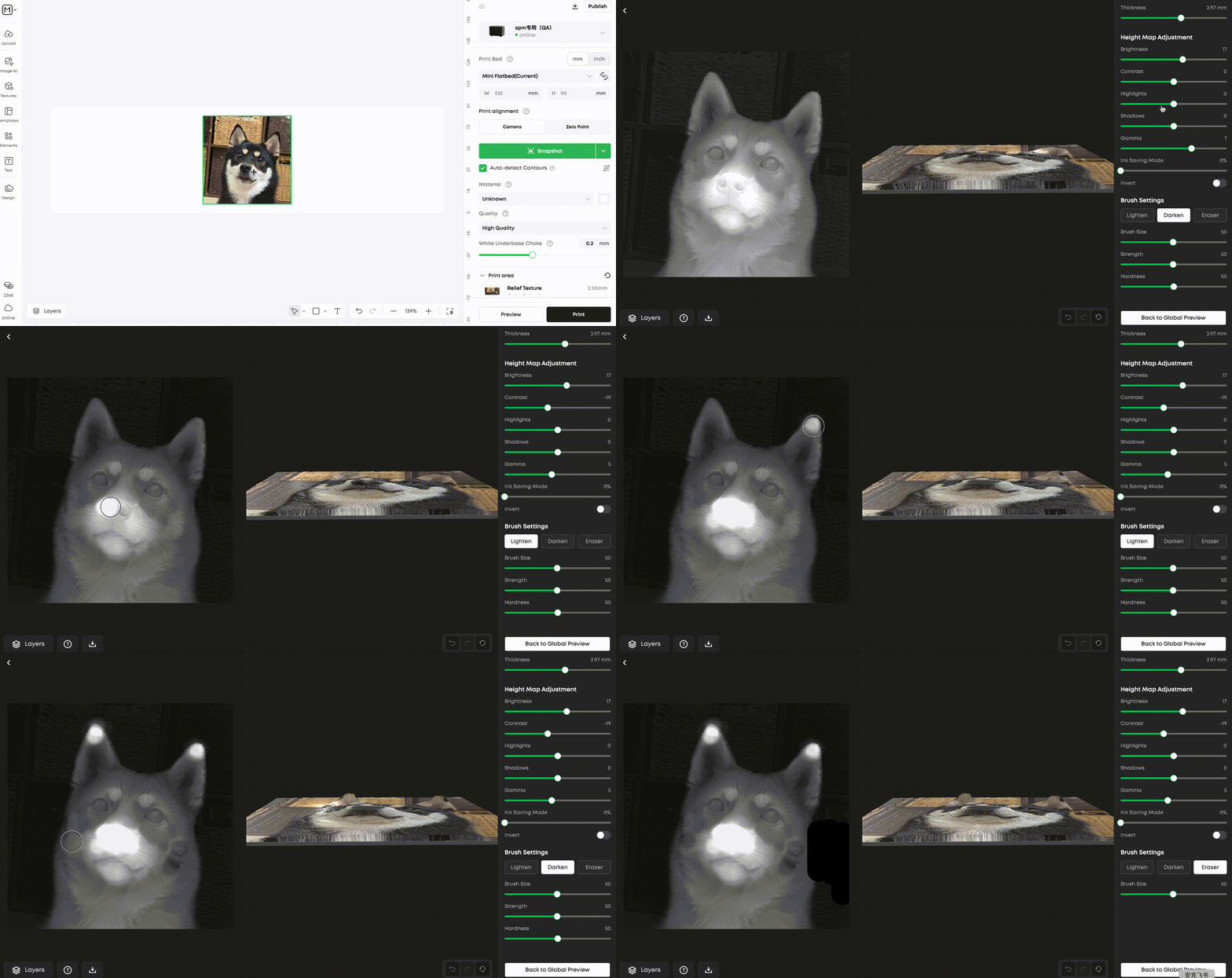
Global Parameters
Local Brushes
¶ Asset Management
Dozens of projects, zero chaos
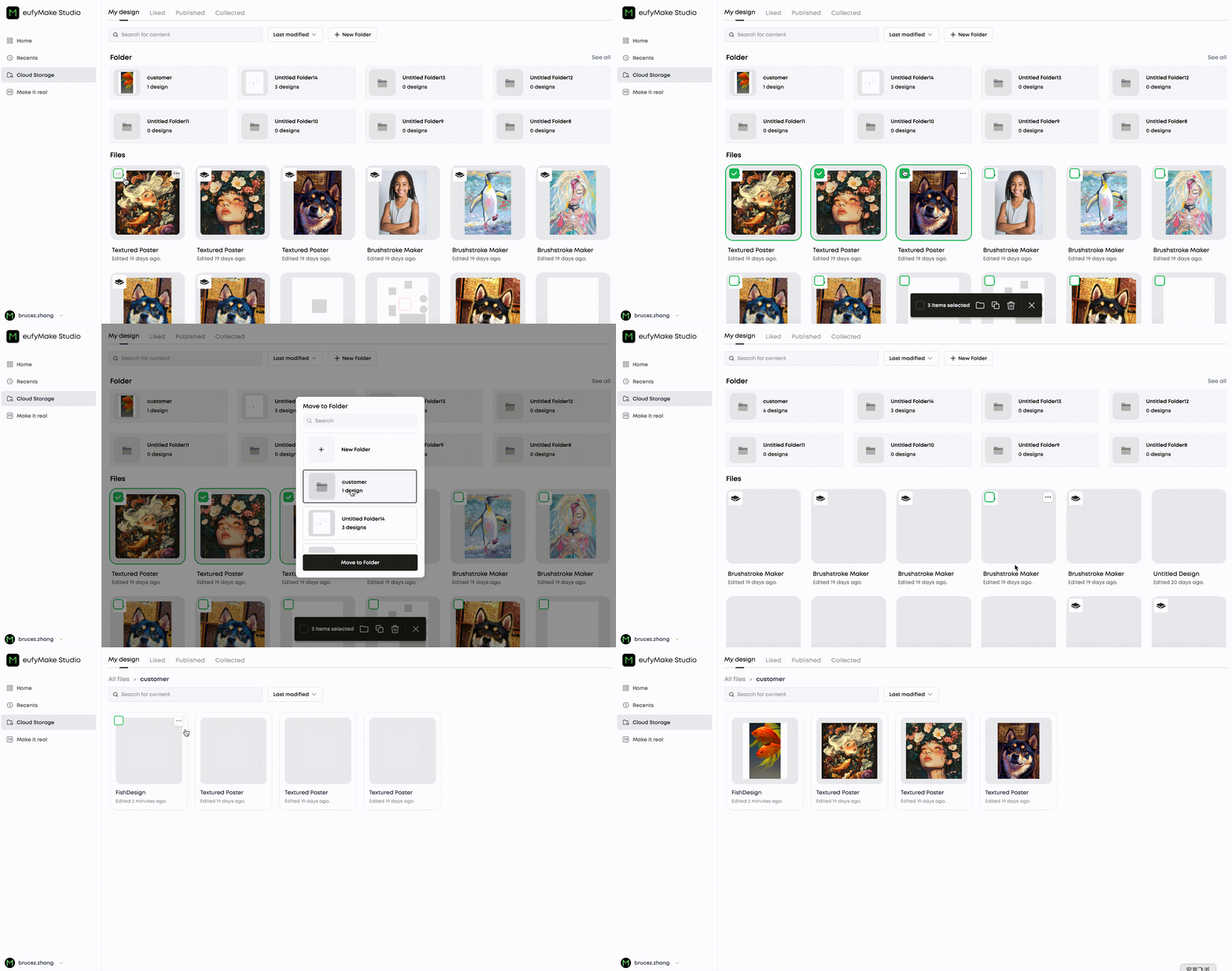
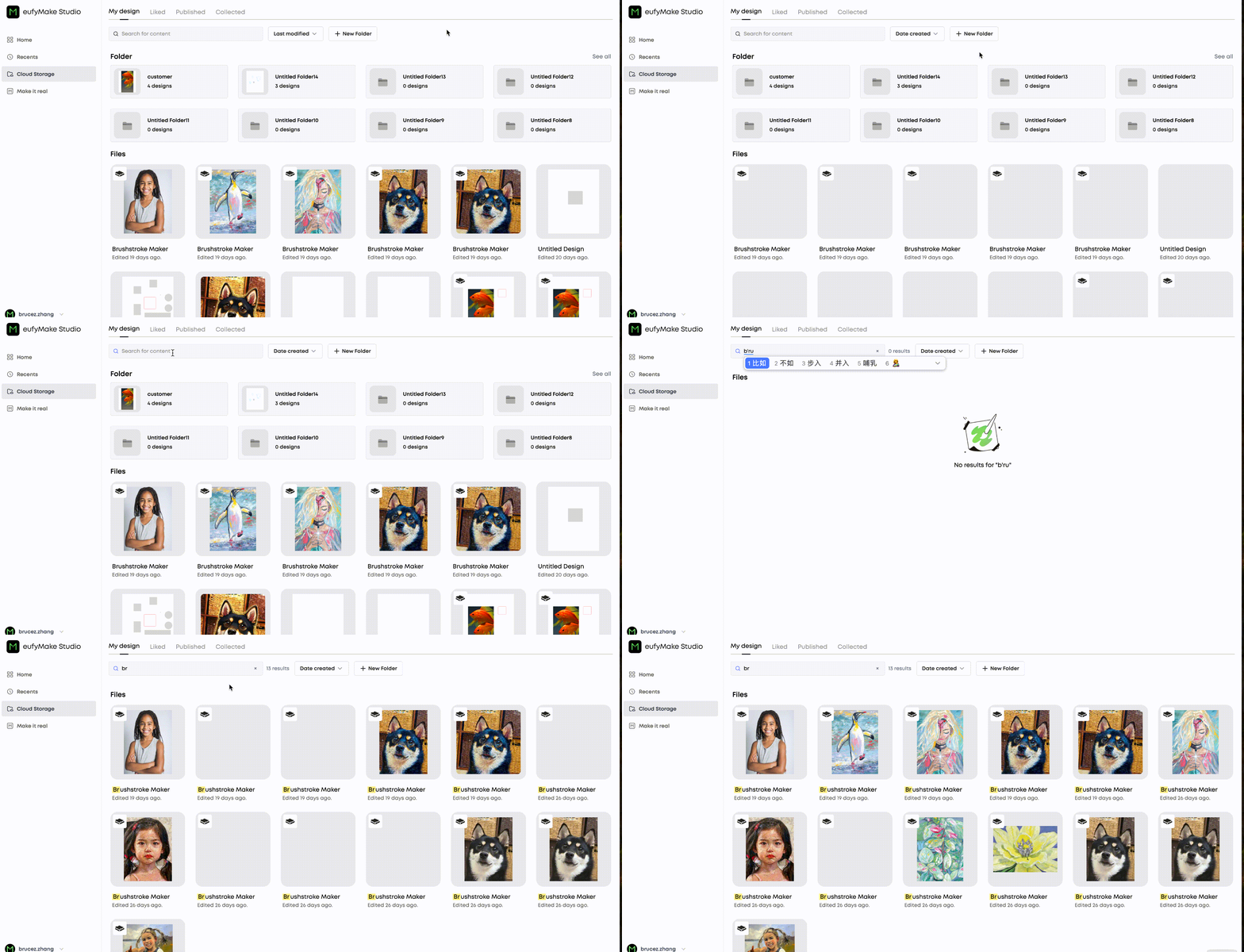
¶ Create folders for cloud projects. Search and sort to find anything in seconds.
Organize projects by client, product type, or workflow stage. Keyword search and multi-sort means you never have to scroll through a long flat list again.
Multiple clients or product lines? Team sharing one account? Everyone's work stays separate.
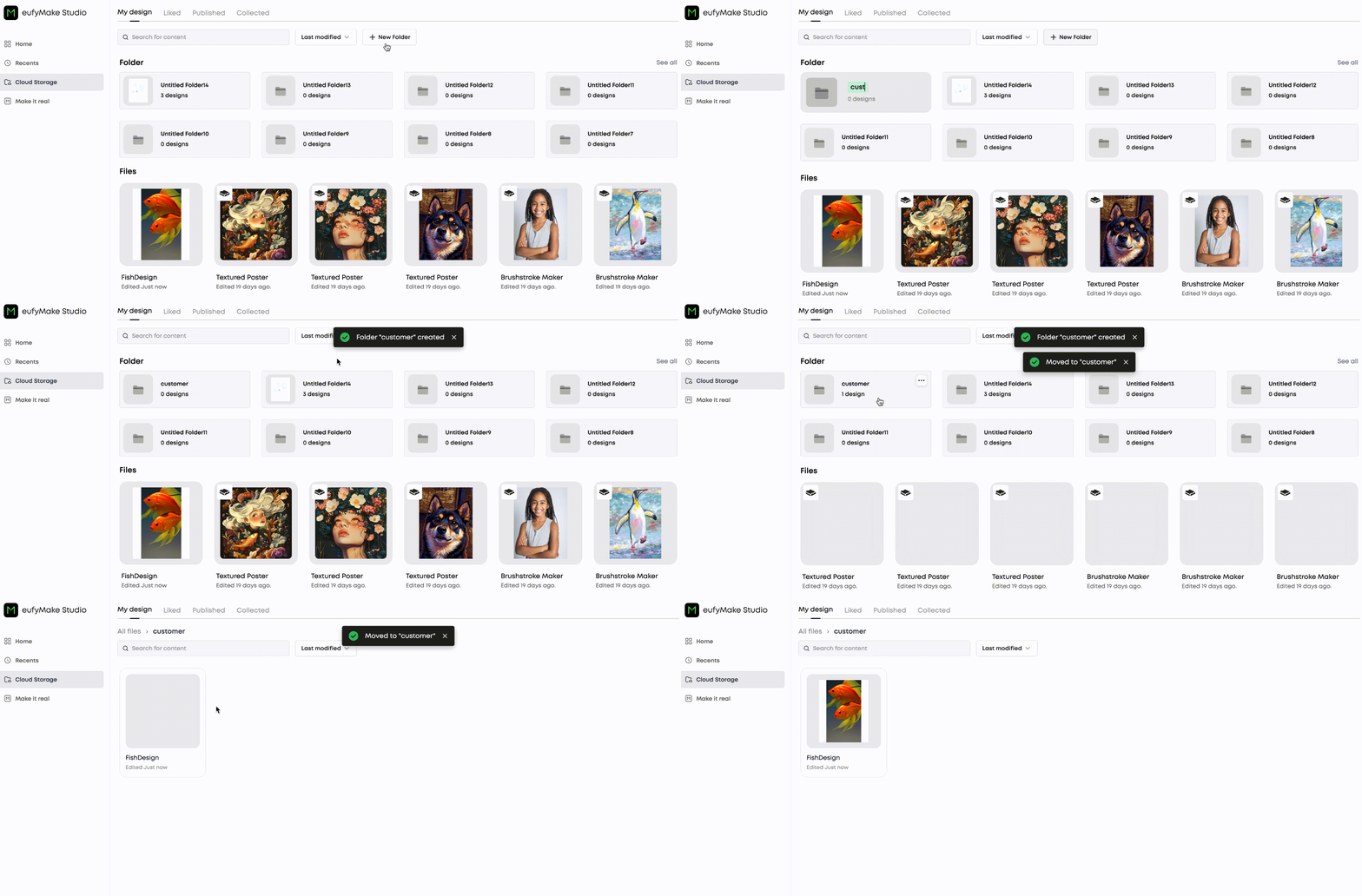
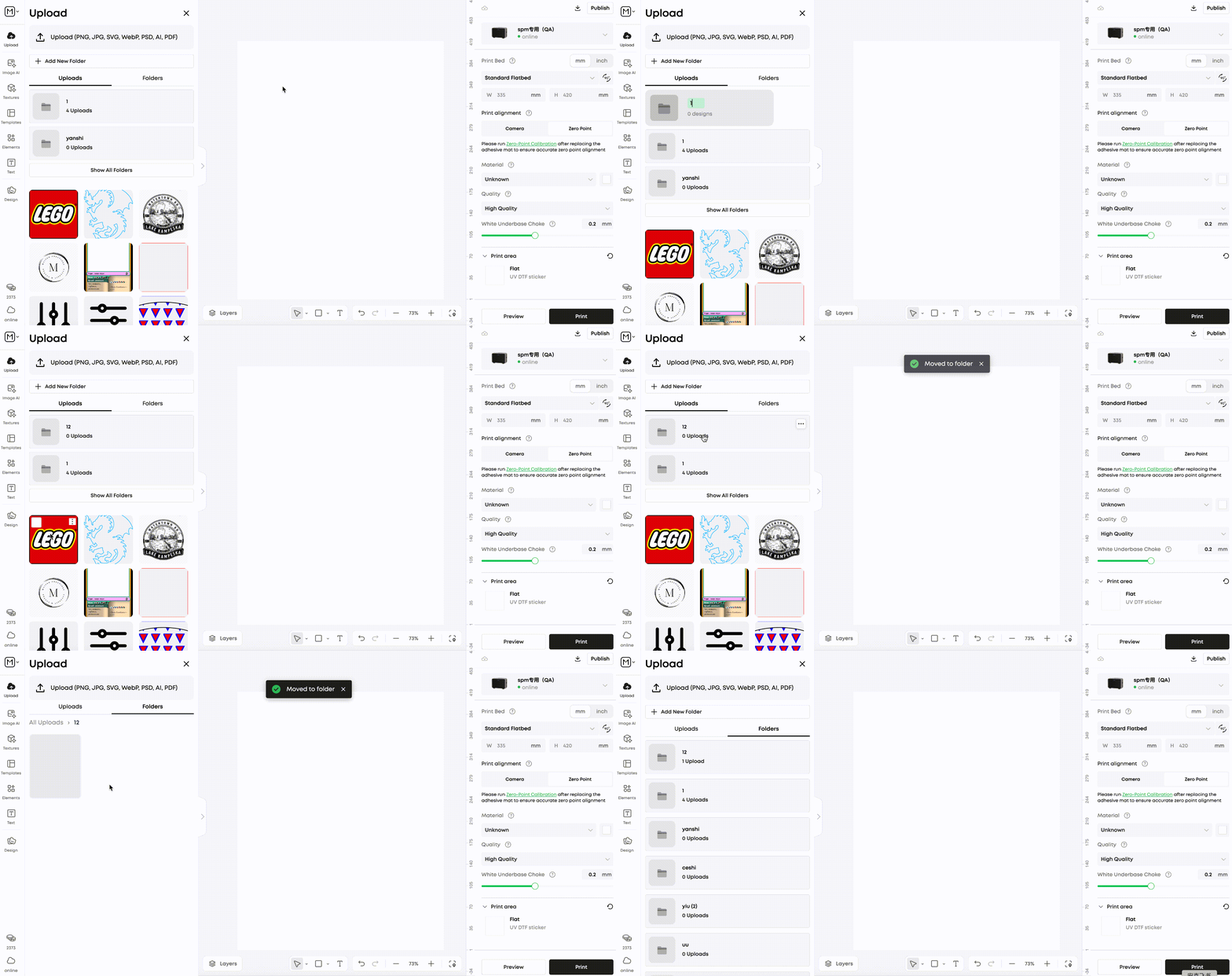
¶ Pick a folder when uploading — assets are organized from the start
Select or create a target folder at upload time. No more loose files to sort through later.
¶ Full-Chain Color Enhancement
What you see on screen is what you print
¶ CMYK files and ICC profiles import with accurate color mapping
Previously, imported CMYK files or files with embedded ICC profiles were treated as default sRGB, causing noticeable color shifts. The editor now reads the embedded ICC profile on import and applies an accurate color mapping, preserving your original color intent.
¶ Preview how your print will look or cost — before you print
The editor applies a color gamut conversion based on the printer's ICC profile, giving you a much closer preview of the actual print result — right inside the editor, without needing to open another tool.
¶ Other Improvements
Refinements across the editor for a smoother workflow
Print material, print quality, and white ink choke settings are now preserved when a project is closed and reopened.
Fixed bugs with group copy and selection.
Improved drag opacity and crop opacity for more precise snapshot-based alignment.
Optimized keyboard movement step: now 0.1 mm.
Improved snapping behavior across different zoom levels.
All features available in eufyMake Web Editor v17
Start Creating