¶ Fault Phenomenon
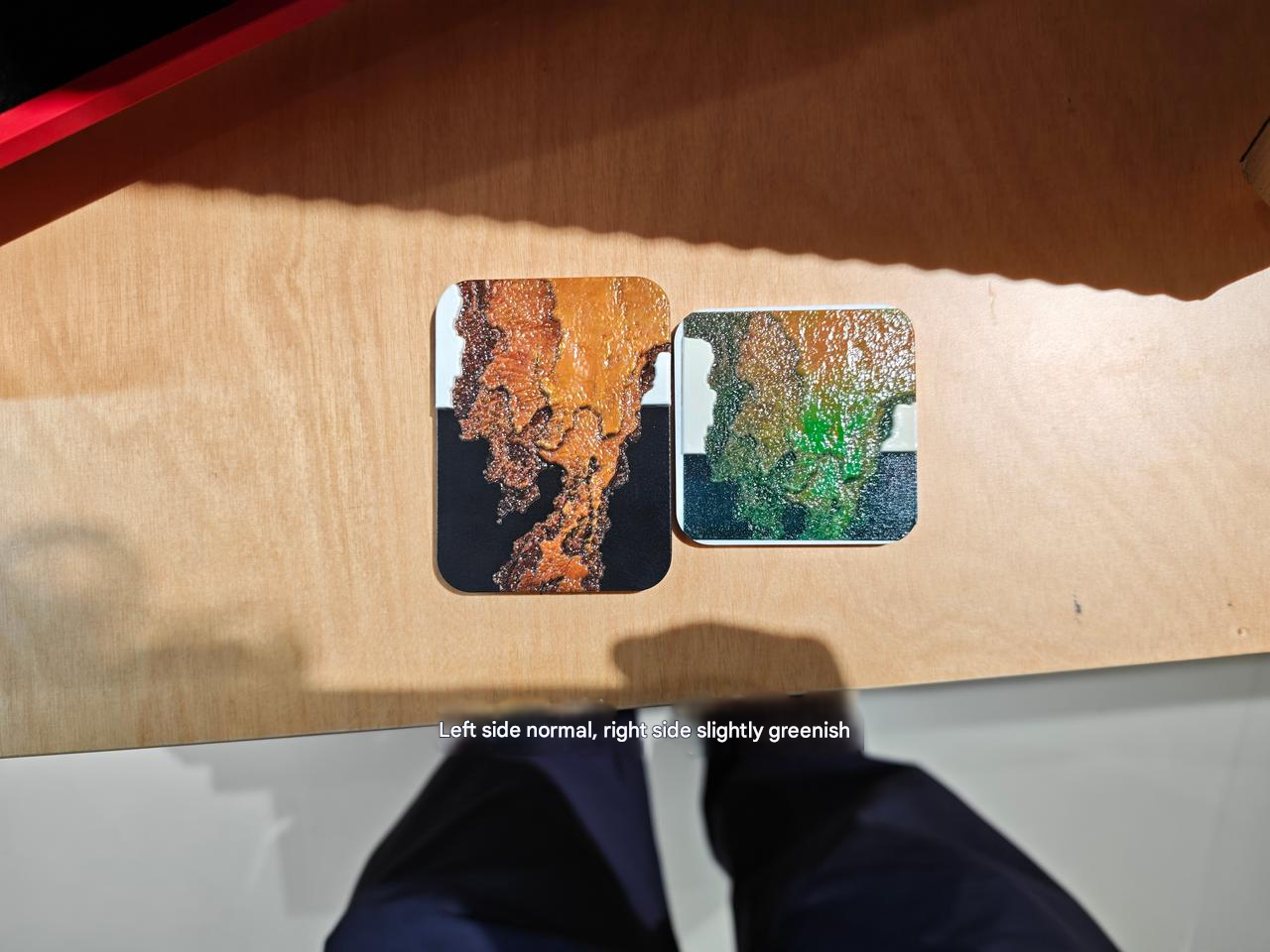
- The printed image color does not match the original image.
- The output shows obvious color deviation, with the pattern leaning toward a specific color such as red, green, or blue.
¶ Cause Analysis
- The root cause of color deviation is the absence or weakening of one or more CMYK color channels, which disrupts the normal CMYK color ratio.
- In particular, after exiting maintenance mode, the printer performs a re-inking process. During this process:
- A color channel may be mixed with residual cleaning solution or moisturizing fluid
- Air bubbles may form during ink injection
- Partial blockage or broken nozzles may occur
- These conditions lead to insufficient ink output in a specific channel, resulting in color error.
How to Identify the Type of Color Error
| The color seen is biased towards | Missing Ink |
| reddish | Cyan ink |
| Greenish | Magenta ink |
| Blue-tinged | Yellow ink |
| Overall graying | Black ink |
¶ Troubleshooting
- Print the test color block chart to observe color output.
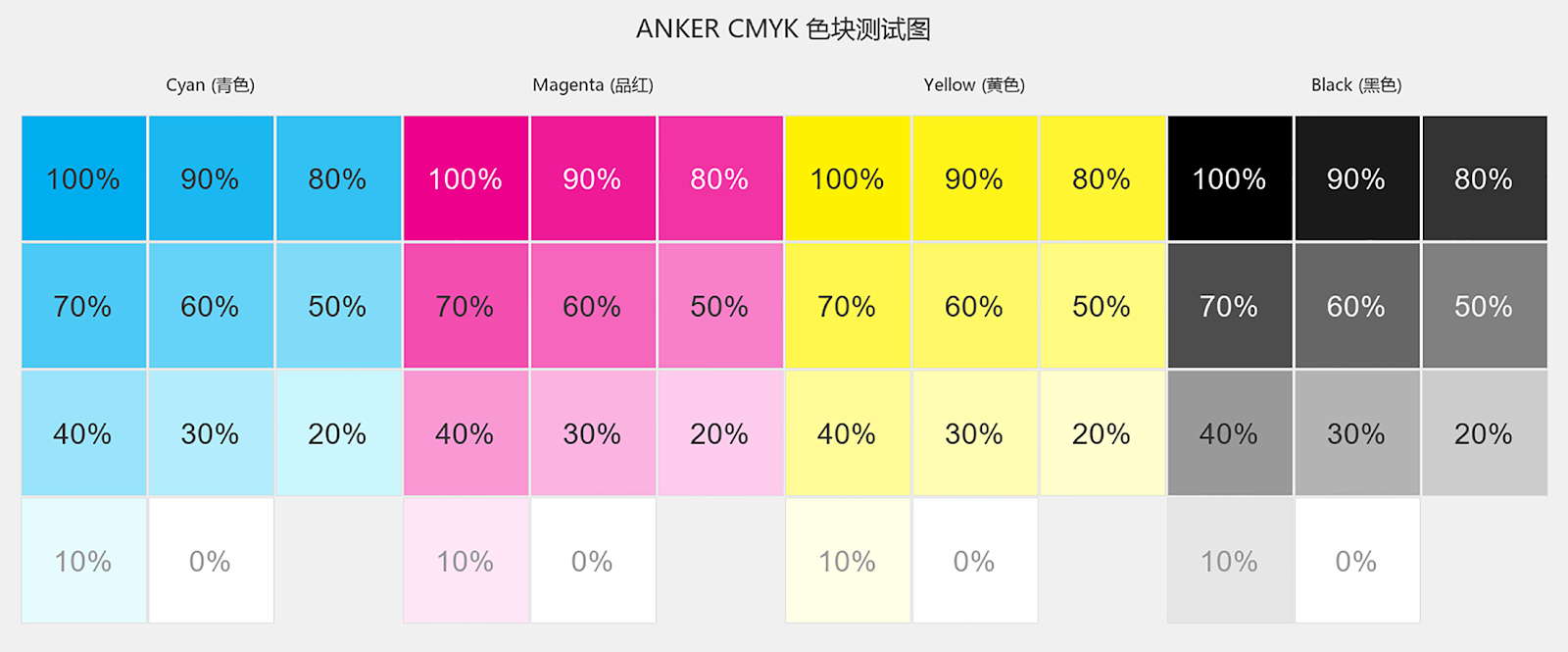
- Gently wipe the printed test chart with a tissue to check for uncured or sticky areas.
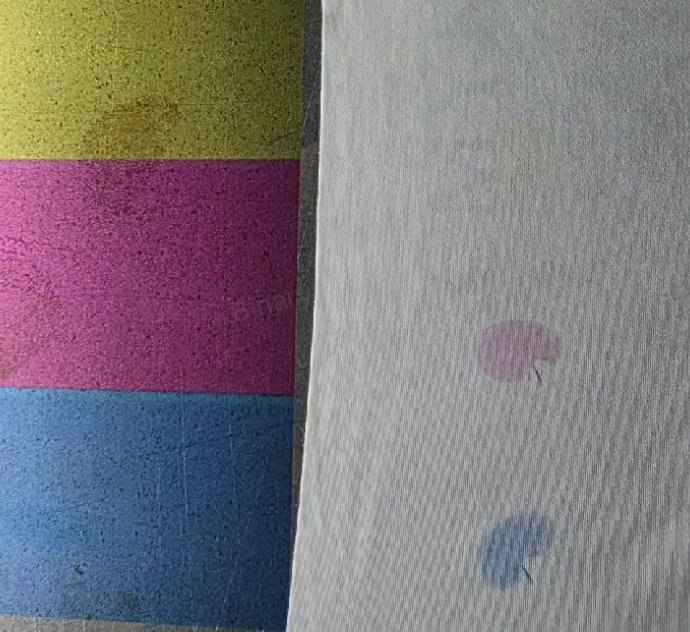
- If ink does not fully cure or smearing occurs, this indicates cleaning solution contamination. Proceed directly to Deep Clean.
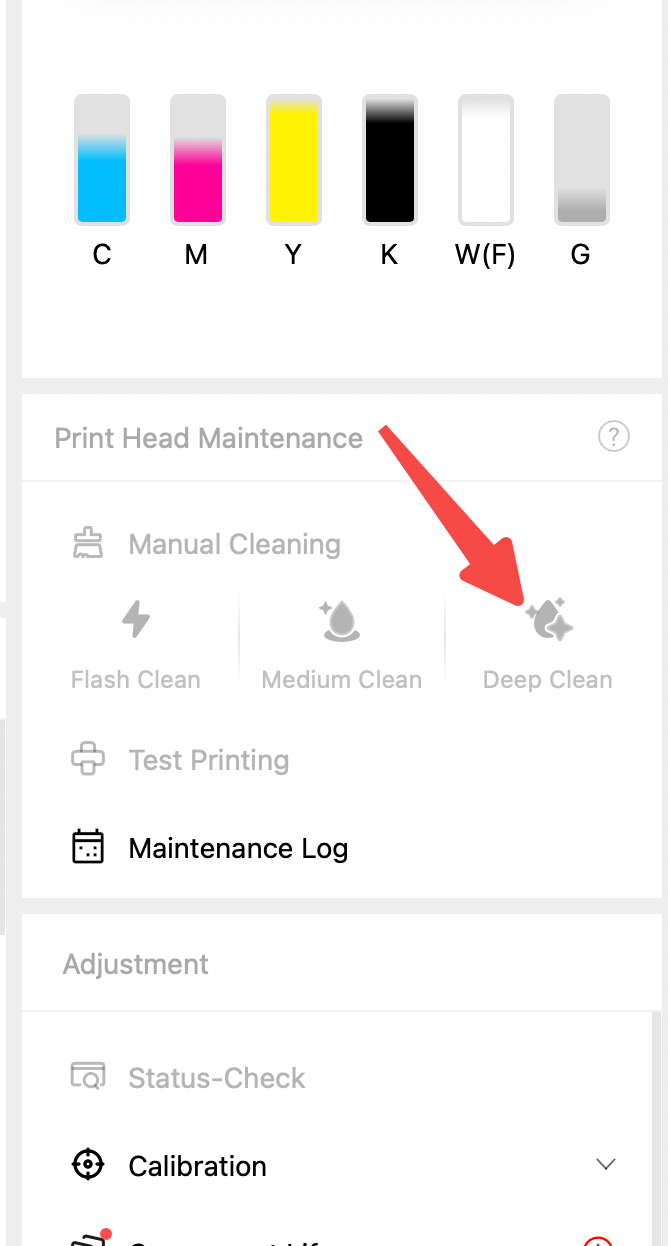
- If there is an ink not curing issue:
- Perform Medium Clean
- Print the color patch chart again to check whether the color deviation has improved.
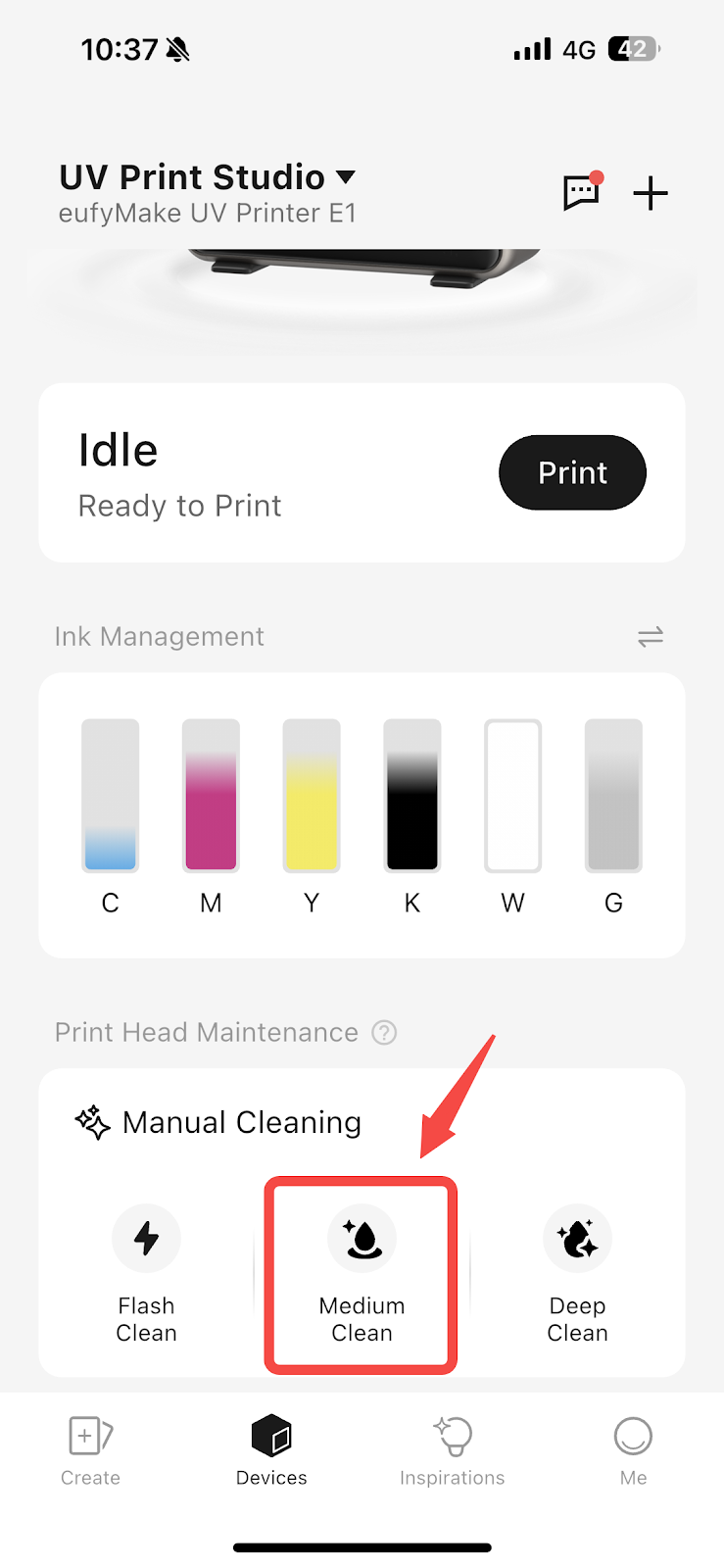
- If the issue persists:
- Perform Deep Clean
- Reprint the color block chart to verify recovery.
- If Deep Clean does not resolve the issue:
- Perform a factory reset.
- Refill the ink
- Re-test printing
¶ Support Contact
If the issue persists after completing the above steps, please contact eufyMake Customer Support at support@eufymake.com with the following information:
- Your Order Information
- Printer SN.
- Printer and App Logs.
- Relevant photos and videos.