¶ Relief Texture Introduction
¶ Relief Texture Mode Overview
Relief Texture is an advanced stereoscopic printing mode that integrates AI multimodal machine-learning recognition.
Using AI-based semantic analysis, the system identifies and separates key subjects within an image from the background. Ink is then selectively stacked on the main subject, while the background height is relatively reduced. This height contrast enhances depth perception and creates a clear, three-dimensional relief effect.
Advanced AI semantic recognition algorithms accurately detect subject boundaries, allowing for precise layering and smooth transitions between foreground and background. You can further customize the stacking height and surface smoothness to achieve a personalized relief effect with a well-defined subject and clearly separated layers.
In this mode, Ink-Saving Printing can be enabled to reduce the texture height of background areas, helping to lower overall ink consumption while preserving visual depth.
¶ How to Use Relief Texture Mode
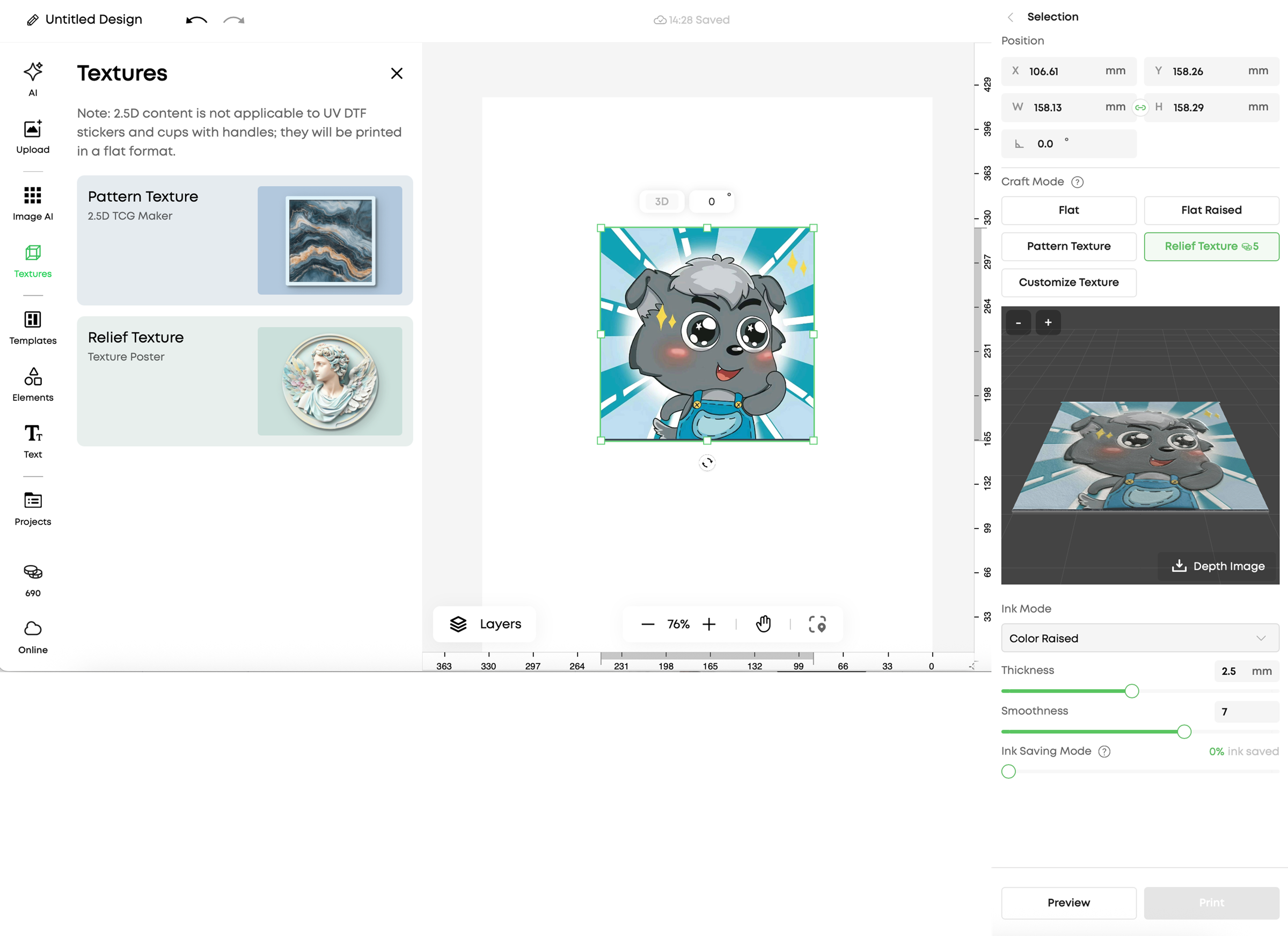
After selecting an element in the editor, a process editing panel will appear on the right side.
-
Select Relief Texture mode
-
Spend points to generate the relief texture effect
-
Preview the result using the 3D preview
-
Download the generated depth map if needed
-
Adjust printing thickness and smoothness parameters
Ink-Saving Printing can be enabled within this mode.
| Relief texture mode | Introduction | Schematic Diagram |
|---|---|---|
| Color Texture | • Seamless patterns • Decorative motifs • Material-simulated textures • Logo designs • And more • Forms 3D textures through controlled ink-layer accumulation and UV curing • Relief height is driven by depth map data • Allows fine control over texture thickness and surface smoothness • Supports Ink-Saving Printing for reduced background ink usage |