¶ Accessory Introduction:
Ink cartridges generally are one of six types: black, cyan, magenta, yellow, white, and varnish (gloss). In special cases, other types of cartridges may also be used as alternatives.
The ink cartridge contains UV ink, which enables fast printing and quick curing.
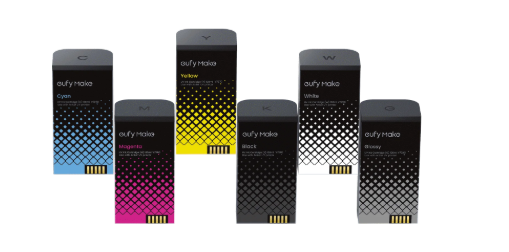
Figure 1. Ink cartridge kit in six colors
There are two types of white ink: standard hard white ink and soft white ink.
- Hard white ink is ideal for general applications on rigid substrates.
- while soft white ink is mainly used for flexible materials such as canvas, scrolls, and gold foiling.
Note: To ensure optimal print quality, this printer requires proprietary ink cartridges. Third-party cartridges are not supported.
¶ Explanation of Foolproofing Items
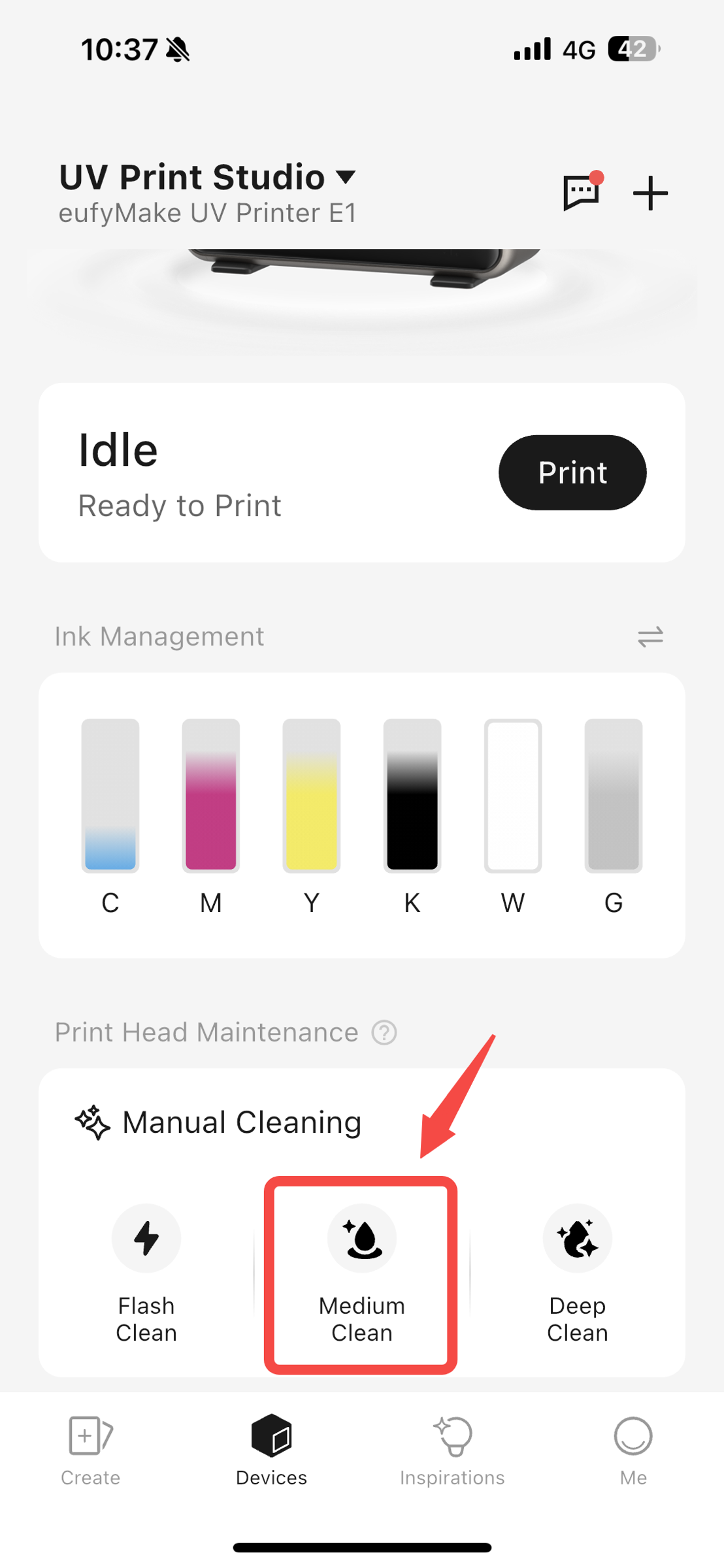
Ink cartridges of different colors all have different foolproof ports at the bottom to prevent the cartridges from being inserted into the wrong color positions. However, pressing too hard can cause the foolproof ports to be damaged and fail!
Therefore, during the process of inserting the ink cartridges, in addition to carefully checking the corresponding color letters (such as C, M, Y, K, W, O) and color patterns, it is also necessary to ensure that the ink cartridges are not forced into the cartridge slots by excessive force or tapping.
¶ Safety Precautions for Operation:
- When removing the old ink cartridge and installing a new one, keep the cartridge vertical and level during insertion to prevent damage to the connector.
- If minor ink leakage contaminates the cartridge surface, wipe it clean before installation. Do not use a cartridge with excessive leakage.
- Avoid touching the chip circuit with your fingers to prevent poor contact.
- Operate gently to avoid impacting or damaging connectors or the machine.
¶ Replacement Steps:
¶ Step 1: Locate the cartridge position
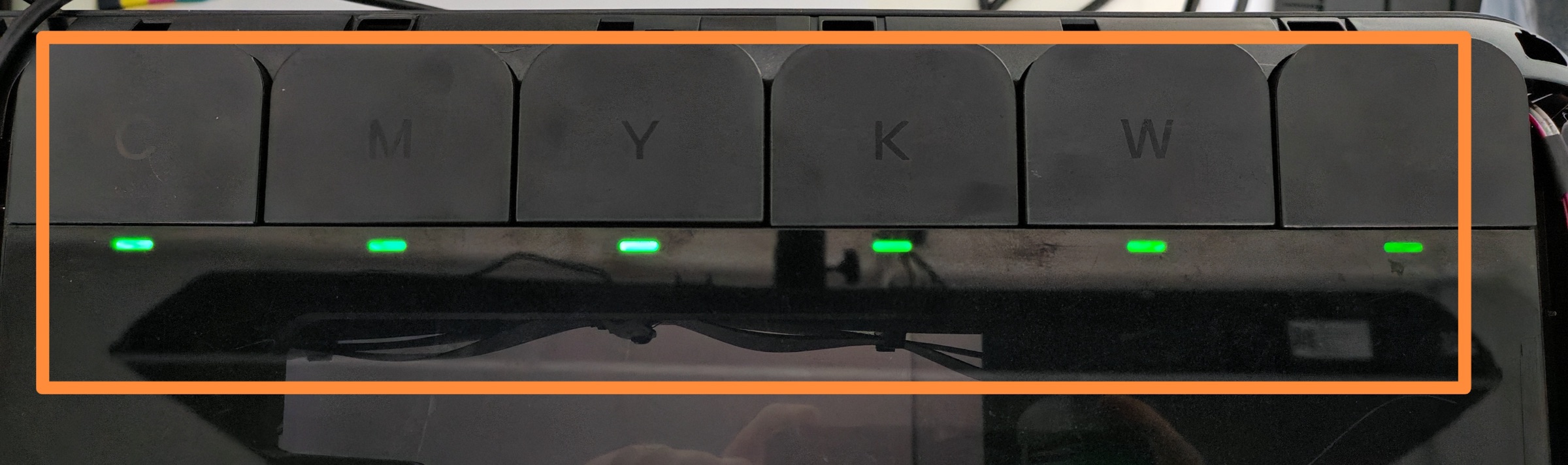
Please carefully identify the letters on the ink cartridges. K represents black, C represents cyan, M represents magenta, Y represents yellow, W represents white, and G represents varnish.
¶ Step 2: Locate the corresponding ink cartridge and press down
- To remove the old ink cartridge, press down on it; the cartridge will pop up slightly.
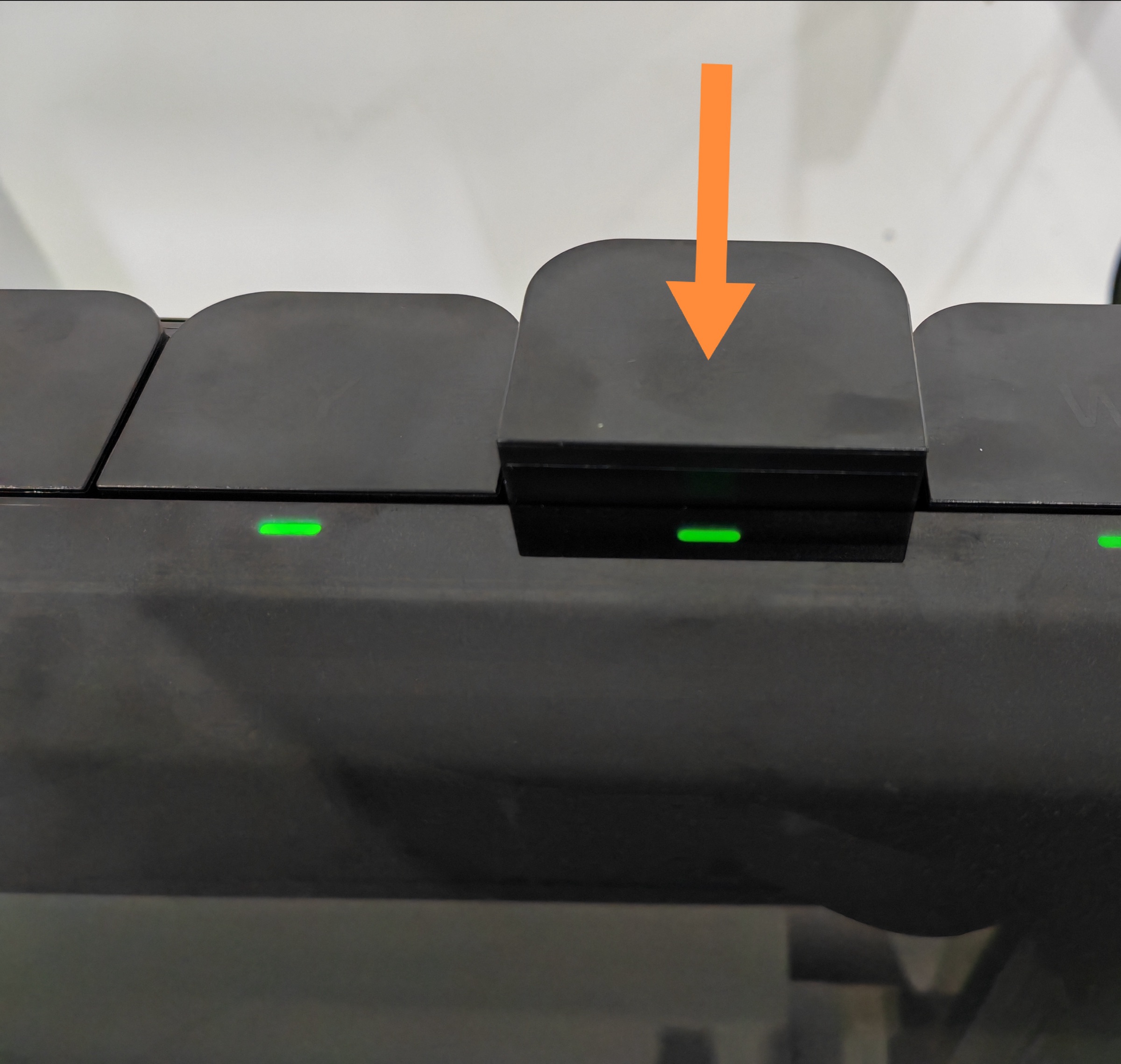
- The popped-up height should be slightly higher than that of the other cartridges. If not, press again until successful.
¶ Step 3: Lift and Remove the Old Cartridge
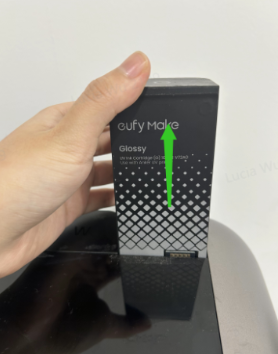
¶ Step 4: Place the Removed Cartridge Upside Down
To prevent ink leakage, place the removed cartridge upside down.
¶ Step 5: Insert a New Ink Cartridge
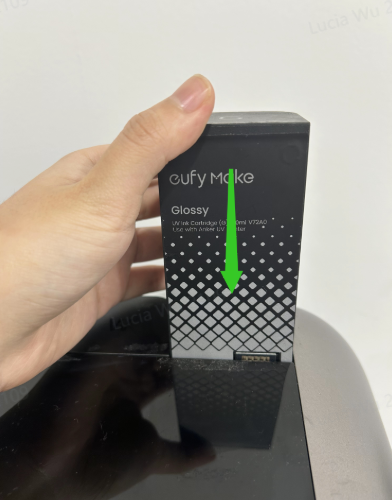
¶ Step 6: Press the Cartridge into Place
Press the cartridge down until it is level with the others.
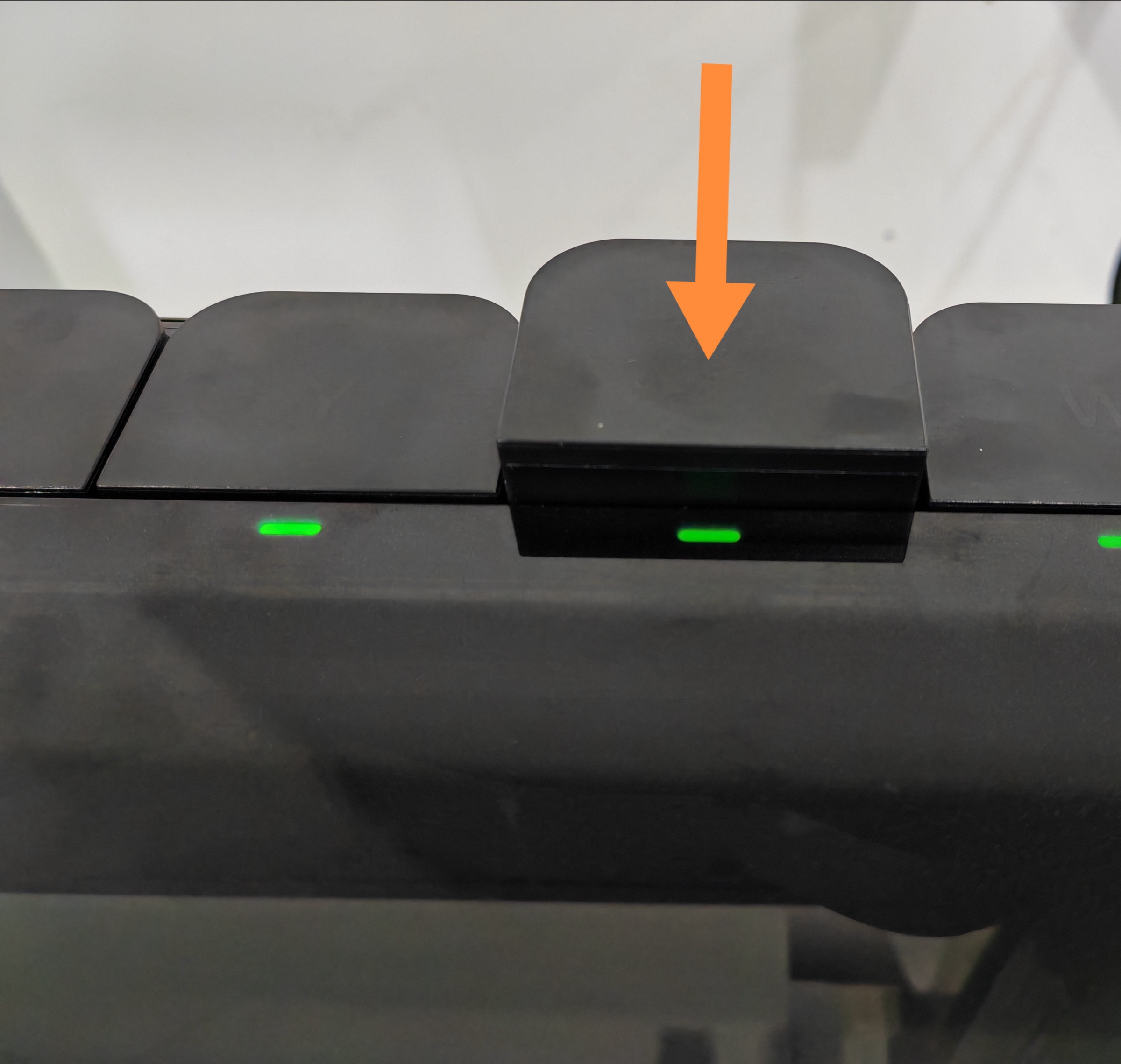
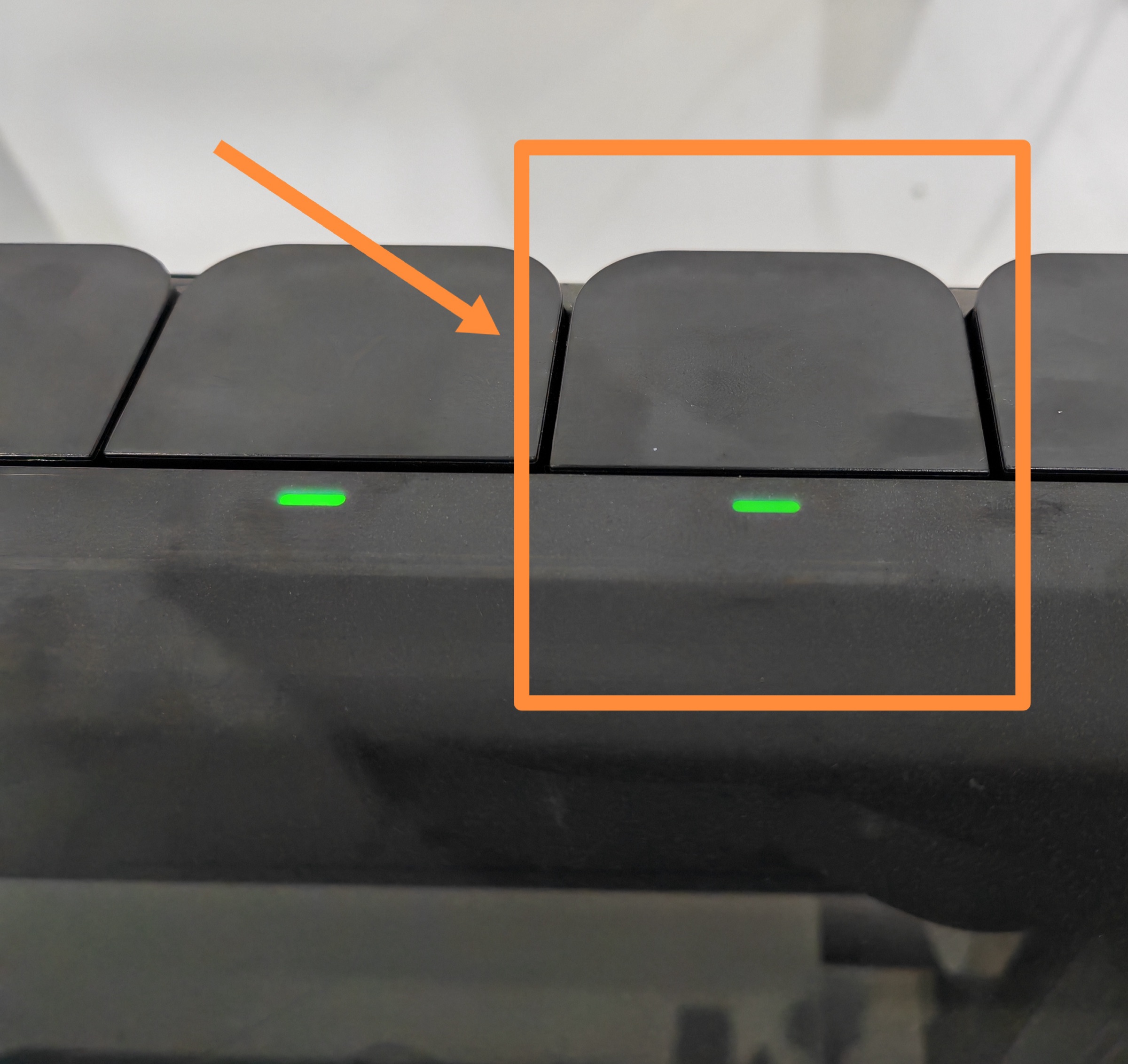
Wait 2-5 seconds after inserting the new cartridge. When the indicator light turns green, the device has successfully recognized it.
Please refer to the handling method for old cartridges
Waste Ink Cartridge/Cleaning Cartridge Disposal Guide
¶ Functional Testing
After replacing the ink cartridge, wait for the printer to complete ink suction, then print a status diagram to confirm proper installation.
If any issues occur, please contact Customer Service at support@eufymake.com