¶ Soft White Ink Usage Guide
¶ Overview
¶ Difference: Soft White Ink versus Hard White Ink
Think of them as two types of paint, each with unique properties:
- Soft White Ink: Flexible and elastic. When printed on soft materials (like fabric or leather), the design can bend and stretch without cracking.
- Hard White Ink: Rigid and durable. It offers strong adhesion and is highly scratch-resistant when printed on hard surfaces (like metal, hard plastics, or glass). If used on flexible materials, the design will crack when bent.
The rule of thumb is: use Soft White Ink for flexible materials, and Hard White Ink for rigid materials.
¶ Features & Operation
¶ When Should I Use Each Ink?
Choosing the right ink is crucial for print quality. While Hard White Ink is generally recommended for hard surfaces and Soft White Ink for flexible ones, there are three situations where the choice is not optional. To prevent print failures and ensure durability, you must always follow these specific rules:
- For Soft Materials
If your print job on a flexible material (like leather, fabric, or a soft phone case) uses a mode that requires white ink, you must use Soft White Ink. - For Foil Stamping
When using the White (Foil Stamping) process for gold or silver foil applications, you must use Soft White Ink. This rule applies regardless of whether the printing surface is hard or soft. - For Crystal Sticker Applications
When creating stickers (a type of UV transfer decal often called a "crystal sticker"), you must use Hard White Ink.
¶ A Summary of White Ink Usage:
¶ How to Swap Between Soft and Hard White Ink
The ink replacement process is simple, and the software will guide you through it.
Initiate the Swap: In the software's ink status panel, click the arrow icon next to the white ink. A window will appear with important notes about the ink swap process.
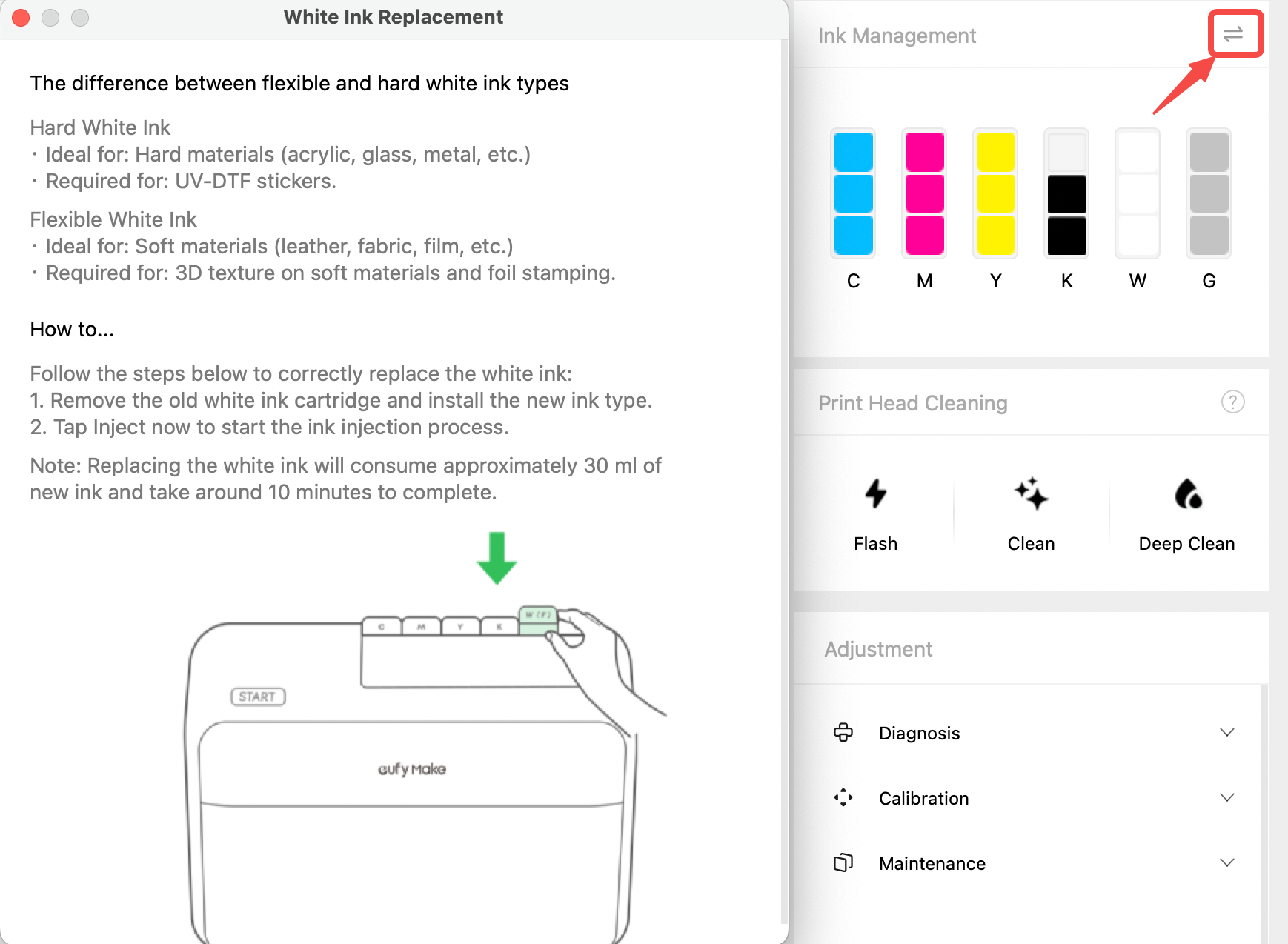
- Replace the Cartridge: After reading the notes, go to the printer and remove the old white ink cartridge. Install the new one.
- Prime the System: Once the new cartridge is inserted, a "Prime Ink" window will automatically appear in the software. Click "Prime Now".
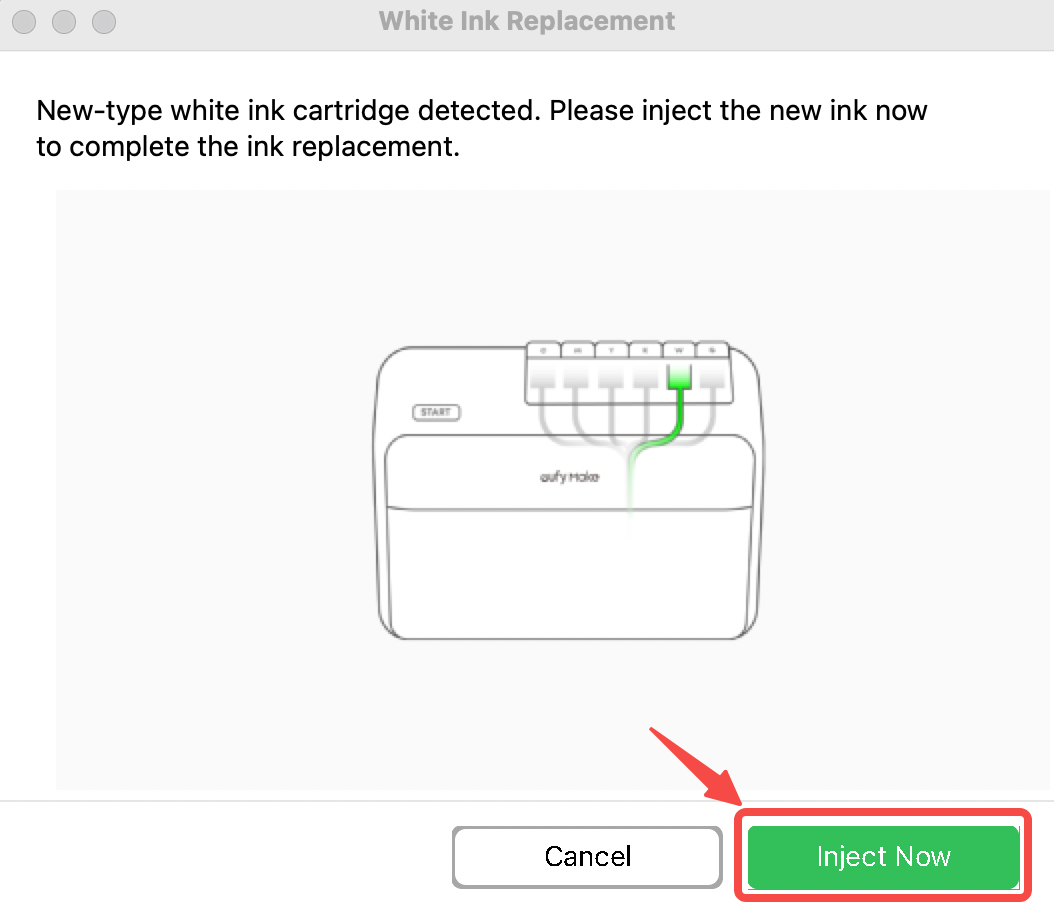
- Wait Patiently: The entire priming process takes about 15 minutes. Please wait until it is complete.
⚠️ Important Note: Each time you swap between different white ink types (Soft to Hard or Hard to Soft), the system must flush the ink lines. This process consumes approximately 30 ml of ink from the new cartridge. This is a normal and necessary step to ensure print quality.
¶ Frequently Asked Questions (FAQ)
Q1: What happens if I use Hard White Ink on a soft phone case?
A: It might look fine right after printing, but when the case is bent or squeezed, the white design will likely crack and flake off, much like old, dried paint on a wall.
Q2: Why does swapping inks consume so much (30 ml)?
A: This is essential for maintaining optimal print quality. To prevent the two different ink types from mixing inside the machine—which could cause print failures or damage the printhead—the system must use a sufficient amount of new ink, aided by a dedicated cleaning solution, to completely flush out any residual old ink from the lines. This process ensures the two types of white ink do not mix.
Q3: Can I use Soft White Ink on a hard acrylic sheet?
A: You can, but it is not recommended. While Soft White Ink will adhere to hard surfaces, its durability and scratch resistance are inferior to Hard White Ink. More importantly, when printing 3D Texture, using Soft White Ink is twice as slow as using Hard White Ink, which will impact your production efficiency.